1
1
2
2
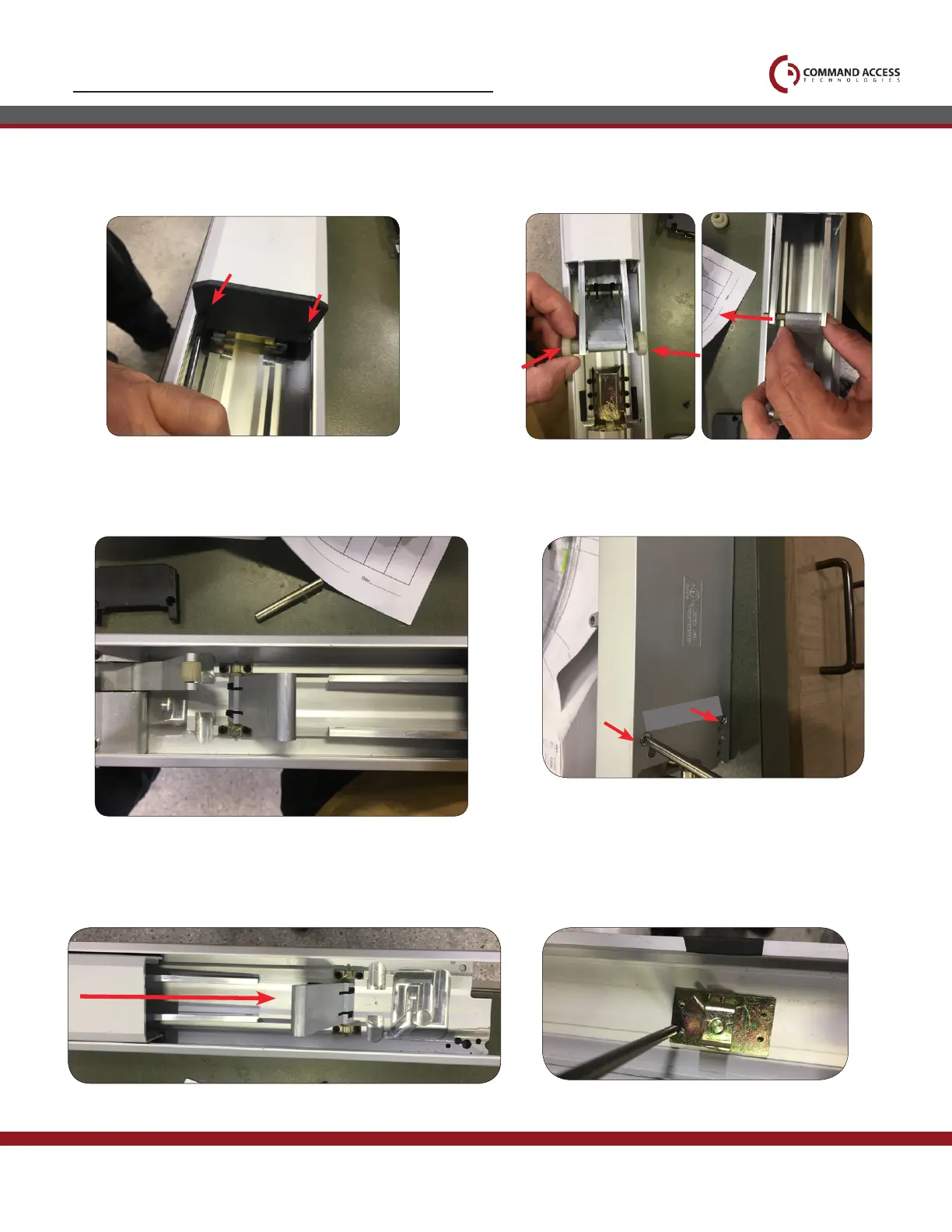
STEP 1 - Disassemble Exit Device
Remove (2) screws on push pad end caps from front & back.
1.
Pull back push pad, exposing the front activating
bracket. Remove guides and roll pin from activating bracket.
2.
Once connecting rods are disconnected from front activating bracket
flip device over.
3.
Remove head assembly by removing (2) screws.
4.
Slide push pad forward to remove from device.
5. 6.
Underneath pushpad remove dogging assembly.
US customer support 1-888-622-2377 | www.commandaccess.com | CA customer support 1-855-823-3002



 To Next Page