1
2
1
CVR
RIM
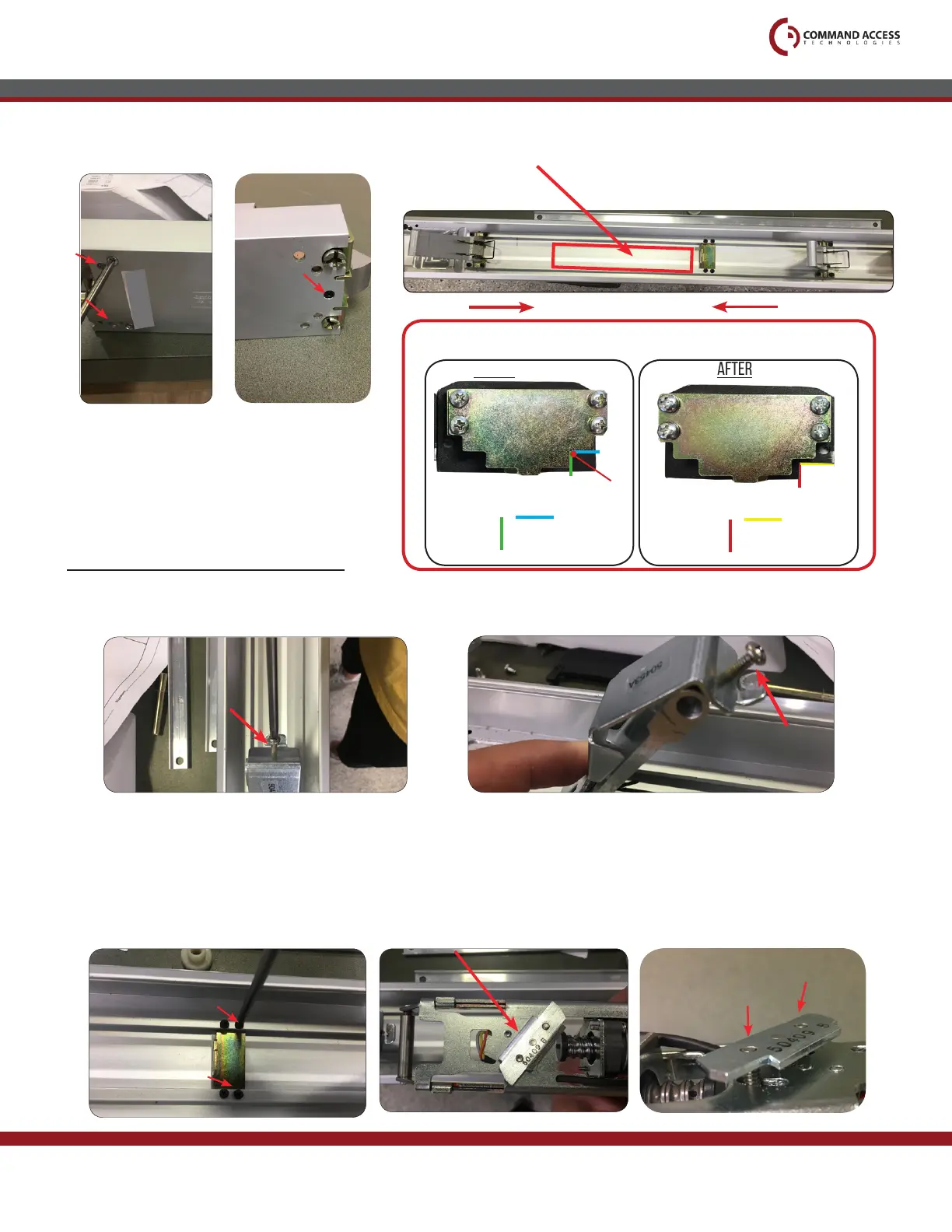
Next, we’ll be installing the kit in between the
activating brackets on the exposed baserail.
7.
Re-attach head assembly by securing (2) screws.
8.
9.
STEP 2- Installing Kit
Add bracket #50453 to front activating bracket. Dropping it over the top and securing it with the
screw provided.
10.
1/4”
1/2”
PILOT HOLE IN INCHES (“)
PILOT HOLE
BEFORE
AMOUNT REMOVED IN INCHES (“)
5/16”
5/8”
AFTER
BEFORE MOVING TO STEP 2 - SEE STEP 3 on PAGE 7
**Important Info**
US customer support 1-888-622-2377 | www.commandaccess.com | CA customer support 1-855-823-3002
2
FRONT
On the baserail, remove the back (2) screws from the dog-
ging bracket.
11.
Make sure scissor bracket on bottom side is diagonal & screws are flush
before installing.
1
2
1



 To Next Page