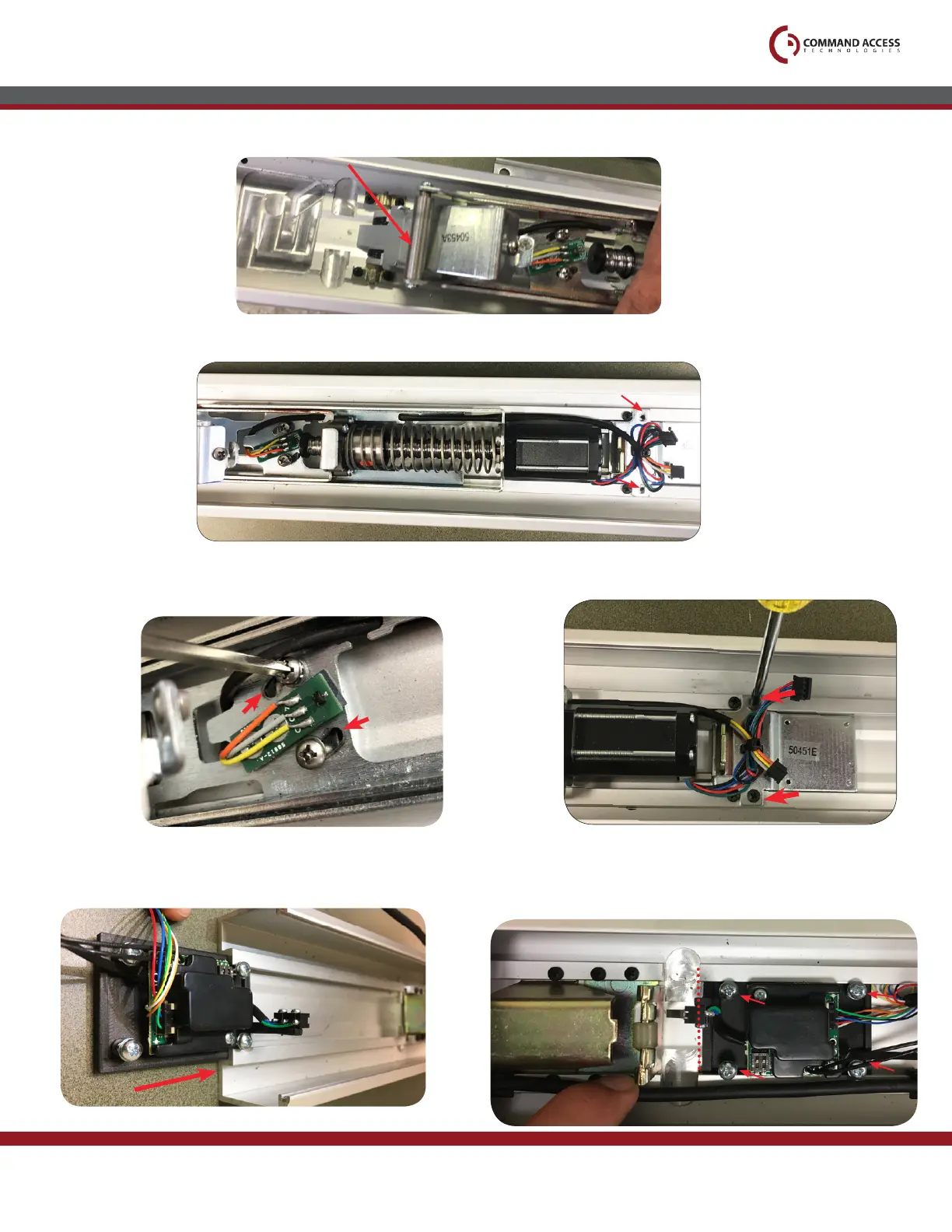
Next, drop the motor mount in with the front over the front activating bracket.
13.
1
2
Line up the back with the (2) available screw holes and the bracket securing the motor mount.
14.
Push screws to correct position (pictured) to straighten scissor bracket and
secure front end of the motor kit by tightening (2) screws.
16.
US customer support 1-888-622-2377 | www.commandaccess.com | CA customer support 1-855-823-3002
12.
Push Pad
Tighten back end of the module by re-installing (2) screws
from dogging bracket.
17. 18.
End of Channel
2
1
3
4
Slide all the way up until the MM4 bracket is
almost flush with end of the channel. Tighten all
(4) screws here to secure MM4
Slide MM4 module into housing’s channel on the back of the device.



 To Next Page