INSTALLATION INSTRUCTIONS
Command Access Technologies | 22901 La Palma Ave, Yorba Linda, CA 92887 | Phone:(888) 622-2377
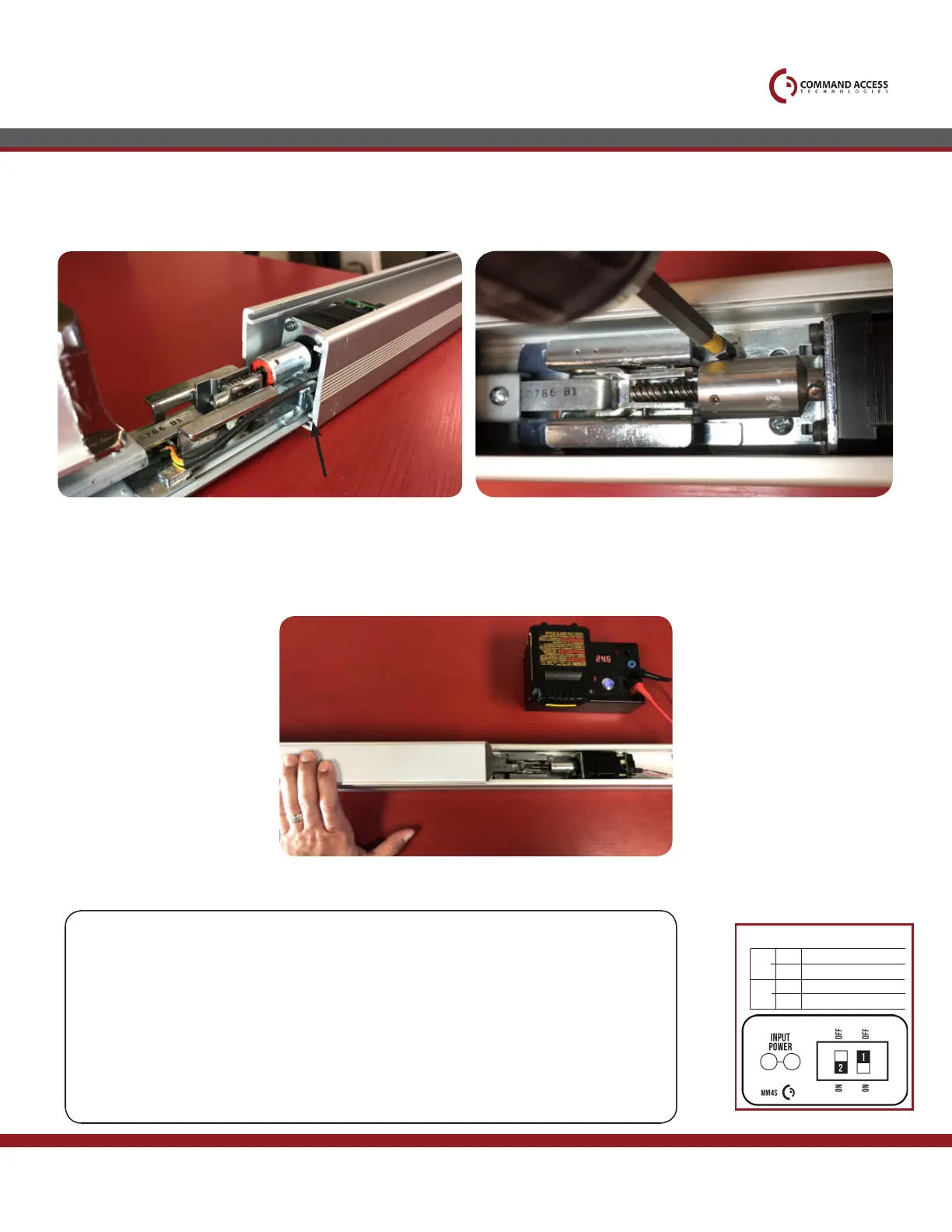
SLIDE BASERAIL WITH MOTOR KIT BACK INTO HOUSING.
MAKE SURE IT’S IN THE MIDDLE CHANNEL!
7.
NEXT, HOOK UP TO POWER AND SET THE PUSH-TO-SET ADJUSTMENT. FOLLOW STEPS BELOW TO SET,
remembering to turn the Programming Switch to the off position when completed.
9.
ONCE HOUSING IS ALL THE WAY ON, GO BACK TO MOTOR MOUNT SCREWS &
TIGHTEN ALL THE WAY TO KEEP HOUSING IN PLACE.
8.
Setting PTS
Step 1-
Select your preferred torque mode (ships in standard torque) Press the device push pad to the
desired setting. (Recommend to fully depress and release 5%, giving the device room for
changing door conditions.)
Step 2-
While depressing the push pad, apply power. (i.e. presenting the credential to the reader).
Step 3-
Continue to keep pad depressed, the device will beep 6 times. After the beeps have
stopped, release the pad and now the adjustment is complete. If not to your liking repeat the
three steps.
Step 4-
Once you found the correct location, ip the dip switches to off to lock programming.
MM4T SWITCHES
2
STANDARD TORQUE
HIGH TORQUE
PTS PROGRAMMING OFF
PTS PROGRAMMING ON
1
OFF
OFF
ON
ON



 To Previous Page