EasyManua.ls Logo

Commax CDV-43N - Operation; Visitor Calling and Interaction; Multi-Camera Operation; Interphone Communication

Commax CDV-43N
14 pages
Print Icon
To Next Page IconTo Next Page
To Previous Page IconTo Previous Page
Loading...
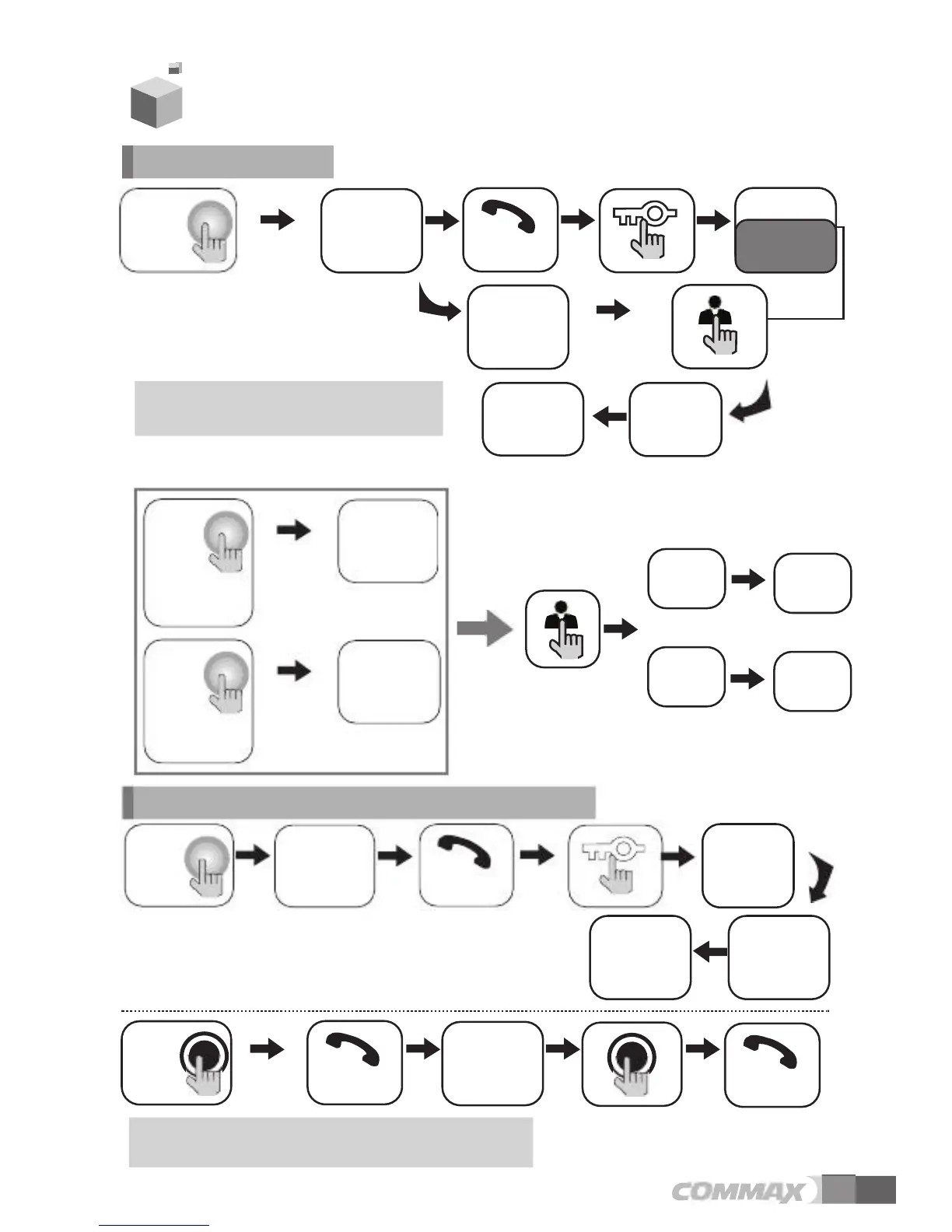
The
visitor
s
pressesthe
on
the
monitor
entrance
button
is
pressed
and
a
dialog
can
be
made
60
seconds
at
handset
tor
the
call
camera1
sounds
image
appears
once
view
tor
the
call
camera2
sounds
image
appears
twice
view
simultaneously
A
visitor
monitor
and
Dialog
begins
the
entrance
interphone
conversation
can
take
interphone
is
ously
handset
from
the
Sound
monitor
visitor
s
image
is
visible
on
the
monitor
screen.
4.
Operation
1.
Calling
of
visitor
Thevisitor
callbuttonon
image
appears
A
view
of
the
front
door
can
be
seen
anytime
the
with
anyone
at
the
front
door.
*
In
case
of
connecting
two
cameras
Dialog
begins
Dialog
duration
a
time
Ends
the
call
To
check
Hang-up
the
Open
the
door
The
door
release
function
operates
only
when
the
visitor’s
image
is
displayed
on
the
screen
The
visi-
presses
button
on
the
The
visi-
presses
button
on
the
A
chime
A
chime
The
visitor
s
on
the
monitor
The
visitor
s
on
the
monitor
Press
Press
Camera
1
Camera
2
2.
Communication
with
the
optional
Interphone
A
chime
rings
calls
from
from
both
the
A
three-way
place
if
the
monitor
or
picked
up
simultane-
End
the
dialog
Open
the
door
Hang-up
the
Call
monitor
"Tu-Tu-Tu"
Call
to
the
Dialog
begins
Dialog
begins
Dialog
between
the
interphone
and
camera
is
possible
only
when
the
5

Related product manuals