Need help?
Do you have a question about the Commax CDV-43K2 and is the answer not in the manual?
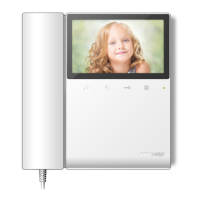
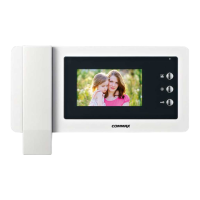
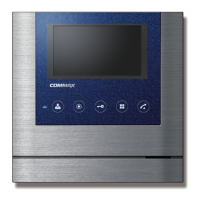
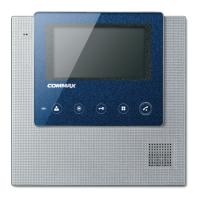
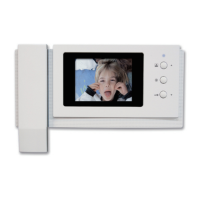
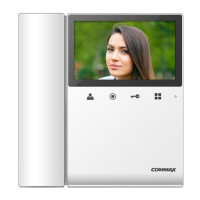
This document is a user manual for the COMMAX CDV-43K2 Color Video Door Phone, a device designed for smart home and security applications. The manual provides comprehensive instructions on the device's functions, usage, installation, and maintenance.
The COMMAX CDV-43K2 serves as a communication and security hub for monitoring visitors at an entrance. Its primary function is to allow users to see and communicate with visitors from inside their home. When a visitor presses the call button on the outdoor camera, a chime sounds, and the visitor's image appears on the monitor. A dialog can then be initiated, lasting for 60 seconds. During this time, the user can choose to open the door, provided the visitor's image is displayed on the screen. The door release function is only active when the visitor's image is visible, ensuring a layer of security. The monitor also allows users to view the front door at any time by pressing the entrance button, enabling proactive monitoring.
The device supports the connection of two cameras, enhancing security coverage. If two cameras are connected, pressing the call button on either camera will display the respective visitor's image on the monitor. The user can then switch between Camera 1 and Camera 2 views by pressing the monitor button once or twice, respectively. This feature is particularly useful for properties with multiple entry points.
An optional interphone can also be integrated with the system. When a visitor calls from the entrance, a chime rings simultaneously on both the monitor and the interphone. This allows for a three-way conversation if both the monitor and interphone are picked up. Users can also initiate a call to the interphone from the monitor. Communication between the interphone and the camera is possible only when the visitor's image is displayed on the monitor screen.
The CDV-43K2 offers several adjustable settings to customize the user experience. These settings can be accessed via the Menu button and navigated using the UP/DOWN and SELECT buttons. Screen settings include brightness, contrast, and color adjustment. Users can adjust these values to optimize image quality. There's also a "RESET" option to revert screen settings to their default values. The screen mode can be set to "ZOOM" (maintaining a 4:3 ratio with expansion to fill the screen), "4:3" (displaying the actual 4:3 ratio without expansion), or "WIDE" (expanding the image to fill the LCD, which may not maintain the actual 4:3 ratio).
Utility settings allow for the adjustment of the CHIME-BELL VOLUME, with levels ranging from 0 (MUTE) to 3 (MAX). This ensures that the call sound level is appropriate for the user's environment. The device also provides an "INFORMATION" menu where users can check details such as the model name, version, system type (SINGLE FINE VIEW VIDEOPHONE), touch-key version, video transmission formats (NTSC/PAL), and the position of the camera (DOOR) currently displayed on the screen.
For installation, the manual provides detailed wiring instructions for connecting the camera and interphone to the monitor. Each device requires separate cables, and UTP CABLE [CAT.5] is recommended for camera connections. The manual specifies the polarity for both camera and interphone connectors. Regarding physical installation, it is advised to avoid direct sunlight, install the monitor at a recommended height of 1450-1500mm, and keep it away from magnetic activity, humid temperatures, and gas.
Maintenance of the device involves simple cleaning procedures. Users are instructed to rub the product with a soft and dry cloth after unplugging the power cable. It is crucial to avoid using chemical products such as wax, benzene, alcohol, or cleansers, as these can damage the device.
The manual emphasizes several safety precautions. Users are warned against disassembling, repairing, or rebuilding the product arbitrarily, as this could lead to electric shock or fire. In case of abnormal sounds, burning smells, or smoke, the power cable should be unplugged immediately, and a service center contacted. Inserting metallic or burnable materials into ventilation holes is prohibited. When cleaning, the power cable must be unplugged. Multiple products should not be used simultaneously on one power socket to prevent overheating and fire. The power cable should not be bent excessively or handled with wet hands. Unplugging the power cable when the device is not in use for extended periods is recommended to prolong its lifespan and prevent fire. The product should not be installed in areas with excessive oil, smoke, humidity, or during lightning and thunder. It is also important not to connect the product with other devices that have different rated voltages. When installing heat-generating products, a minimum distance of 10cm from the wall should be maintained for ventilation to prevent increased internal temperature and fire. Finally, during operation, users are cautioned not to hold the handset to their ear when pressing the hook switch to switch calls.
 General
| Display Size | 4.3 inches |
|---|---|
| Resolution | 480 x 272 pixels |
| Camera | Yes |
| Communication Type | Wired |
| Night Vision | Yes |
| Operating Temperature | -10°C to 50°C |
| Weight | 0.5 kg |
| Type | Video Intercom |
| Mount Type | Surface mount |
| Display | TFT LCD |

 To Next Page