20
Note:
1. In case, if there is a high-voltage power line in the area of installation,
use metal tube coaxial cable for wiring.
2. Beware of wrinkling of line coating and cable stick-outs as it may cause circuit shortage
and operation inconvenience.
3. When connecting a monitor with a camera, make sure power switch is turned off.
6.
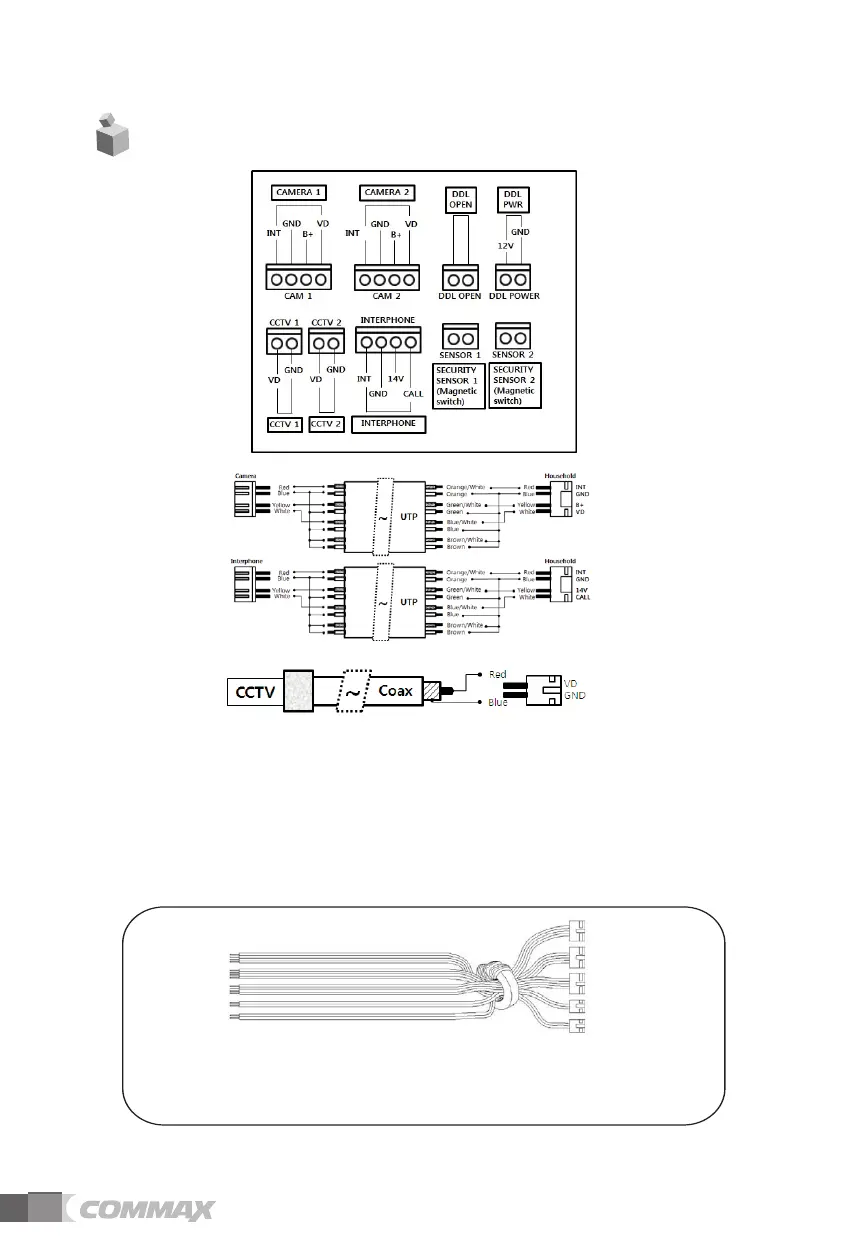
Wiring diagram
When wiring(Camera, CCTV, Interphone, sensor), please use the core provided
in the package to wrap around as shown in the above



 To Next Page