5
4.
How to use the product
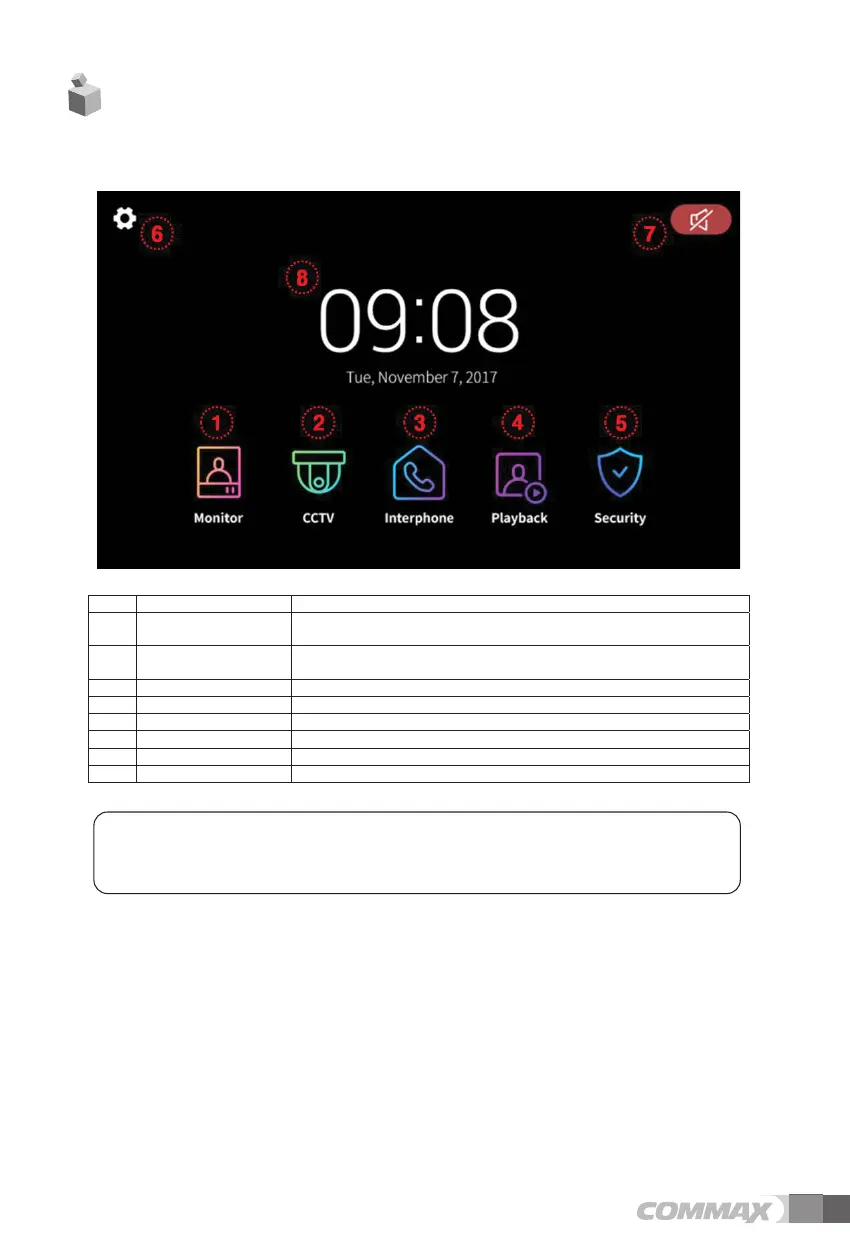
4-1 Main screen
No. Menu Details
1 Monitor View the door camera
- You cannot use it if door camera is not connected
2 CCTV Monitoring CCTV
- You cannot use it if CCTV is not connected
3 Interphone Move to Interphone menu
4 Playback Move to the list of recorded images and videos
5 Security Move to Security menu.
6 Option Move to the menu ‘Options’
6 Mute Icon Indication of mute status
7 Date & Time Indication of Date and Time, Touch to move to the menu ‘Set-up’
* Cautions
- Please set up date and time before use.
. If you do not set up, some problems in saving still-cut image and video-clip might happen.



 To Next Page