11
7. How To Installation
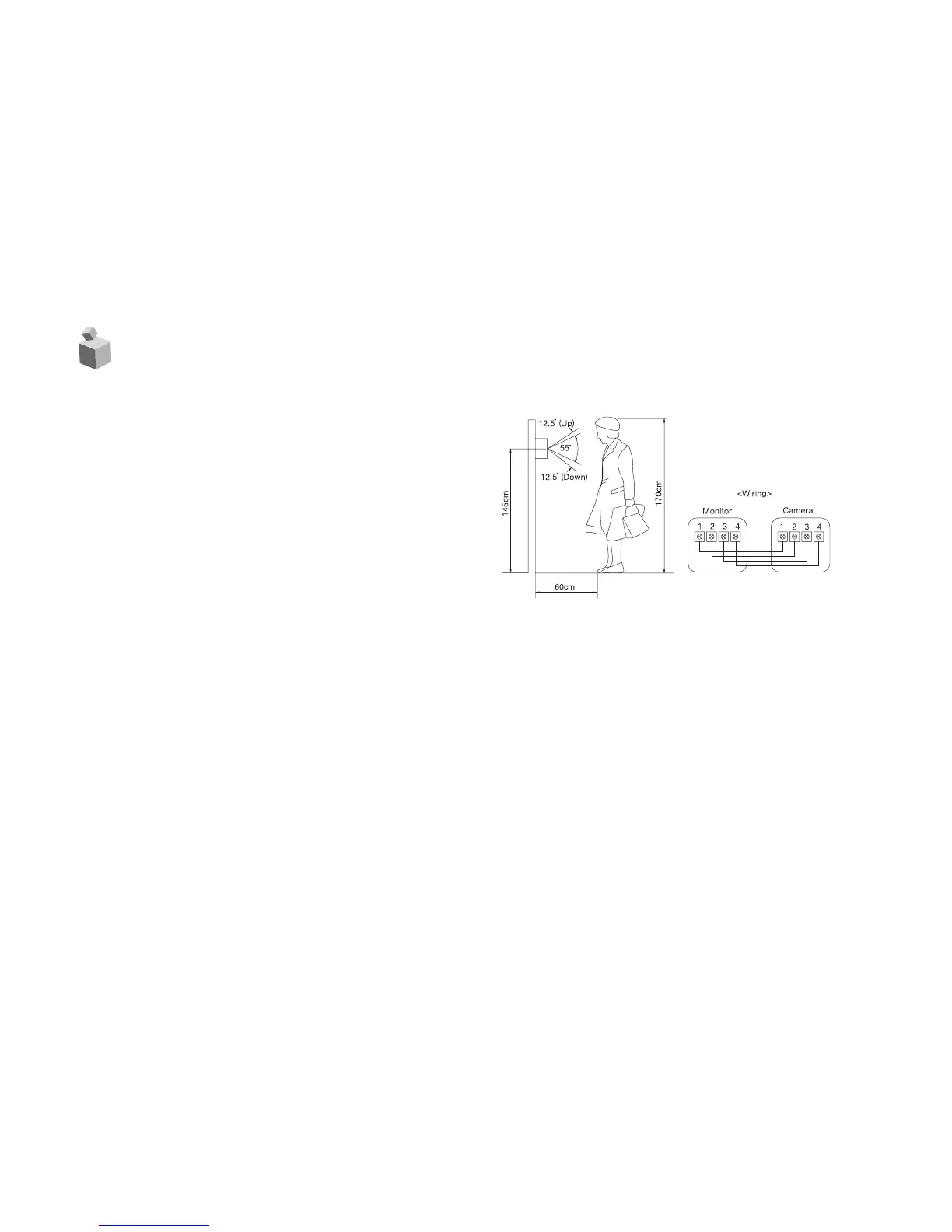
Connection Wires :
1. Connection wires to inside unit on
the side of monitor.
(Notice : Checking to screw dimension
:M3 X 30mm
(With washer) : 2 pieces -included).
2. Connection Terminal : Check the
wire connection terminal level of the
side of unit(Refer to wiring diagram).
Notice : Do not make any wire con-
nections to these terminals while the
unit is connection with standard wires.
Attention : Make sure that check the DC 12V or other wires.
Notes On Connecting
- Power plugs of connected equipment must be disconnected before installations.
- For details of wiring and operation of equipment to be connected, refer to their opera-
tion manuals.
- Coaxial cables for video signals and lenses are not supplied with the camera.



 To Next Page