EasyManua.ls Logo

Commodore 16 - Keyboard Layout and Special Keys

Commodore 16
84 pages
Print Icon
To Next Page IconTo Next Page
To Previous Page IconTo Previous Page
Loading...
SETTING
UP
YOUR
COMPUTER
Plugging
In
The
RF
Cable
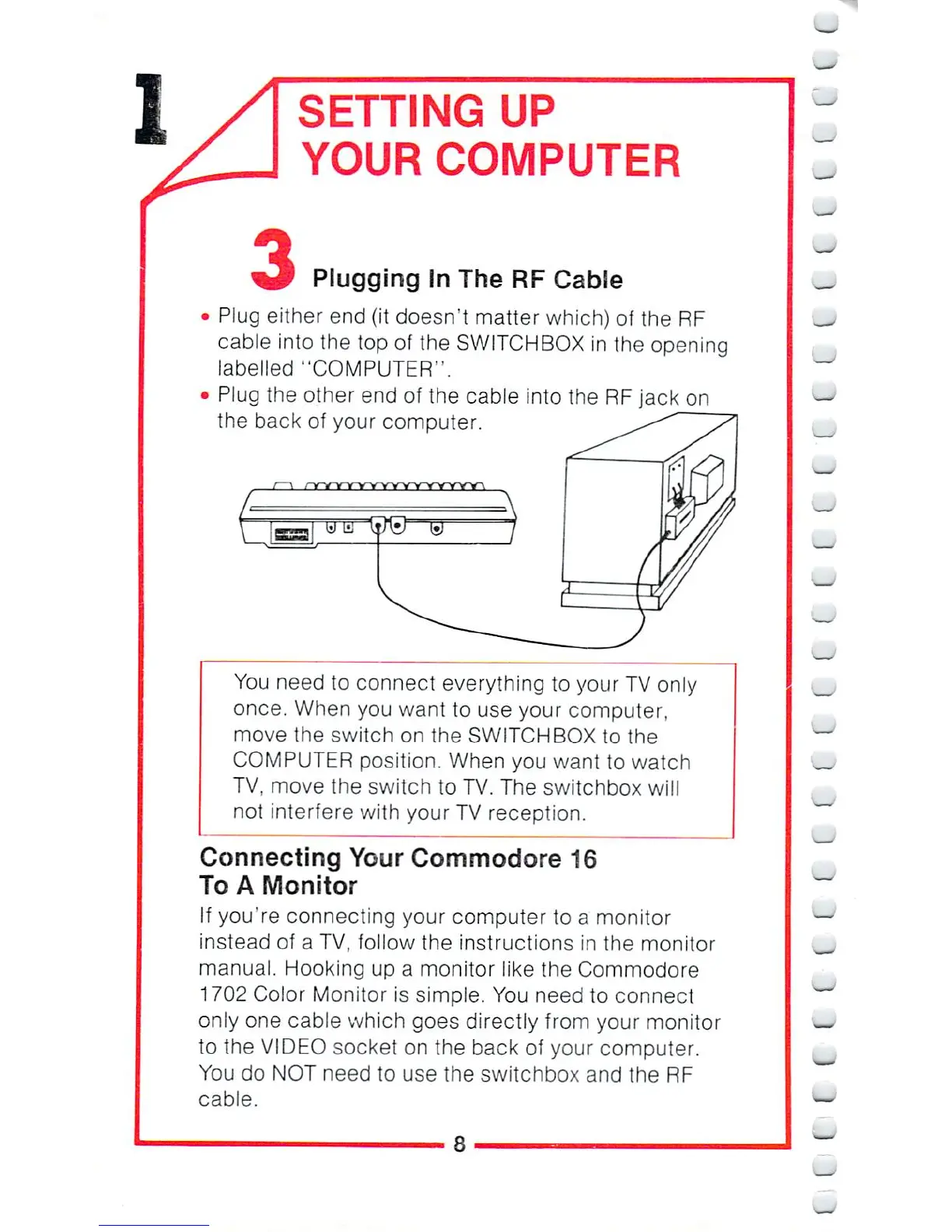
Plug
either
end
fit
doesn't
matter which)
of
the
RF
cable
into
the
top
of
the
SWITCHBOX
in
the
opening
labelled
"COMPUTER".
Plug
the
other
end
of
the
cable
into
the
RF
jack
on
the
back
of
your
computer.
You
need
to
connect
everything
to
your
TV
only
once.
When
you
want
to
use
your
computer,
move
the
switch
on
the
SWITCHBOX
to
the
COMPUTER
position.
When
you
want
lo
watch
TV,
move
the
switch
to
TV.
The
switchbox
will
not
interfere
with
your
TV
reception.
Connecting
Your
Commodore
16
To
A
Monitor
If
you're
connecting
your
computer
to
a
monitor
instead
of
a
TV,
follow
the
instructions
in
the
monitor
manual.
Hooking up
a
monitor
like
the
Commodore
1702
Color
Monitor
is
simple.
You
need
to
connect
only
one
cable
which
goes
directly
from
your monitor
to
the
VIDEO
socket
on
the
back
of
your
computer.
You
do
NOT
need
to
use
the
switchbox
and
the
RF
cable.
S

Other manuals for Commodore 16

Related product manuals