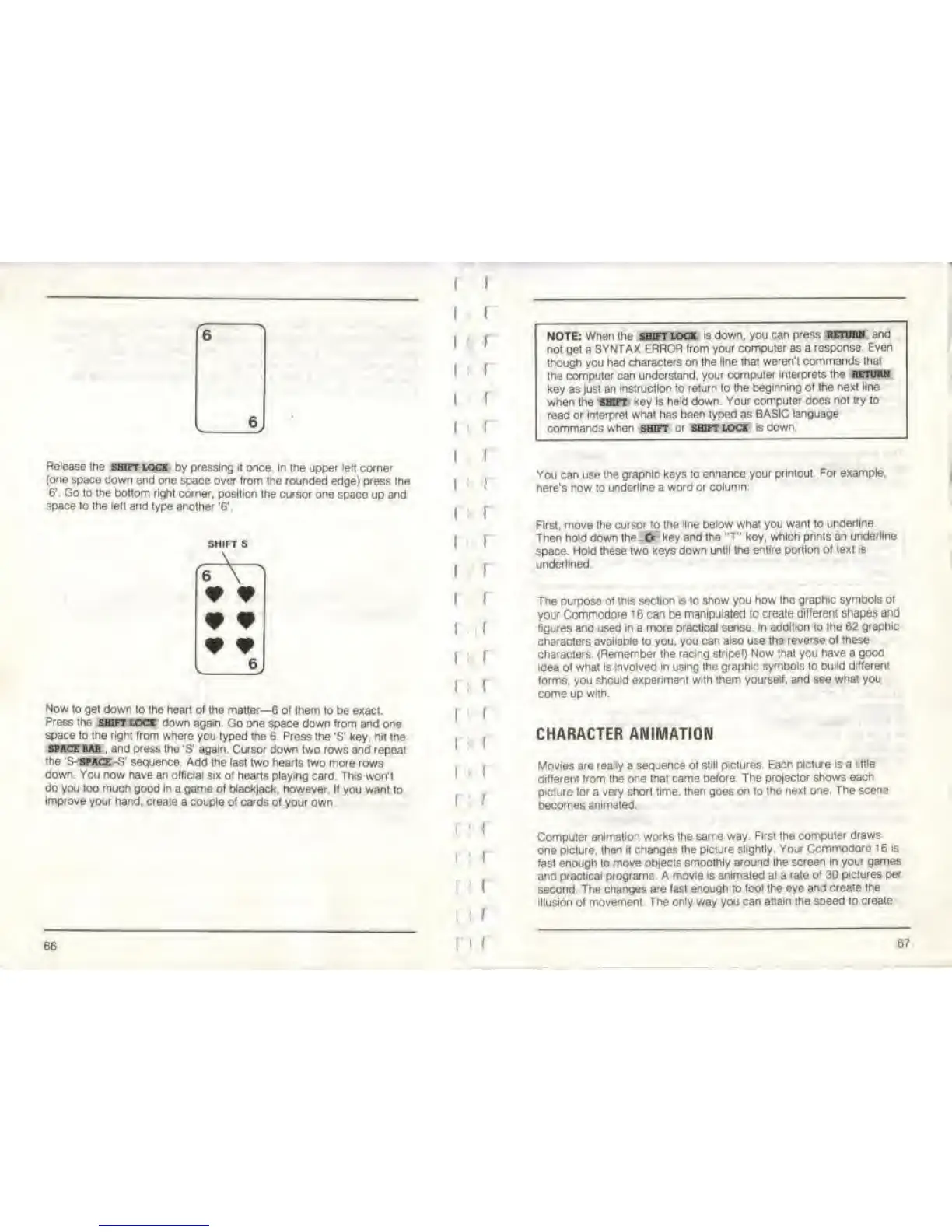
Release
the wan
loot by pressing it once In the upper left corner
(one
space down end one
space over from the rounded edge) pfess
the
'6*.
Go to the bottom right corner, position
the cursor one space up and
space lo the lelt
and type another
'ff
.
SHIFT S
\
6
W 9
L
J.
Now to
get dow
n
to the heart of the matter—
6
of them
to be exact.
Press
the SHIFT LOCK
down again. Go one
space down
from and one
space lo the
right,
from where
you typed the 6. Press the
'S'
key, hit the
SPACE
BAR ,
and press
the
'S'
again Cursor
down two rows and repeat
the 'S-
SPACE -S' sequence. Add the last two hearts
two more rows
down You now have
an
official six
ol hearts playing card This
won'l
do you too mucn
good
In
a game of blackjack, however.
If you want to
improve
your hand, creale
a
couple ol
cards of your own
66
1
1
1 1
1
1
I
1
I
1
1
1
1
1
1
1
1 J
1 1
1
I
1
1
1
I
1
I
1
:
r
1 :
1
1 1
1 1
1 !
f
1 1
1 1
l
: 1
l
1
i
1
i I
NOTE: When the shift lock
is down, you can
press return and
not get
a
SYNTAX ERROR
from your computer as a
response. Even
though you had characters
on
the
line that
weren't commands thai
the computer can
understand, your computer
interprets the return
key as just an
Instruction to return to the
beginning of the next
line
when
the OVT
key is
held
down.
Your computer does nol
try
lo
read or interpret what
has been typed as BASIC
language
commands when shift
oi shift loci is down.
You
can use
the graphic keys to
enhance your printout For
example,
here's how to
underline a word or
column-
First, move the cursor to the
line below
what you
want to
underline.
Then
hold
down the
-fr
key and the "T" key,
which prints an
underline
space.
Hold these
two
keys down
until the entire portion of text
is
underlined.
The
purpose
ot
this
section
is
to
show you how the
graphic symbols of
your
Commodofe 1
6
can
be
manipulated to
creale different shapes
and
figures and
used
in
a
more practical sense
in addition
to
the 62
graphic
characters available to you, you can also use the
reverse of these
characters. (Remember the
racing stripe!) Now that you
have
a
good
idea ot
what is involved in using the
graphic symbols to build different
forms,
you
should
experiment with them yourself, and see what you
come up
with.
CHARACTER ANIMATION
Movies are
really
a
sequence of still
piclures Each picture is a
tittle
differeni from the one that came before. The
protector shows
each
ptclure tor
a
very short time, then goes
on
to
the
next
one. The scene
becomes animated.
Computer
animation works the
same
way
First the computef draws
one
picture, then it changes the
picture slightly. Your
Commodore 16 is
fast enough to
move objects smoothly around the
screen In your games
and practical programs. A movie is animated at a
rate
of
30
pictures per
second. The changes
are
last
enough
to
fool
the
eye and create
the
illusion of movement.
The only
way
you can
attain
the
speed to create
67



 To Next Page