20 POKE
16*1000,27 Jelt. ocation
I6000to27
Nole; PEEK,
a
function related
lo
POKE, ts
listed under
FUNCTIONS.
PRINT
PRINT
printilst
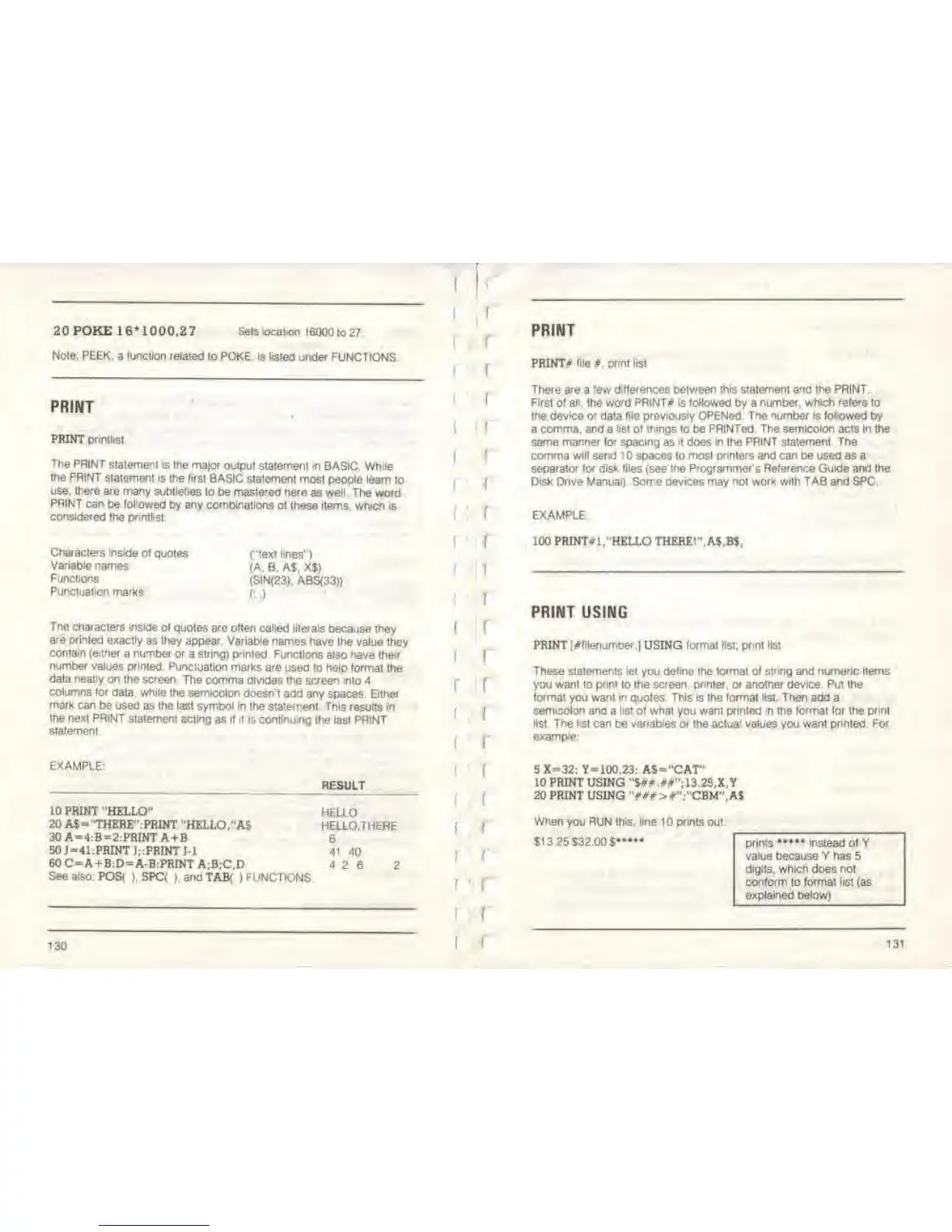
The PRINT
statement is the
major output
statement
In
BASIC. While
the PRINT statement is the lirst
BASIC statement most
people learn to
use. there
are many subtleties
lo be mastered nere
as
well. The
word
PRINT
can
be
followed
by any combinations
ol Ihese items, which is
considered
the phntlist
Characters inside of
quotes
Variable
names
Functions
Punctuation
marks
{"text lines")
(A.
B. A$, X$>
<SIN<23),
ABS(33))
Tne characters inside
ol quotes are often called literals
because they
are
printed exactly
as they appear. Variable names have
the value they
contain (either
a number or
a
string) pnnted
Functions also nave
their
number values primed.
Punctuation marks
are used lo help format
the
data neatly
on the screen
The comma divides the screen into
4
columns for
data,
while
the semicolon
doesn't add any
spaces.
Either
mark can
be used as the last symbol in
the statement. This results in
the next PRINT statement acting
as if it is continuing
the last PRINT
statement.
EXAMPLE:
RESULT
10 PRINT
"HELLO"
20 A$-"THERE":PR1NT
"HELLO/AS
30A=4:B
=
2:PRtNTA+B
50
J
=
41:PRINT I;:PRINT
1-1
60 C«A+B;D=A-B:PRINT
A;B;C,D
See
also:
POS(
),
SPC(
j
andTAB(
(FUNCTIONS
HELLO
HELLO.TMERE
6
41 40
4 2 6
2
130
r
f
i
PRINT
PRINT* file*, print list
There
are
a few
differences between this statement and the PRINT.
First of all.
Ihe
word PRINT# is followed
by a
number, which rotors to
the device or data file previously OPENed. The number
is followed
by
a
comma,
and a
list of things
to be
PRINTed. The semicolon
acts
In
the
same
manner for
spacing as
it
does
in the PRINT staiemenl The
comma will
send
1
spaces to
most printers and can
be used as a
separator for disk files
(see
the Programmer's Reference Guide and ihe
Disk Drive Manuai). Some devices may
not
work with TAB
and SPC.
EXAMPLE
100 PRINT* l
f
"HELLO THERE!", A$,B$,
PRINT USING
PRINT i^filenumber.]
USING
formal
list,
prml list
These
statements let
you
define
the
format
of
string
and
numeric Items
you
want to print
to
the screen, pnnter, or another device. Put the
format you want in quotes This is the format list. Then add
a
semicolon ana a
list
of what you want printed
in
the format lor the print
list The list
can be
variables
or the
actual
values you want
printed. For
example:
5 X-32: Y=100.23: AS
=
"CAT"
10 PRINT USING "S##.##";13.2S,X,Y
20 PRINT USING "##i*>#";"CBM",A$
When
you
RUN this, line 10 prints
out:
$13 25532.00
$•••••
prints
•••
instead of Y
value because Y has
5
digits,
which does not
conform
to
tormat list
(as
explained below)
131



 To Next Page