Symptom
Cause
Remedy
No picture
TV
cable
nol
plugged In
TV
nol on
Check TV
cable
connection
Turn TV
on
Jom patlern on
Cartridge nol
TV with cartridge properly
inserted
in place
Picture without Poorly tuned
TV
colour
TV
nol
connected
property
Colour
sei too
low
on TV or computer
Reinsert cartridge after
turning
OFF
powet
Retime
TV
Cneck connections
Adjust
colour
setting
Picture
OK, but no TV
volume
loo low
sound
Poorly tuned
TV
Adjust volume ol
TV
Retune
TV
IMPORTANT:
Some TV
sets
cannot display
me
entire
Commodore
1
6 screen.
Instead,
their picture
cuts
oil the lar left
and lar right
column o( the screen. We recommend using
a different TV
set or a
monitor such as the Commodore 1
702, 1 802
or t
803
colour
monitor
It
this
isn't
possible,
you can deal with the problem
by
pressing
the
ESC key,
followed
by
the R' key. This reduces
the computer screen
display size lo
38
columns,
so thai the entire picture
can III
onscreen.
You must repeat
this each
time
you power
up or reset
your
computer
PERIPHERALS
Peripherals are
Ihe accessories that you can
get
to
go
with your
Commodore 16
that
increase
what you can do with your computer
These accessories
are available
al
your
Commodore dealer, and allow
you to use
your computer
lo the fullest.
(
r
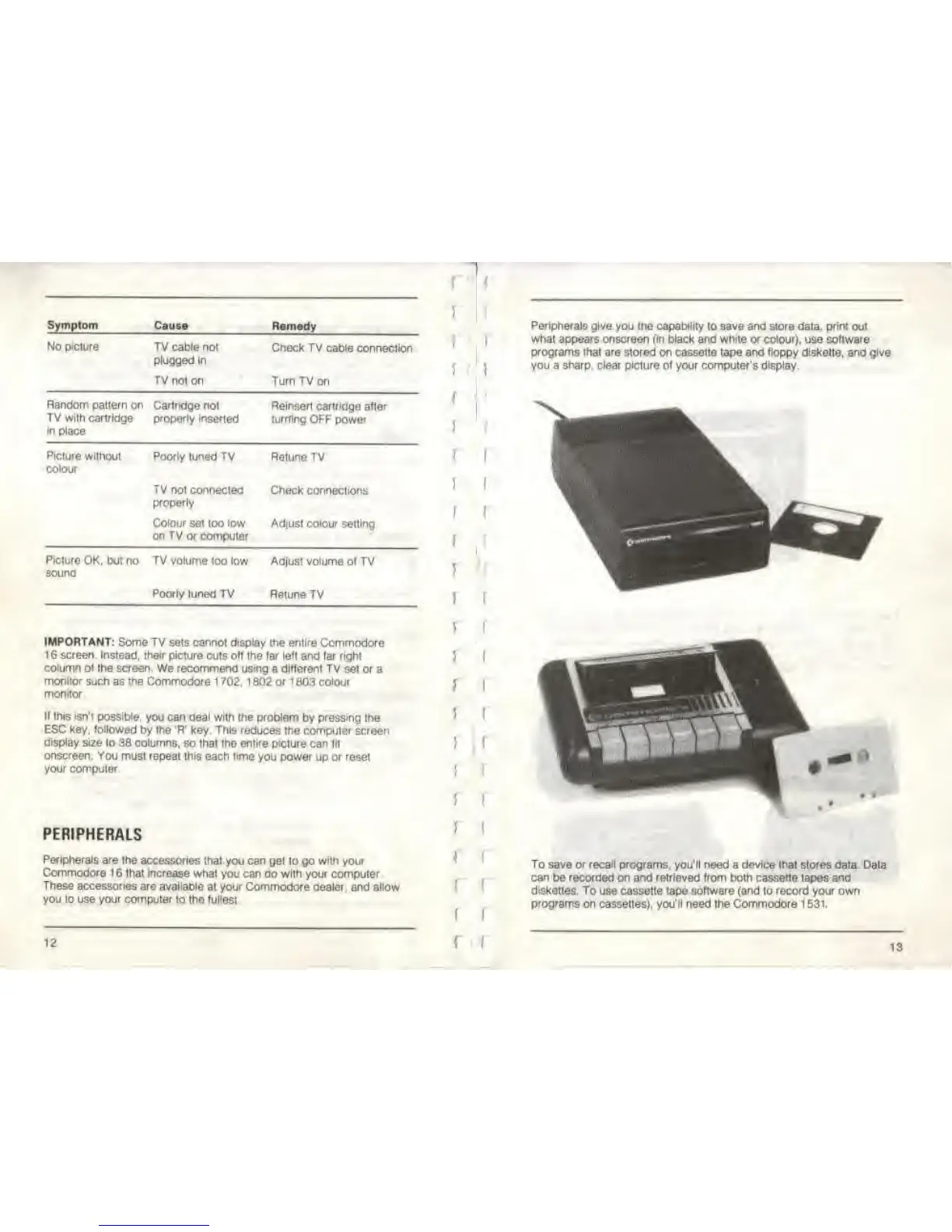
Peripherals give
you the
capability
to save and store data,
print
out
what
appears
onscreen
(in
black
and white
or
colour),
use software
programs that are stored on cassette
tape and
tioppy diskelte.
and
give
you a
sharp,
clear
picture
of your computer's display.
To save or recall programs, you'll need
a
device lhai stores
data
can
be recorded on and retrieved from both cassette tapes and
diskettes.
To use cassette tape software (and to record your own
programs on
cassettes),
you'll
need the Commodore 1
531.
I
lata
12
\ \
13



 To Next Page