7900 Pager Programming Manual
Page 10 © CommtechWireless
5. USING THE PROGRAMMING SOFTWARE
5.1 User Interface
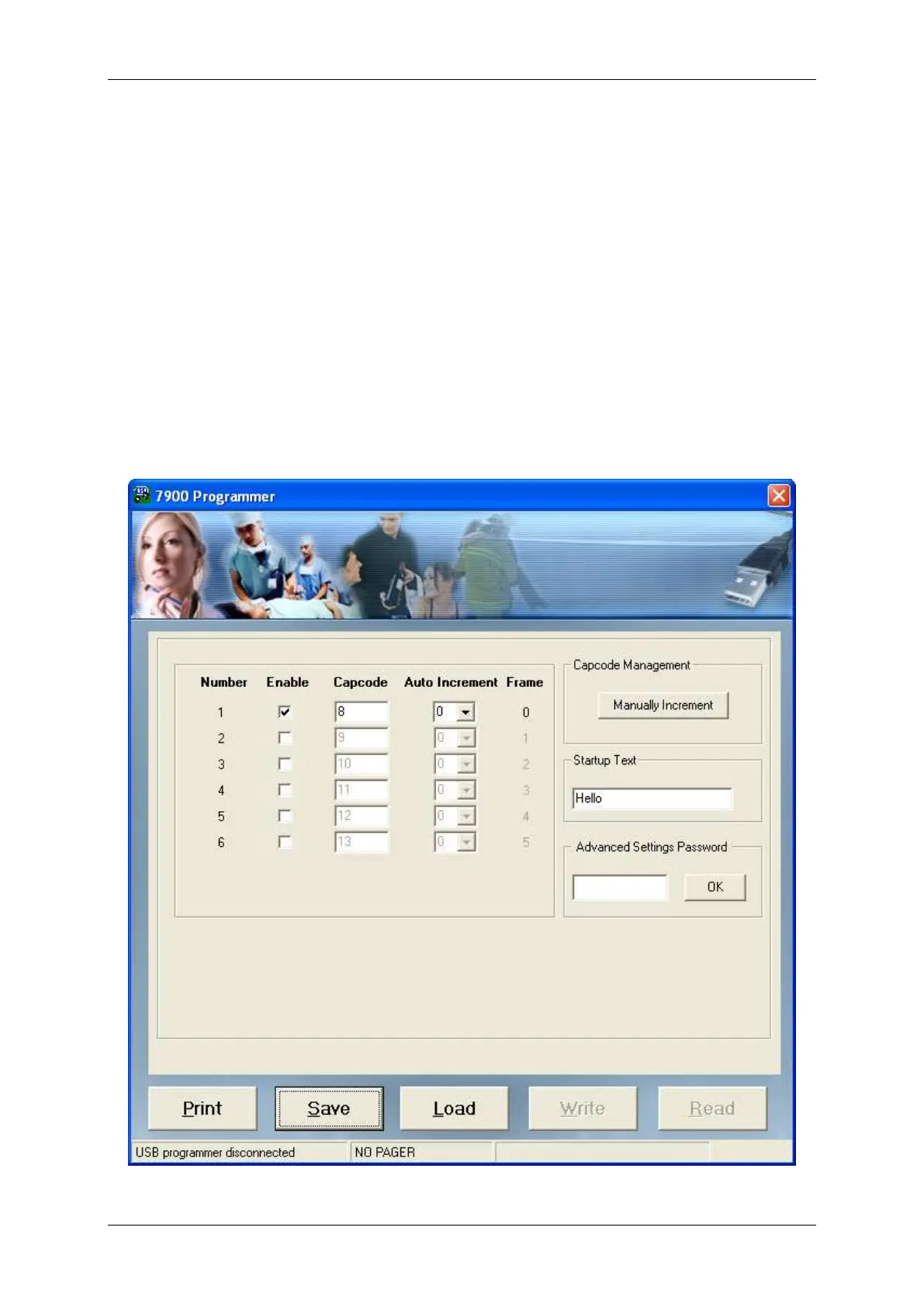
By default, only the cap codes and startup message can be viewed or edited. In order for
the advanced settings to be configured the password “service123” must be entered in
the Advanced Settings Password field.
The programming screen has five buttons towards the bottom of the window.
Print – Print a hardcopy of all settings to a printer.
Save – Save all settings to a file on the PC.
Load – Load previously saved settings from a file on the PC.
Write – Write the currently displayed settings to the pager.
Read – Read the settings from the pager and show them on the screen.


 To Next Page