7900 Pager Programming Manual
Page 28 © CommtechWireless
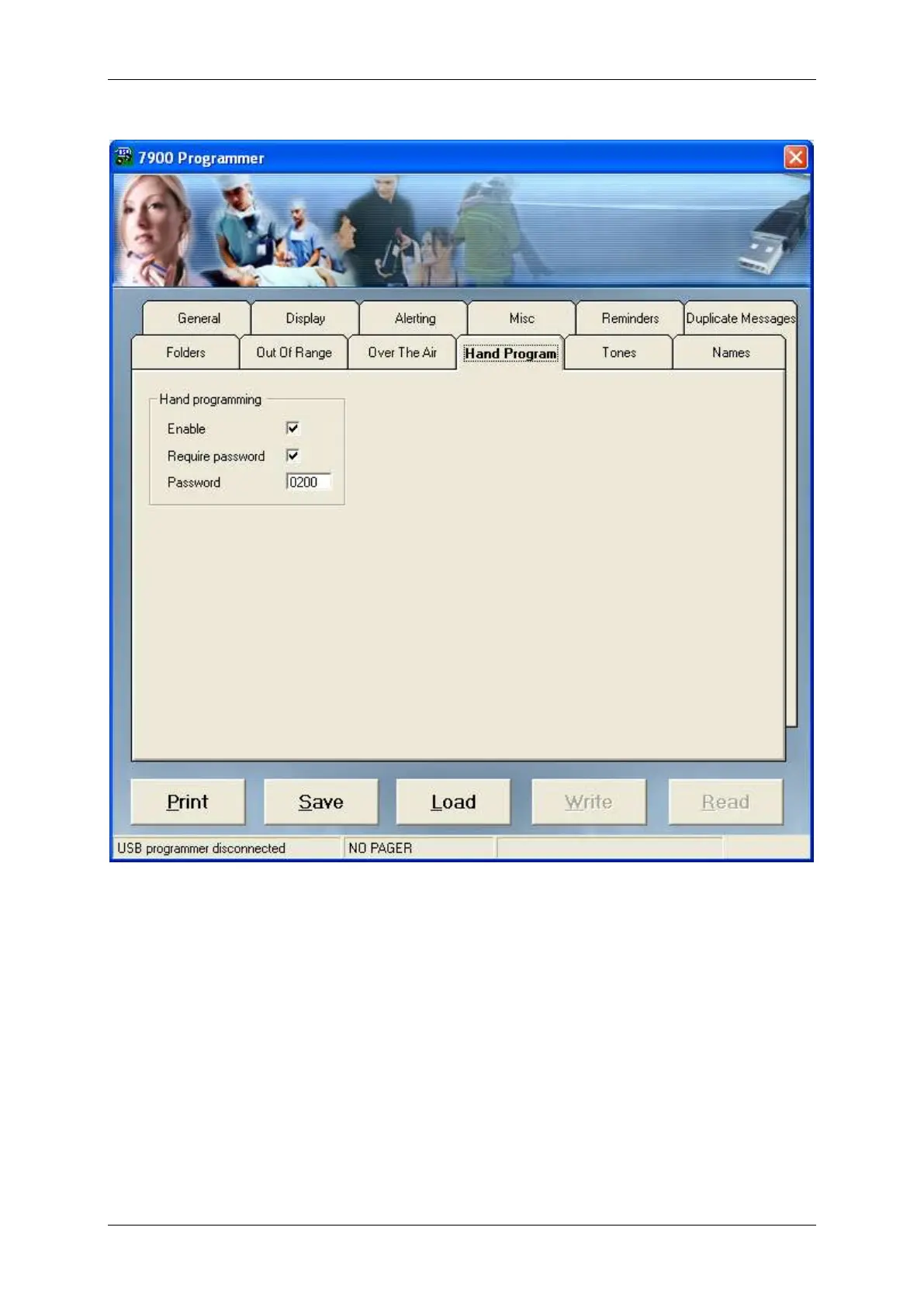
5.1.10 Hand Program
Enable
Tick this field if you would like to allow the user to enter manual programming mode
and change pager settings including ability to disable/enable/change cap codes, change
frequency and baud rate. See the user manual for more information.
Require Password
An optional password can be added for extra protection. Tick this to require a password.
Password
If the password feature above is enabled, enter the password in this field. It is a four
digit numeric password. Default: 0200.


 To Next Page