ComNav 1101 Autopilot
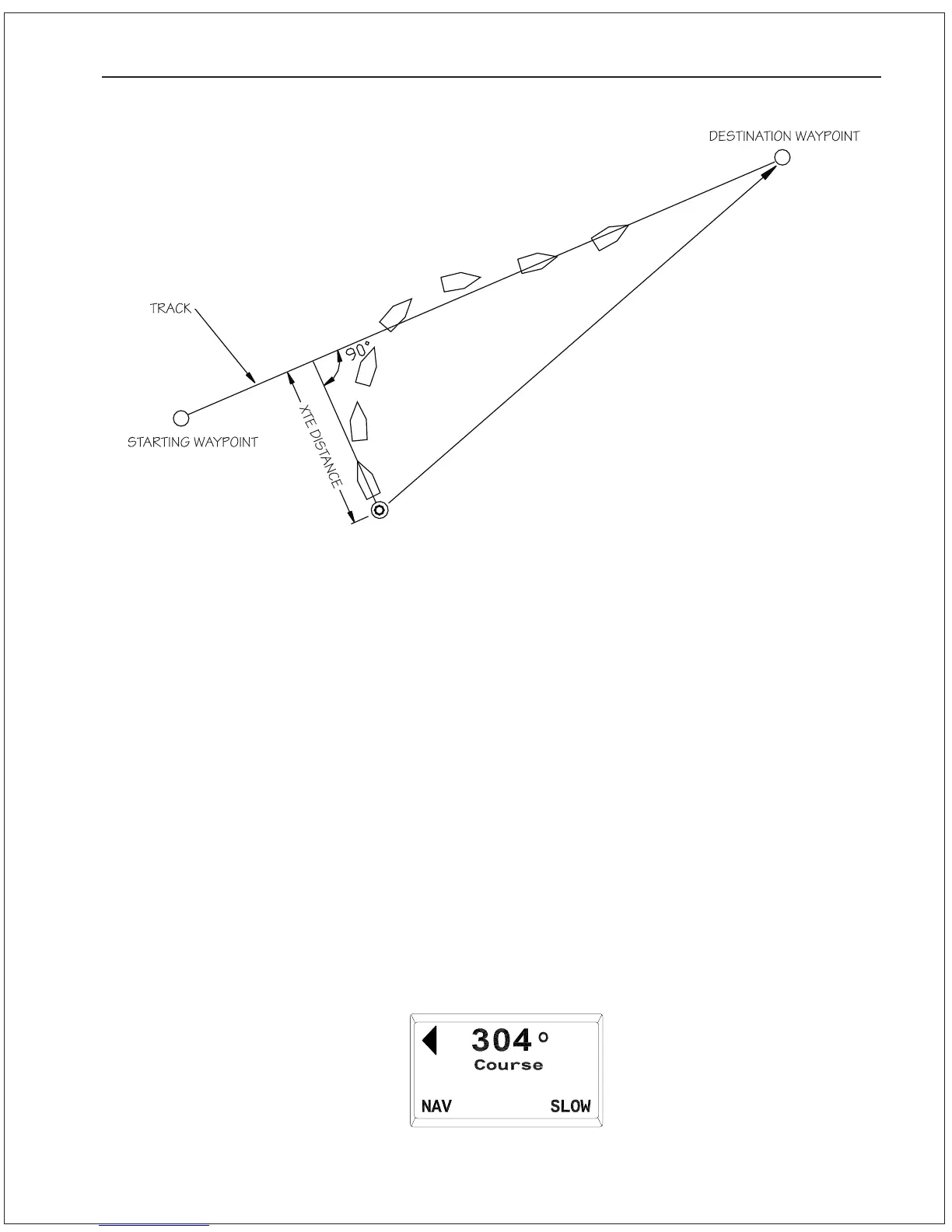
As seen in the above diagram, if there is a large cross-track error,
the Autopilot may overshoot the intended track. This is a function of
turn rate, vessel speed, and GPS positional updating. For best
performance, it is always best to minimize any cross-track error
before putting the Autopilot into NAV mode.
Test out how the Autopilot steers along a track by following these
steps:
1. Make sure the navigation device is turned on and that a
waypoint is programmed in.
2. Manually steer the vessel close to the waypoint track.
3. Put the Autopilot in NAV mode by pressing and holding the NAV
button until the unit beeps and the word NAV appears in the
bottom portion of the display:
Figure 17Response of Vessel to Cross-Track Error
ADVANCED OPERATIONS 7 - 4



 To Next Page