ComNav Vector G2/G2B Installation & Operation Configuration
Some points to be aware of, if you wish to use PocketMAX:
• It does not “know” about a few sentences that the G2 supports (e.g., the $GPHDM
sentence
10
); thus, it is not possible to control those sentences with PocketMAX.
• It does not know the full range of Update rates that a few sentences can be set to
(e.g., $GPGSA & $GPGSV can be set to 0.2 Hz).
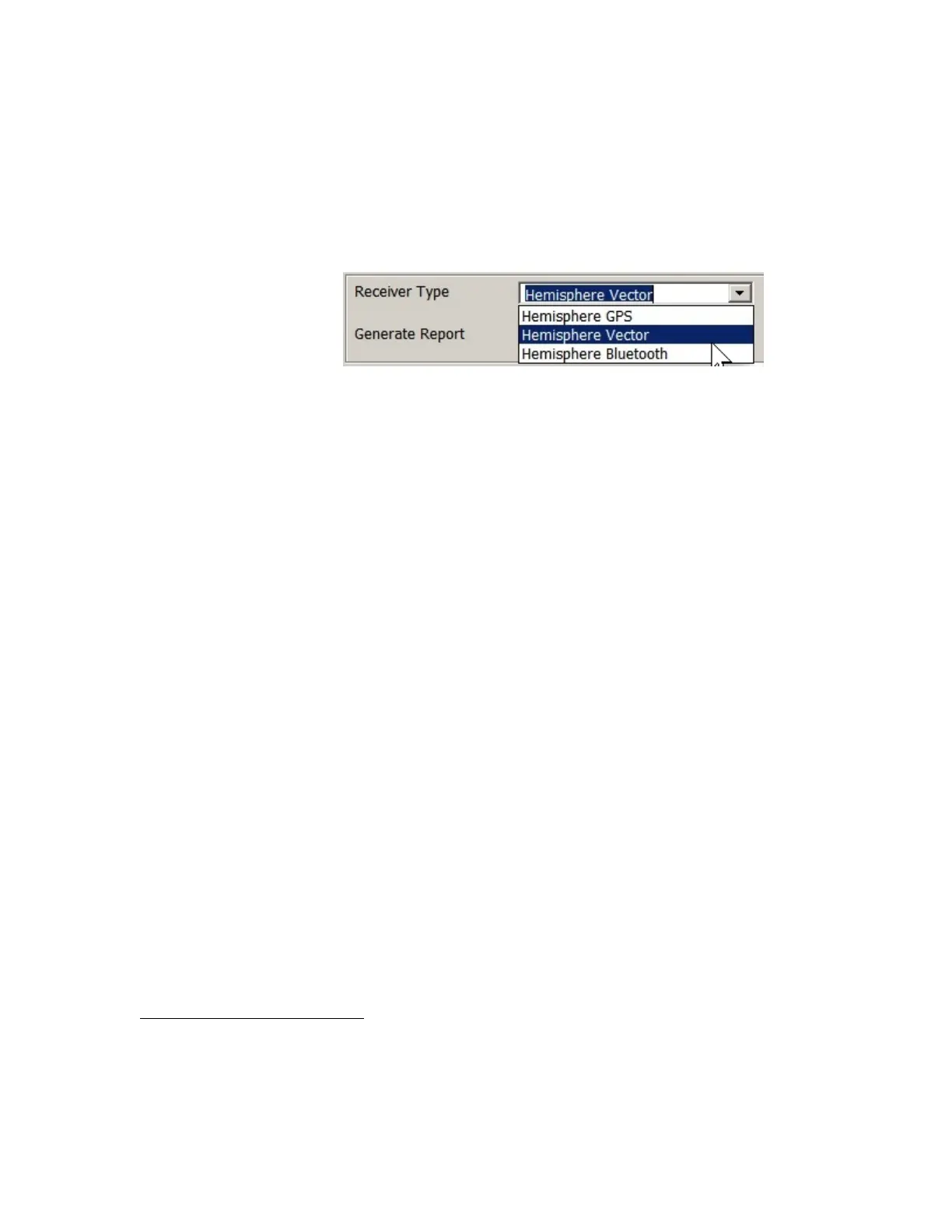
• Each time you start it, you must select “Hemisphere Vector” as the type of Receiver
in use, in the drop-down selector box on the program’s start-up screen; that is the
closest type of Receiver to a G2 that PocketMAX can be set for:
Figure 5 – PocketMAX PC GPS Receiver Type Selection
Using HyperTerminal
HyperTerminal, available for free on all Windows PCs
11
, is an easy means to monitor the
Vector G2’s operation and status.
But it is quite a bit harder to use it to control & configure the G2 …
The main problem is that the G2 is constantly sending Navigation data (as it’s supposed
to do!), which is displayed on HyperTerminal’s active display “screen”, in real-time as it
arrives, character by character and line by line – scrolling up in (& eventually off) the
display.
The result that it’s hard to “look” at any one item, or to see or edit – while you type them
in – the commands you’re trying to send to the G2, or see the G2’s responses to those
commands. Everything gets lost in the “clutter” of the continuously-arriving Navigation
data.
But, despite these problems, HyperTerminal is still useful – and sometimes it’s the only
readily available means available to monitor & control the G2.
If your PC has two COM ports, you can even run two instances of HyperTerminal
simultaneously, and thus monitor all output from the G2’s two serial ports.
The system must be wired as shown in Figure
3 or Figure 4. The G2’s Port A should be
connected to the PC’s first COM port; if you want to monitor both of the G2’s ports, Port B
should be connected to the PC’s second COM port.
10
HDM & the other “unknown” sentences/parameters were part of the customizations added in ComNav’s variant of
the Hemisphere Crescent product, but they were added after PocketMAX was designed.
11
Apple® Macs® & other types of personal computers have similar programs, and there are many similar freeware,
shareware & commercial programs available for Windows PCs, and for Macs. None are discussed here, but all will
have similar characteristics (and things to watch out for!) to HyperTerminal.
Document PN 29010078 V1.6 (Addendum #1) - 19 -


 To Next Page
 Loading...
