INS_CNFE3TX2CXMS(U,E)_REV– Rev. 7.11.18 PAGE 10
QUICK START GUIDE CNFE3TX2CXMS(U,E)
TECH SUPPORT: 1.888.678.9427
Hardware Installation
3.1 DIN-rail Installation
The router comes with a DIN-rail kit to allow you to fasten the router to a DIN-rail in any
environment.
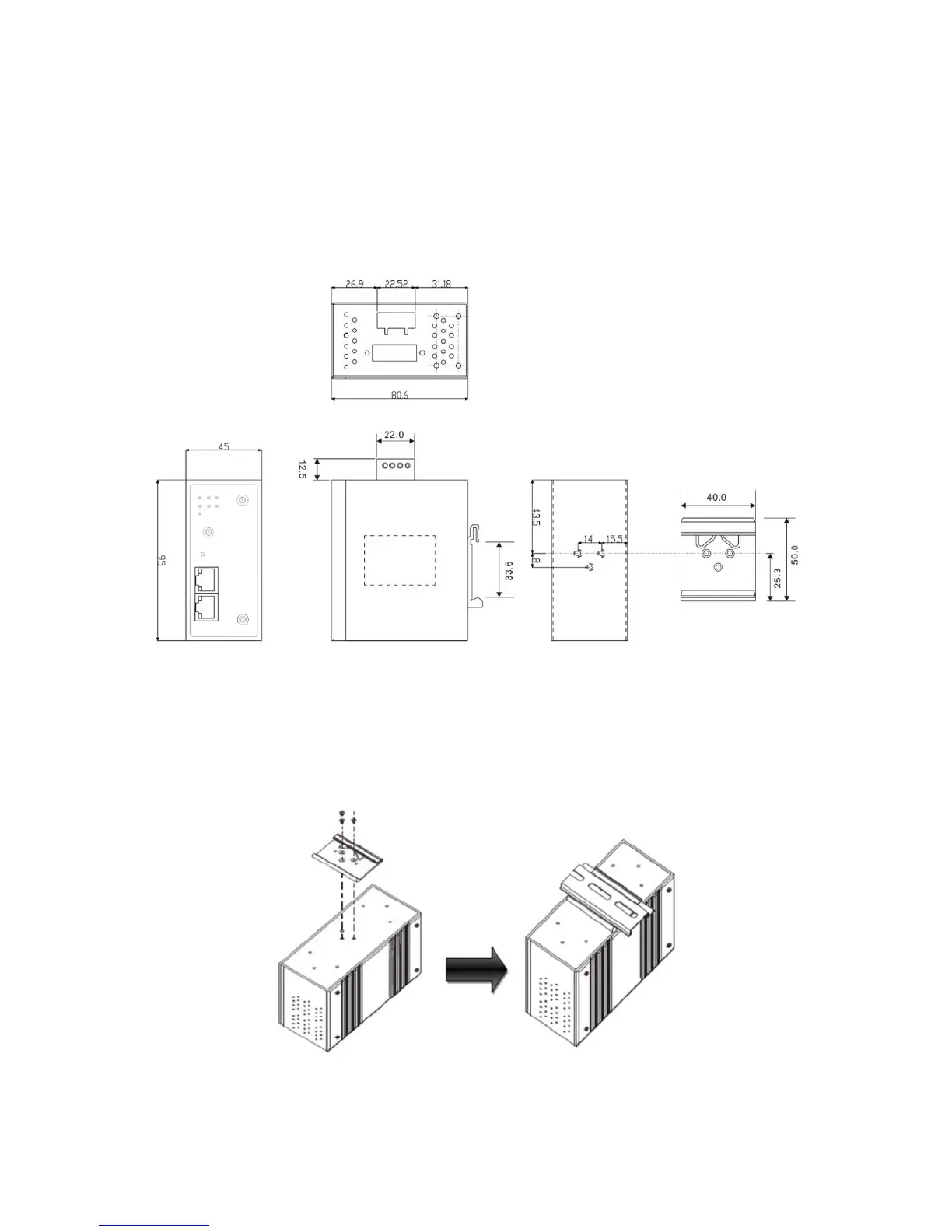
DIN-rail Kit Mechanical Drawing (Measurements in mm)
Step 1: Slant the router and screw the DIN-rail kit onto the back of the router, right in the middle of
the back panel.
Step 2: Slide the router onto a DIN-rail from the DIN-rail kit and make sure the router clicks into
the rail firmly.


 To Next Page