INS_CNFE3TX2CXMS(U,E)_REV– Rev. 7.11.18 PAGE 32
QUICK START GUIDE CNFE3TX2CXMS(U,E)
TECH SUPPORT: 1.888.678.9427
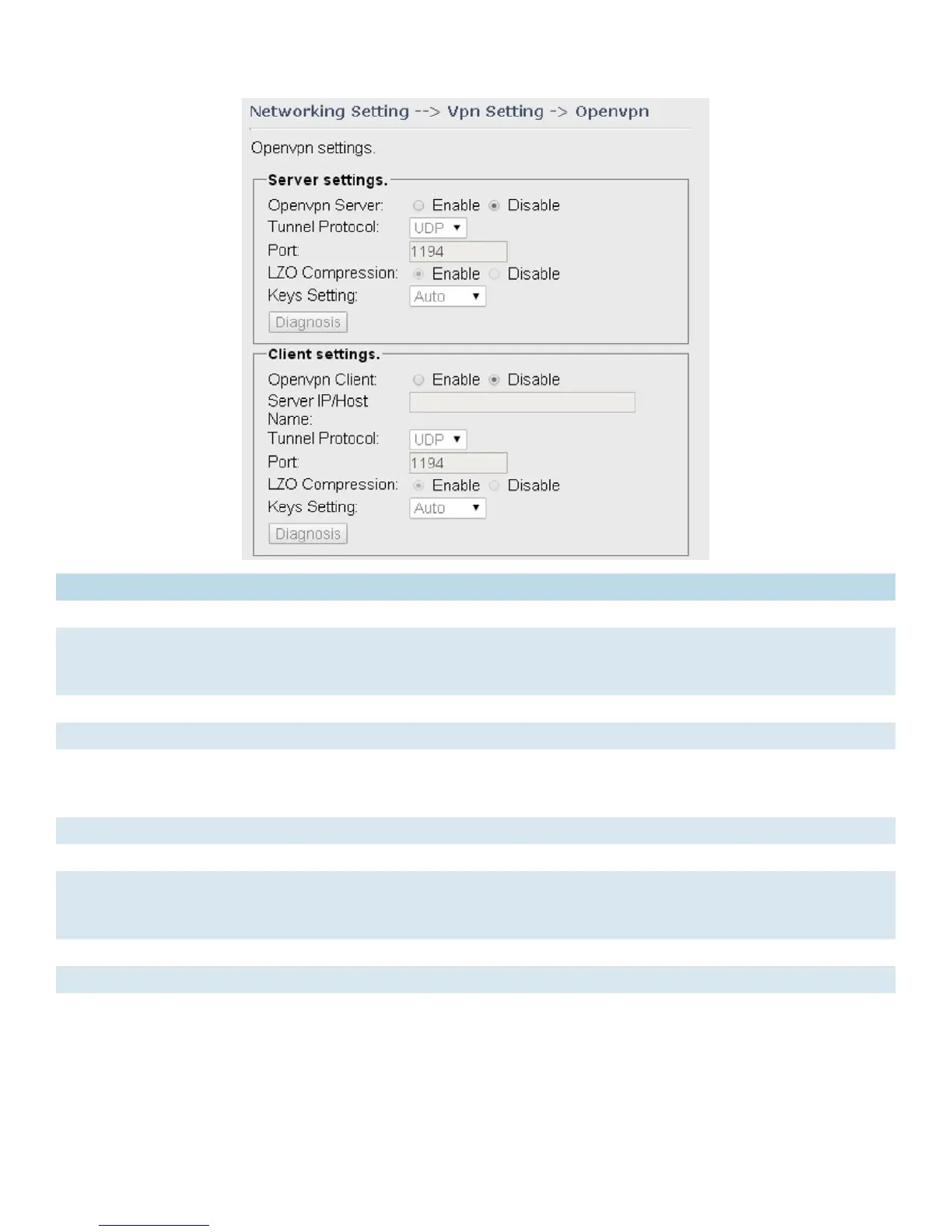
Label Description
OpenVPN Server Enables or disables the function of Open VPN server
Tunnel Protocol Select UDP or TCP protocol depending on your needs. TCP is more reliable than
UDP, but UDP performs better than TCP. It is recommended to use UDP if the
distance between VPN server and client is short; otherwise, use TCP.
Port The number of the port (default is 1194).
LZO Compression Enables or disables the function of LZO Compression
Keys Setting Select Auto to use preset certificates or Manual to use your certificates. Please install
OpenVPN client software to generate your certificates and paste them here. For
more information, please visit OpenVPN website.
OpenVPN Client Enables or disables the function of Open VPN client.
Server IP/Host Name Enter the Open VPN server IP address
Tunnel Protocol Select UDP or TCP protocol depending on your needs. TCP is more reliable than
UDP, but UDP performs better than TCP. It is recommended to use UDP if the
distance between VPN server and client is short; otherwise, use TCP.
Port The number of the port (default is 1194).
LZO Compression Enables or disables the LZO Compression
Keys Setting Select Auto to use preset certificates or Manual to use your certificates. Please install
OpenVPN client software to generate your certificates and paste them here. For
more information, please visit OpenVPN website.


 To Next Page