INS_CNFE3TX2CXMS(U,E)_REV– Rev. 7.11.18 PAGE 37
QUICK START GUIDE CNFE3TX2CXMS(U,E)
TECH SUPPORT: 1.888.678.9427
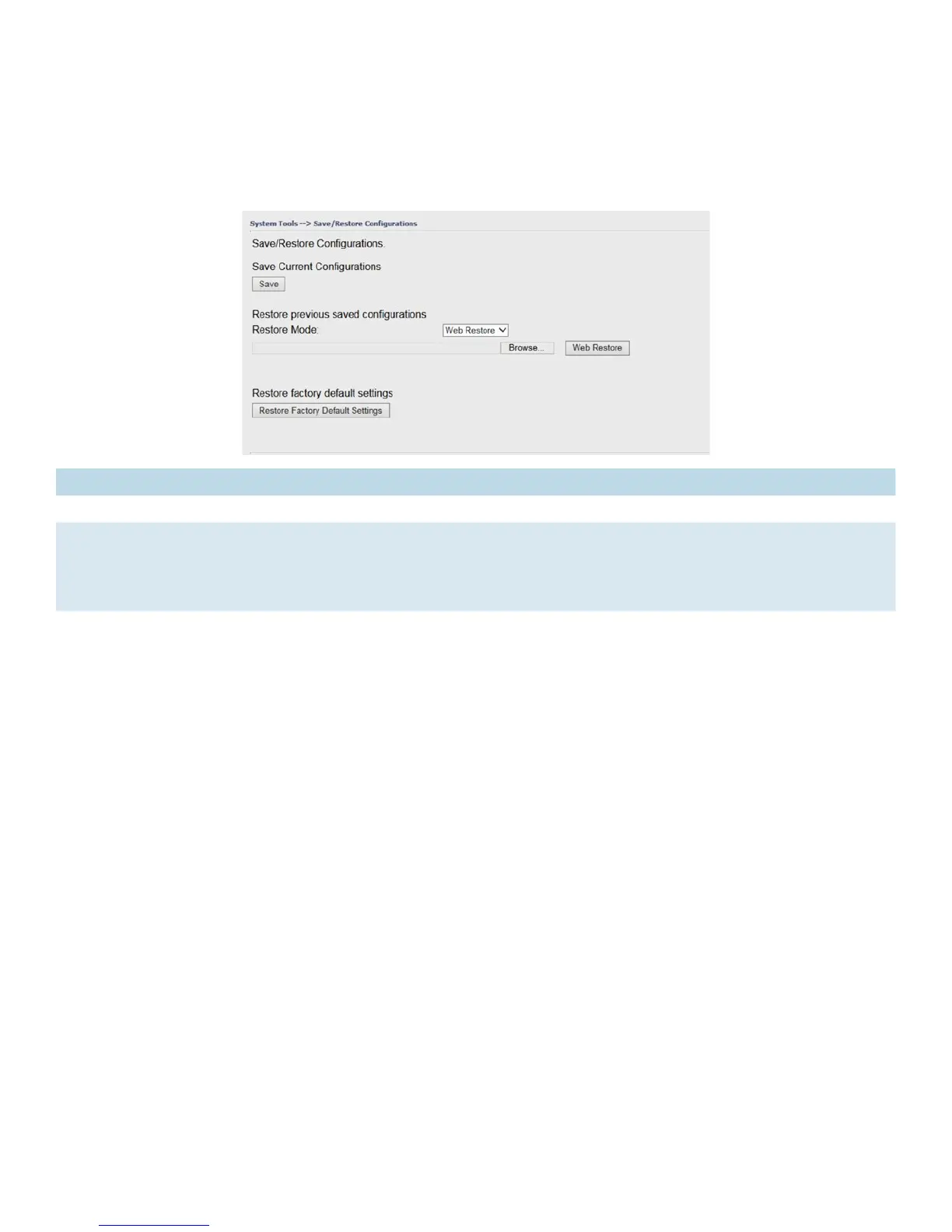
Save/Restore Configurations
This page allows you to save configurations or return settings to previous status. You can
download the configuration file from the Web. Note: users using old versions of Internet Explorer
may have to click on the warning on top of the browser and choose Download File.
Label Description
Save Click to save existing configurations as a file for future usage.
Select File You can restore configurations to previous status by installing a previous configuration
file. To do this, choose Web Restore or TFTP Restore. If you choose Web Restore, you
need to choose a file and click Web Restore. If you select TFTP Restore, fill in a TFTP
server IP address and the file name before clicking TFTP Restore.
Restore Factory
Default Setting
Click to reset the router to the factory settings. The router will reboot to validate the
default settings.


 To Next Page