INS_CNFE3TX2CXMS(U,E)_REV– Rev. 7.11.18 PAGE 43
QUICK START GUIDE CNFE3TX2CXMS(U,E)
TECH SUPPORT: 1.888.678.9427
5.2.4 System Status
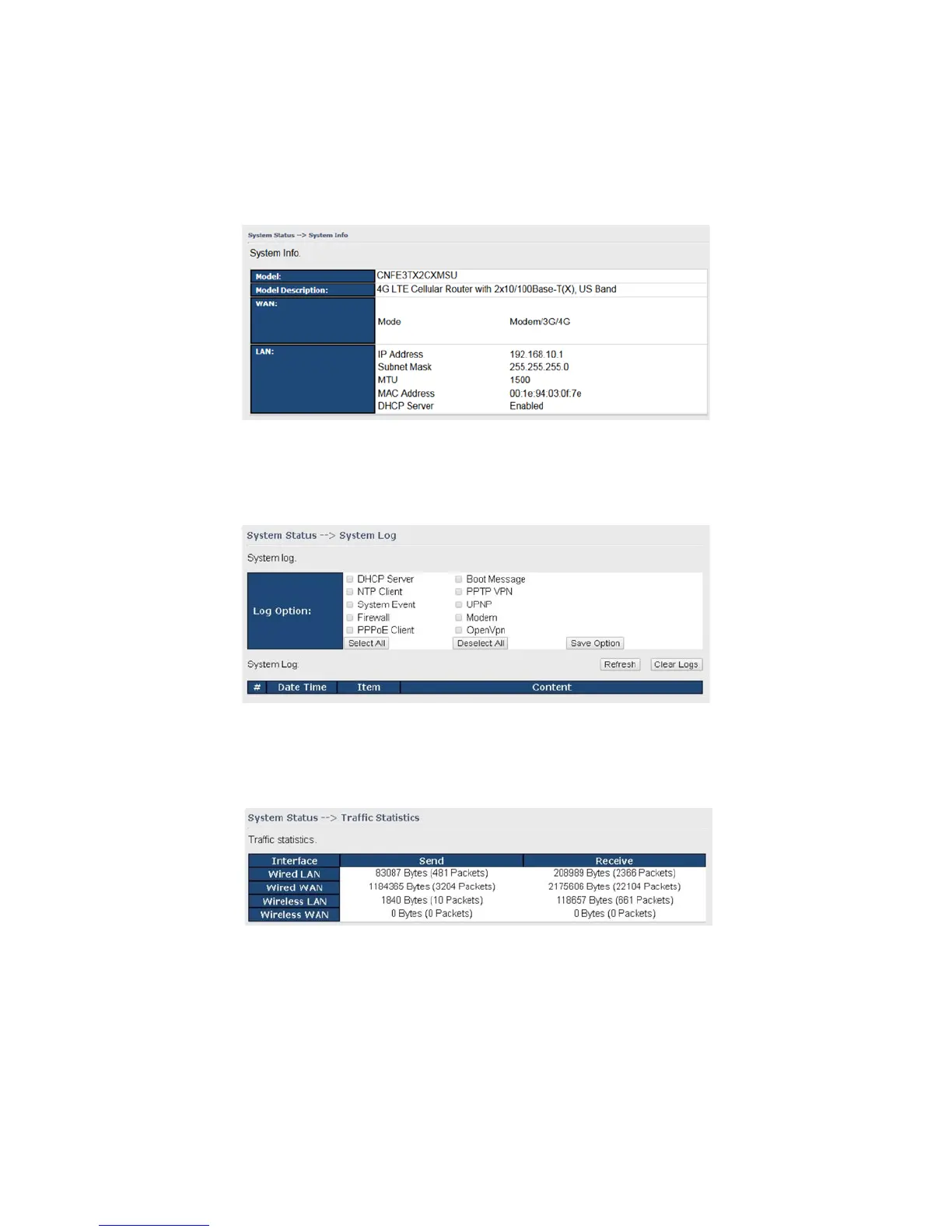
System Info
This page displays the detailed information of the router including model name, description,
firmware version, WAN, and LAN settings.
System Log
By checking in a specific box, the router will constantly log the events and provide the files for you
to review. You can click Refresh to renew the page or Clear Logs to clear all or certain log entries.
Traffic Statistics
This page displays network traffic statistics for packets both received and transmitted through
Ethernet ports and wireless connections.


 To Next Page