EasyManua.ls Logo

Compal Electronics NTV00 - 1.2 Right Side; 1.2.1 Wireless Kill switch; 1.2.2 USB Port

Default Icon
45 pages
Print Icon
To Next Page IconTo Next Page
To Previous Page IconTo Previous Page
Loading...
Chapter1 Introducing Your Notebook
- 18 -
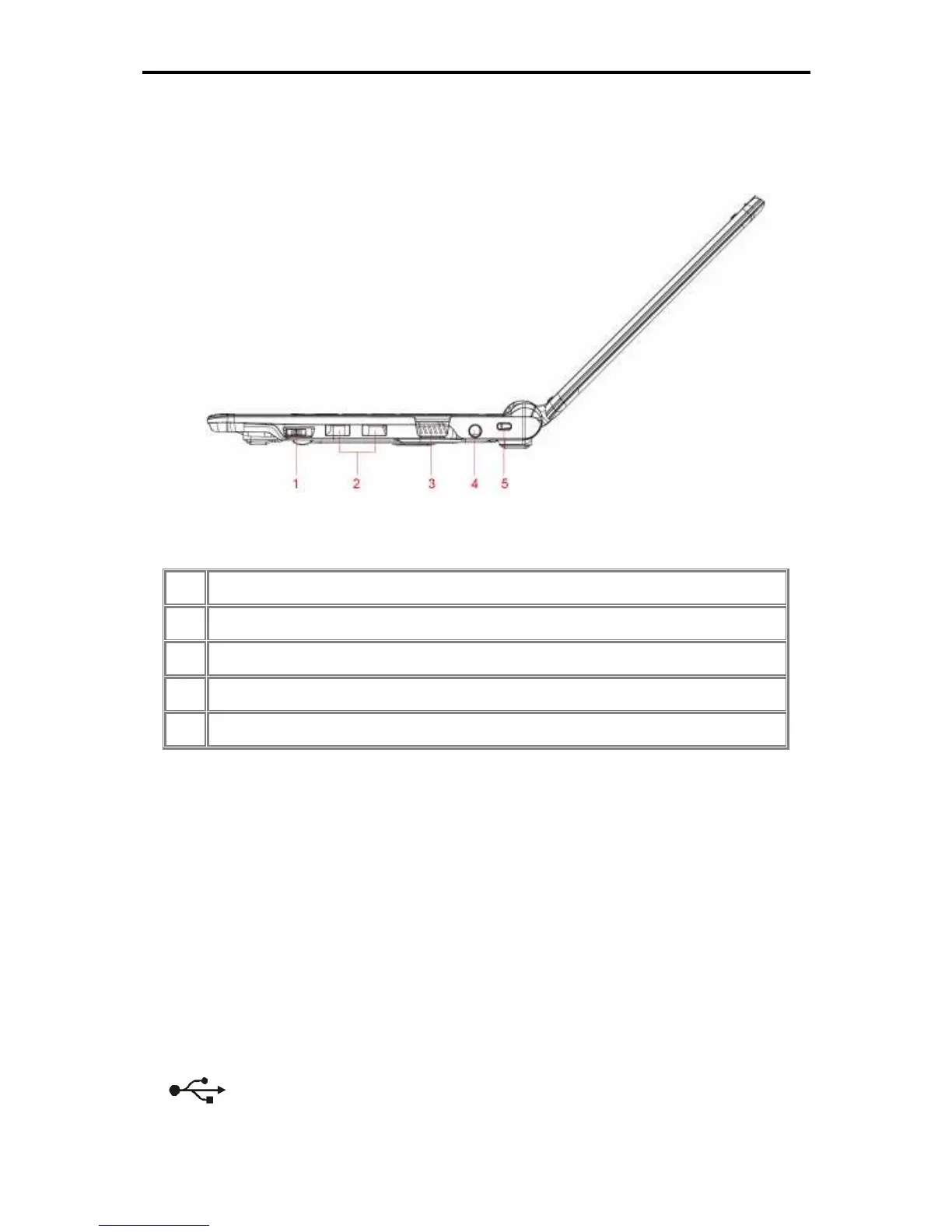
1.2 Right Side
The following picture shows the right side of your netbook.
1
Wireless Kill switch
2
USB
3
VGA
4
DC-IN
5
Kensington Lock
1.2.1 Wireless Kill switch
The following is two state of kill switch
1: kill switch On:
When users press Fn+F2, AP will be showed. At this time, User can turn on/off which
Wireless LAN, Bluetooth and WWAN module.
2: kill switch Off:
In this status, all wireless modules are turned off.
1.2.2 USB Port
Use this port to connect a USB device, such as a mouse, external keyboard, or

printer to the computer.