1.1.6 TP Two-Finger Pivot Rotate
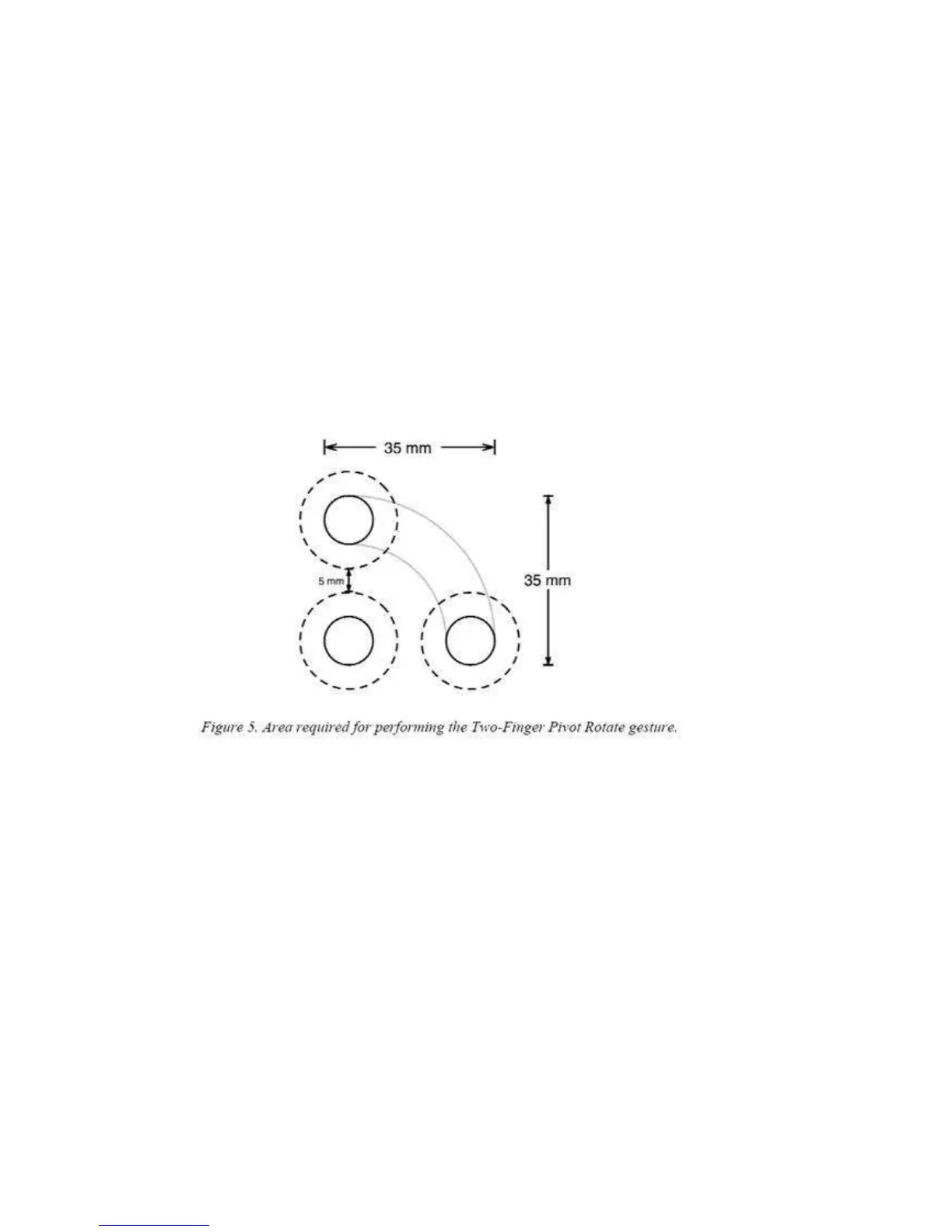
Pivot Rotate requires that the user place two fingers on the Touch Pad and, while keeping the
first finger stationary, move the second finger along an arc of at least 30 degrees around the
first finger. Figure 5depicts the anchor finger position (at the lower left) and a 90-degree arc.
We assume the fingers are at least 5 mm apart for comfort. To perform the gesture, the user
only needs to travel along 30 degrees of the arc and the starting position can be anywhere
from 5 to 85 degrees with respect to the Touch Pad . (For simplicity, we show the full 0 to 90
degree range and use that range in the calculations. The difference for the present
calculations is negligible.)To cover this range of Pivot Rotate motions requires an area of 35
mm wide × 35 mm high, as shown in Figure 5.



 To Next Page