17
Connecting the C120/CI40 to a Desktop Computer
Use the following procedure to connect the C120/CI40 to a desktop
computer.
Requirements
Installation CD-ROM (supplied with C120/CI40)
Auto-Sync Cable (supplied with C120/C140)
Desktop computer (see page 7 for minimum requirements)
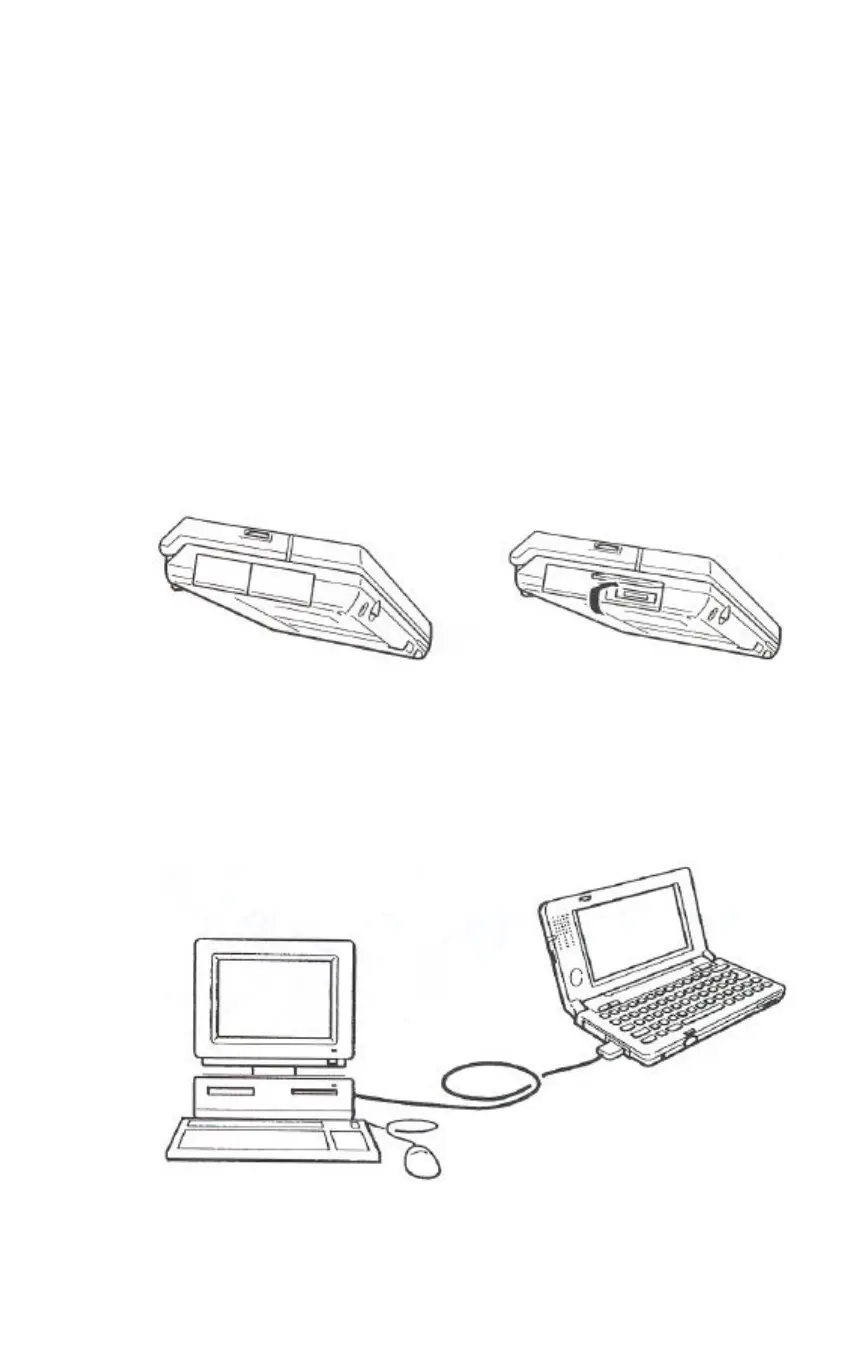
1 Open the RS-232C connector cover of the C120/CI40.
Pull out the bottom of the cover and swing it up. Next slide
the cover into the side of the C120/C140.
2 Use the Auto-Sync Cable to connect the C120/C140 to
your desktop Computer.
The Auto-Sync Cable has a 16-pin connector on one end for
connection to the C120/C140, and a 9-pin connector on the other end
for connection to your desktop computer.


 To Next Page