18
Replacing a PC Card
The C1 20/C 140 comes equipped with a card slot that supports PC Cards.
§ Be sure to keep the dummy card that comes with the C120/CI40
inserted in the card slot whenever you are not using a PC Card.
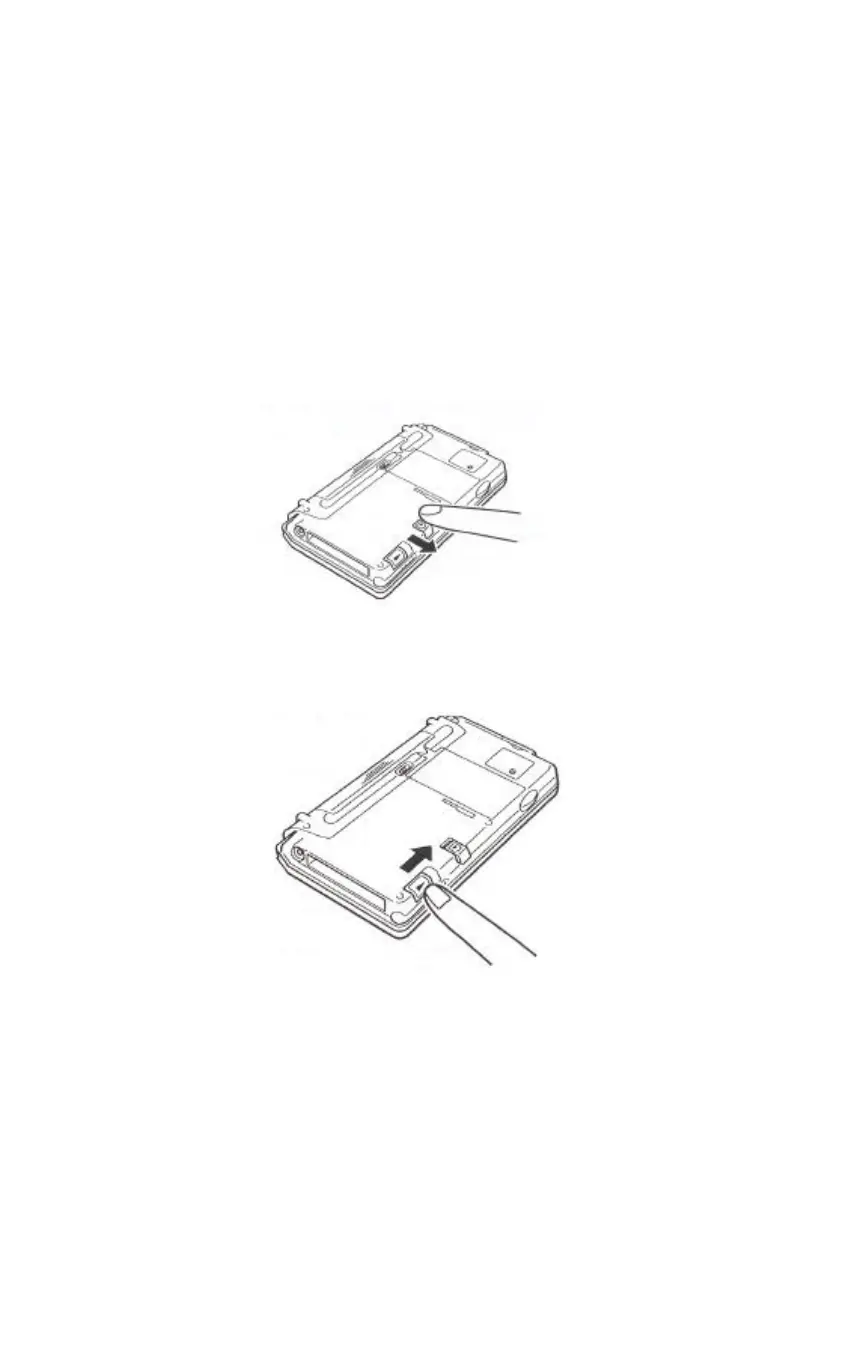
To replace a PC Card, complete the following steps.
1 Close the C120/CI40 and turn it over.
2 Release the card lock.
Slide the lock to the FREE position.
3 Slide the card eject switch to the side to eject the card
currently loaded in the card slot.


 To Next Page