14
Replacing the Back-up Battery
Important!
• Never remove both the main batteries and the back-up
battery from the C120/CI40 at the same time. If you do,
data stored in memory can be corrupted or lost entirely.
A back-up battery comes installed in the C120/CI40 when you
purchase it. Be sure to replace the back-up battery as soon as
possible after it shows signs of low power.
1 Make sure the C120/CI40 is turned off.
If the C1 20/C 140 is on, press the power switch to turn it off.
2 Close the C 120/C 140 and turn it over.
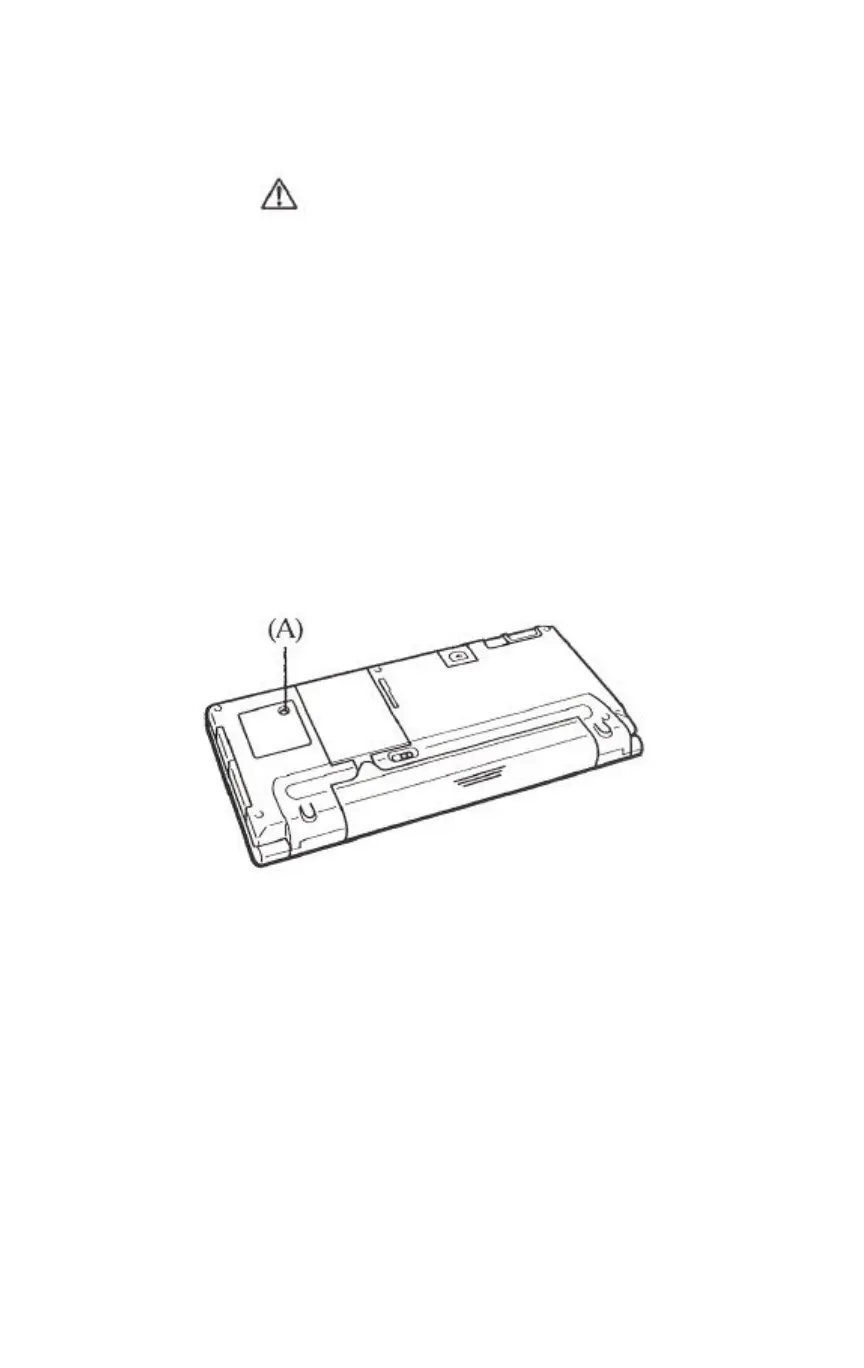
3 Remove screw A and then remove the back-up battery
compartment cover.
4 Remove the old battery.
5 Wipe the surfaces of the new battery with a soft cloth, and
then load it into the back-up battery compartment with the +
side facing up (so you can see it).
6 Replace the back-up battery compartment cover and secure
it in place with its screw.


 To Next Page