13
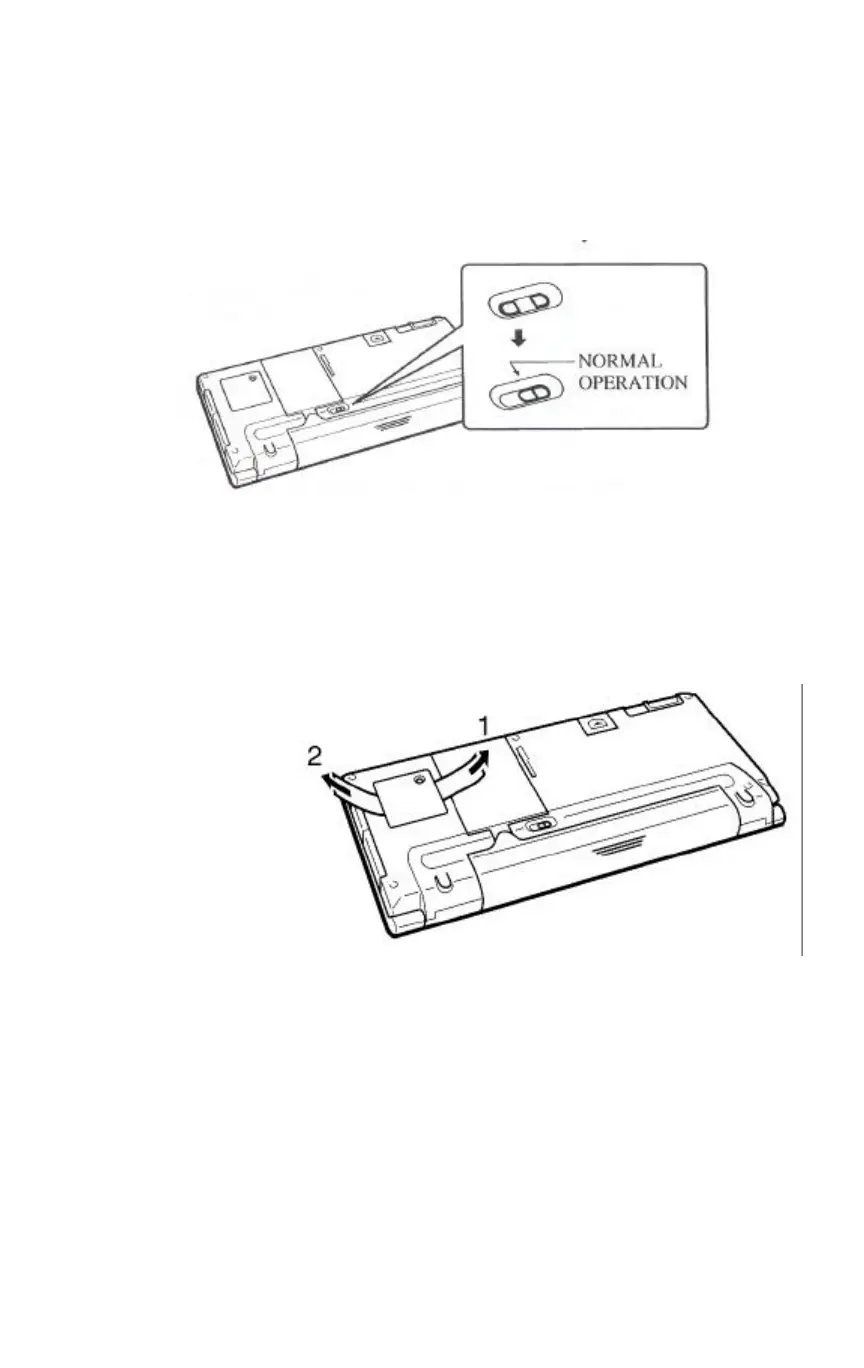
6 Slide the release (both buttons) of the main battery holder
towards "NORMAL OPERATION" to lock the main battery
holder release.
7 If you are loading batteries into the C120/CI40 for the first
time after purchasing it, pull the insulating tape out from under
the back-up battery compartment cover.
Do not pull the tape out until the main batteries are loaded.
* Pull out tape 1 first,
then tape 2.


 To Next Page