12
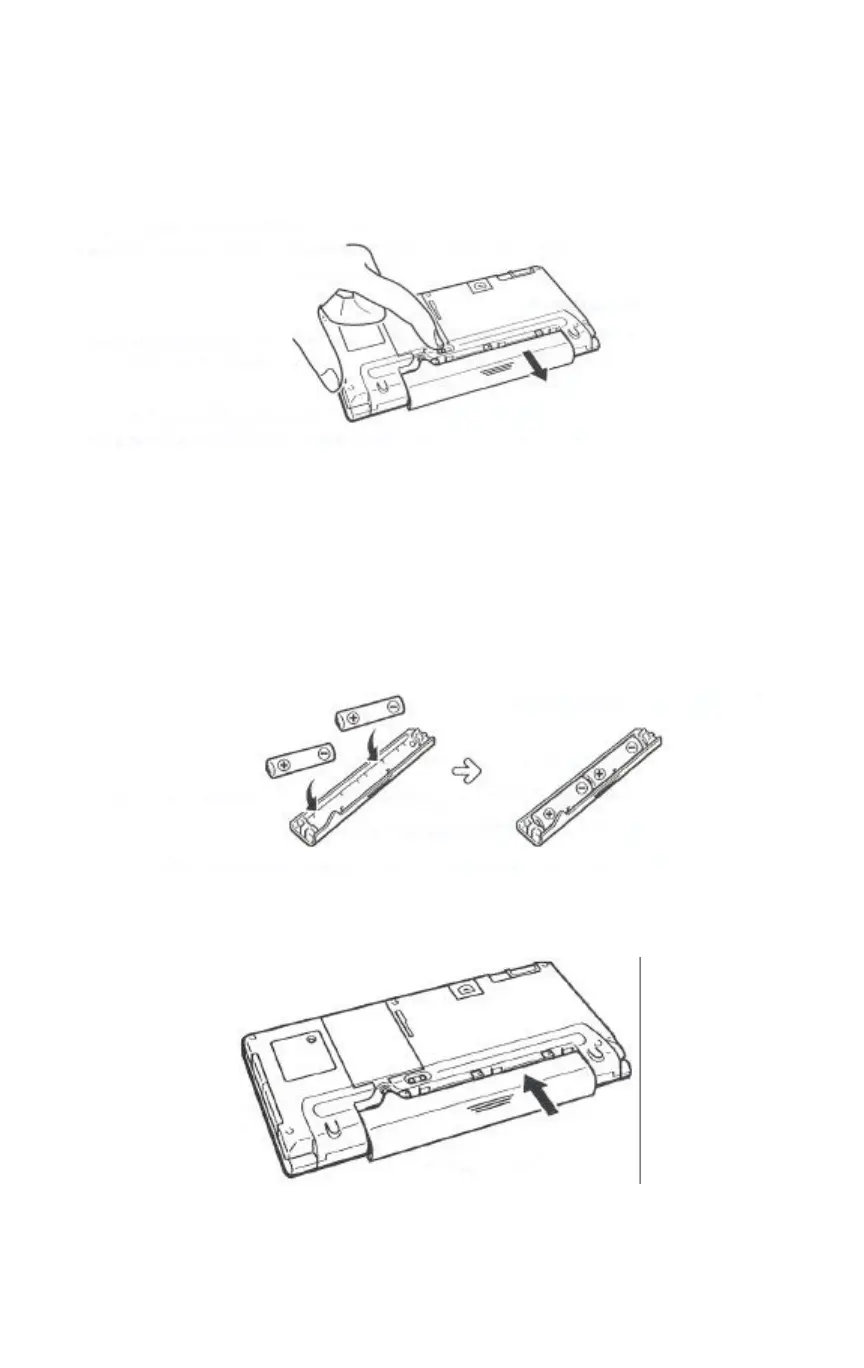
Note that the main battery holder release actually consists of
two separate buttons. Slide and hold both of them towards
"REPLACE BATTERIES''.
Grasp the center of the main battery holder when you slide it
from the C120/C140.
4 Remove both of the old batteries from the main battery holder,
and load two new ones.
When loading new batteries, make sure that their positive (+)
and negative (-) ends are facing correctly.
5 Insert the main battery holder into the C120/CI40 until the
holder is fully seated.


 To Next Page