9
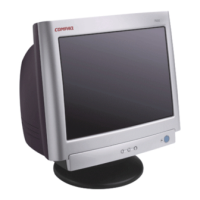
Tilting the Monitor
The monitor has a tilt feature that allows you to tilt the monitor back and forth to find the most
comfortable viewing position. To tilt the monitor, grasp the sides and push the monitor back or pull
it toward you until it is in the desired position. The monitor can be tilted 20º backward and 5º
forward.
Note: Do not tilt the monitor by grasping the top edge.
Setting the Video Mode
Since the inherent format of this monitor is 1024 pixels by 768 lines, the monitor will perform best
when your PC is set to a screen resolution of 1024 x 768. If you use a lower resolution (such as 640
x 480), the image is expanded to fill the screen but with a slightly degraded image quality.
Your monitor supports many common video modes, as shown in the “Video Modes” section. Check
the documentation supplied with your PC and video adapter card to find out which modes they
support.
To view the video mode in Microsoft Windows, check the Windows settings in your PC.
Setting the Refresh Rate
The image refresh rate is the number of times per second that the image is refreshed; it is also
known as the vertical frequency.



 To Next Page