Removal and Replacement Procedures
Maintenance and Service Guide 5–51
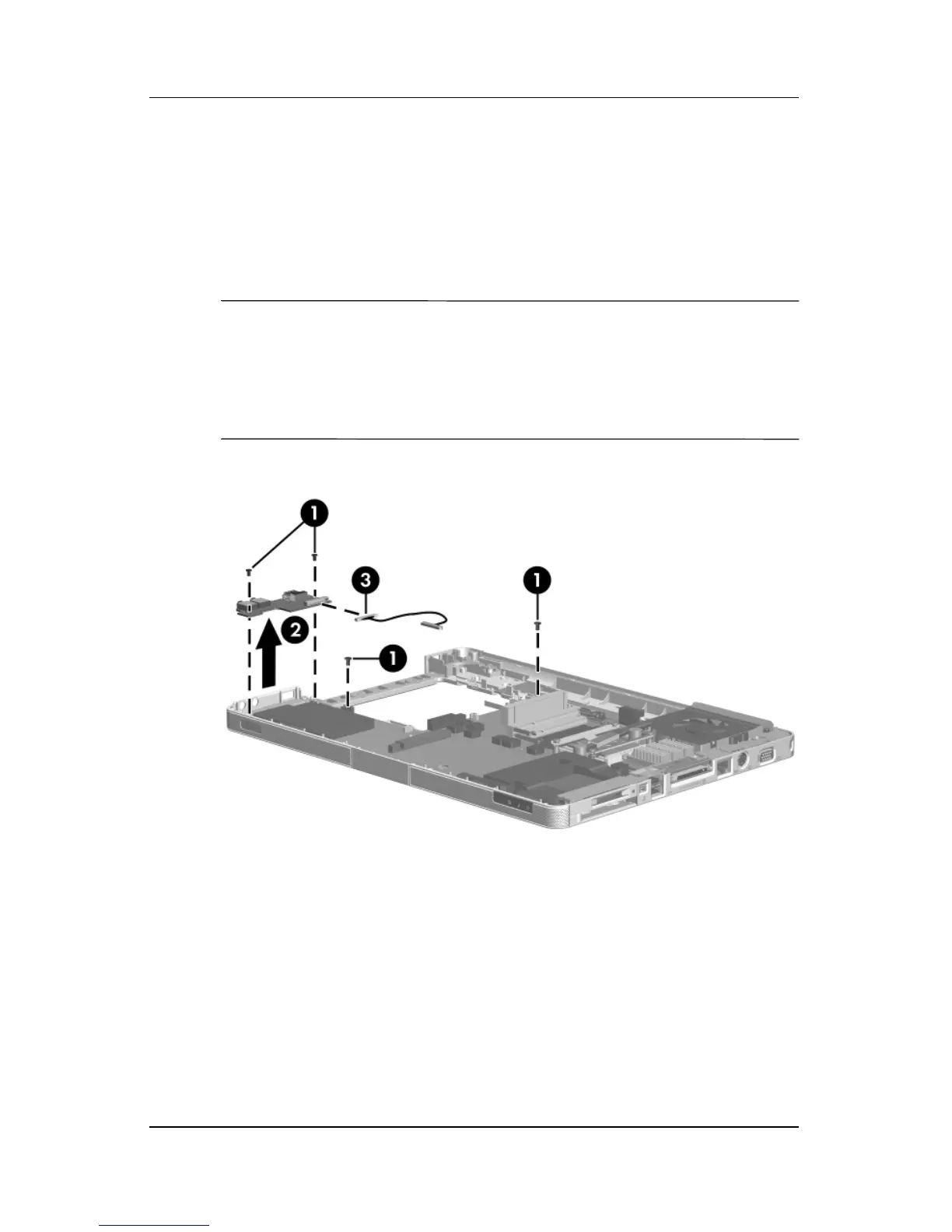
9. Remove the four PM2.5×5.0 screws 1 that secure the system
board and USB/audio board to the top cover.
10. Remove the USB/audio board 2 from the top cover.
11. If it is necessary to replace the USB/audio board cable,
disconnect the cable 3 from the USB/audio board.
✎
The USB/audio board is available using spare part numbers
407804-001 (for use with full-featured models) and
407805-001 (for use with defeatured models). The USB/audio
board cable is included with the USB/audio board and is also
available in the Cable Kit, spare part number 407774-001.
Removing the USB/Audio Board










 To Next Page