Removal and Replacement Procedures
Maintenance and Service Guide 5–9
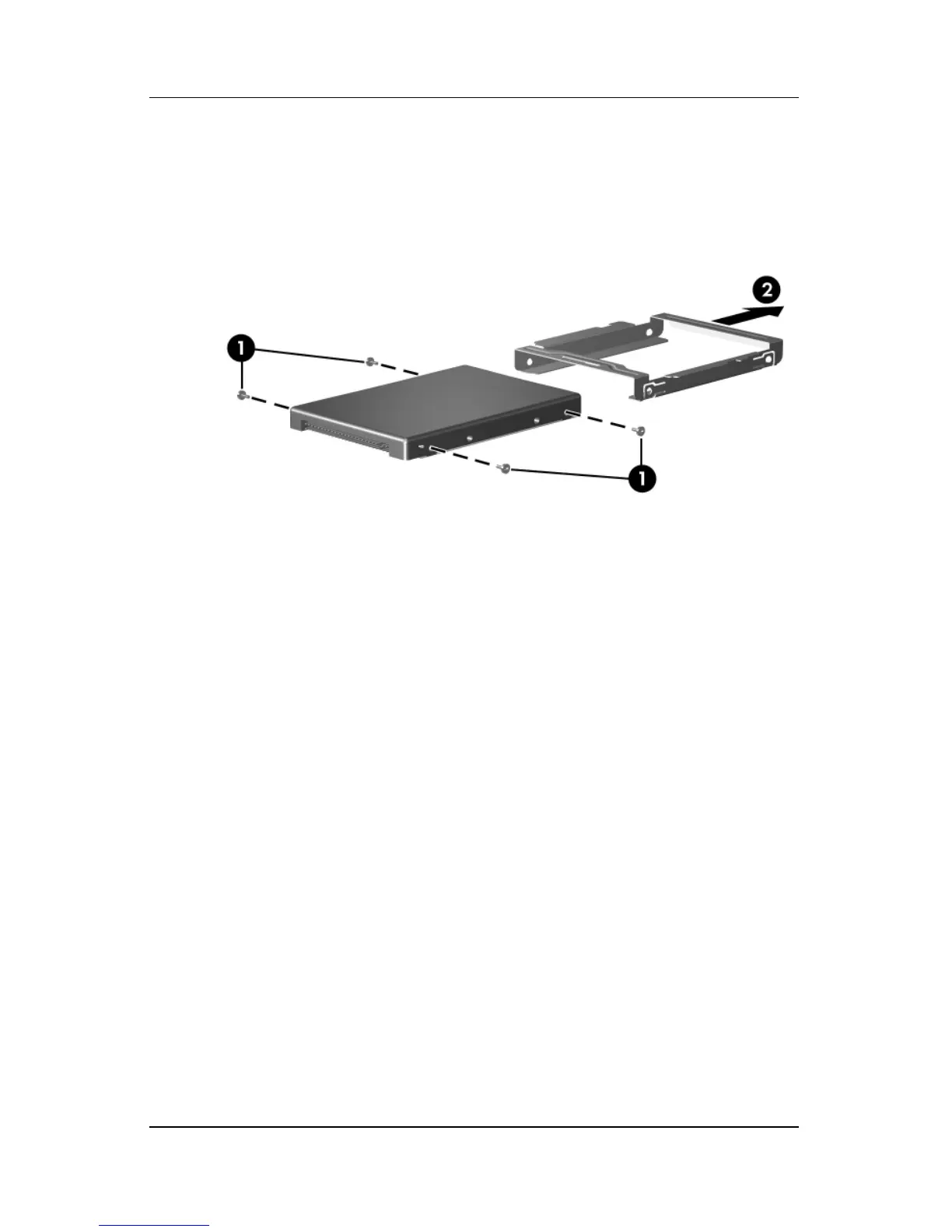
5. Remove the four Phillips PM3.0×4.0 hard drive frame
screws 1 that secure the hard drive frame to the hard drive.
6. Slide the hard drive 2 away from the hard drive to remove it.
Removing the Hard Drive Frame
Reverse the above procedure to reassemble and install the
hard drive.










 To Next Page