Battery Installation / Status
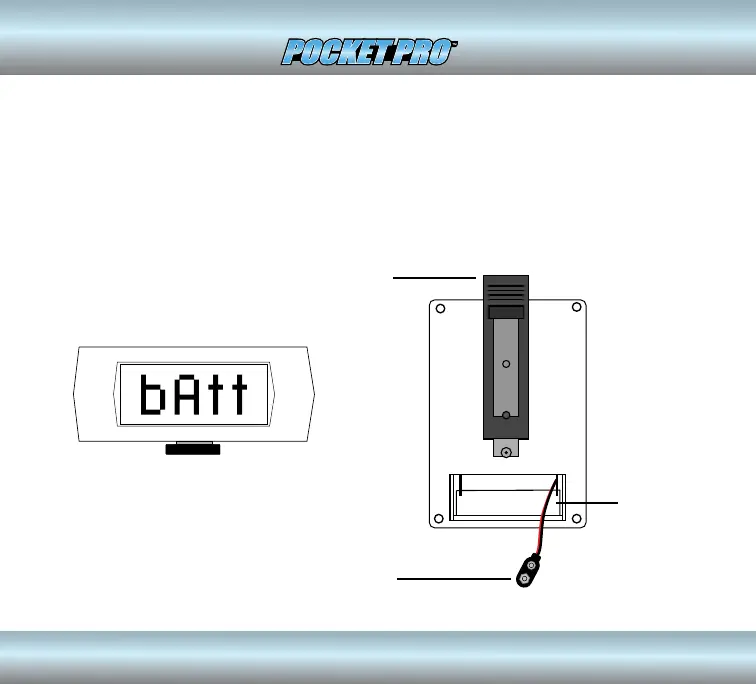
The Pocket Pro timer operates from a 9 volt alkaline or lithium battery. To
install the battery, remove the cover on the back of the unit, connect the
battery to the snap clip and reinstall the cover. A new battery will provide
approximately 20 hours of use. When the battery becomes depleted, the
message “bAtt” will ash on the display.
9V BATTERY SNAP
CONNECTOR
Low battery indicator
BELT CLIP
BATTERY
COMPARTMENT
1


 To Next Page