PROCHRONO DLX
USER MANUAL / OPERATING INSTRUCTIONS
10
Working with Projectile Velocities & Statistics
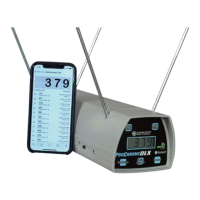
The ProChrono DLX allows you to observe and work with your velocity data. This
is done either through the use of the front panel pushbutton controls described
below, or the use of built in Bluetooth connectivity in conjunction with one of our
free apps. (see the Bluetooth Connection section on page 12)
String and Shot Navigation
Each time the ProChrono DLX successfully detects a shot, it’s velocity is stored at
the end of the currently selected string.
The ProChrono DLX can store up to 9 strings of 99 velocities each and retain them
in non-volatile memory even if you turn the chronograph o and remove the
battery. You can shoot now and the chronograph will store your velocities for later
review.
Pushbutton Controls
String Change
When the ProChrono DLX is rst turned on, it automatically positions itself at the
end of shot string 1 and displays the most recent shot velocity. By pressing the
“String Change” button, the user can sequentially select each one of the 9 string
memories into which the unit will place the shot velocities as they are detected.
When shot string 9 is selected, pressing the “String Change” button will increment
back to string 1.
Review Shots and Statistics for a String
The “Review” button will cause the ProChrono DLX to display the previously red
shot velocity within the current string. Upon each subsequent press of this button,
the previous shot velocity will be displayed until the user reaches the rst shot in
the string. At this point, pressing the “Review” button again causes the display to
begin showing the statistics. The display will cycle through High Velocity, Low
Velocity, Average Velocity, Extreme Spread, and Standard Deviation. Finally,
pressing it again will reposition the display to show the last recorded shot velocity
in the string.


 To Next Page