9
PROCHRONO DLX
USER MANUAL / OPERATING INSTRUCTIONS
Getting Started: Recording Projectile
Velocities
Getting a velocity is as simple as turning on the chronograph and shooting over it.
You must shoot along the long dimension of the chronograph within the triangle
formed by the rods and the diuser screens (even if they are not installed), being
careful not to hit any parts of the chronograph. On detection of the projectile, the
display will briey show the current shot string and updated number of shots in
the string, followed by the velocity recorded.
Duplicate Velocities
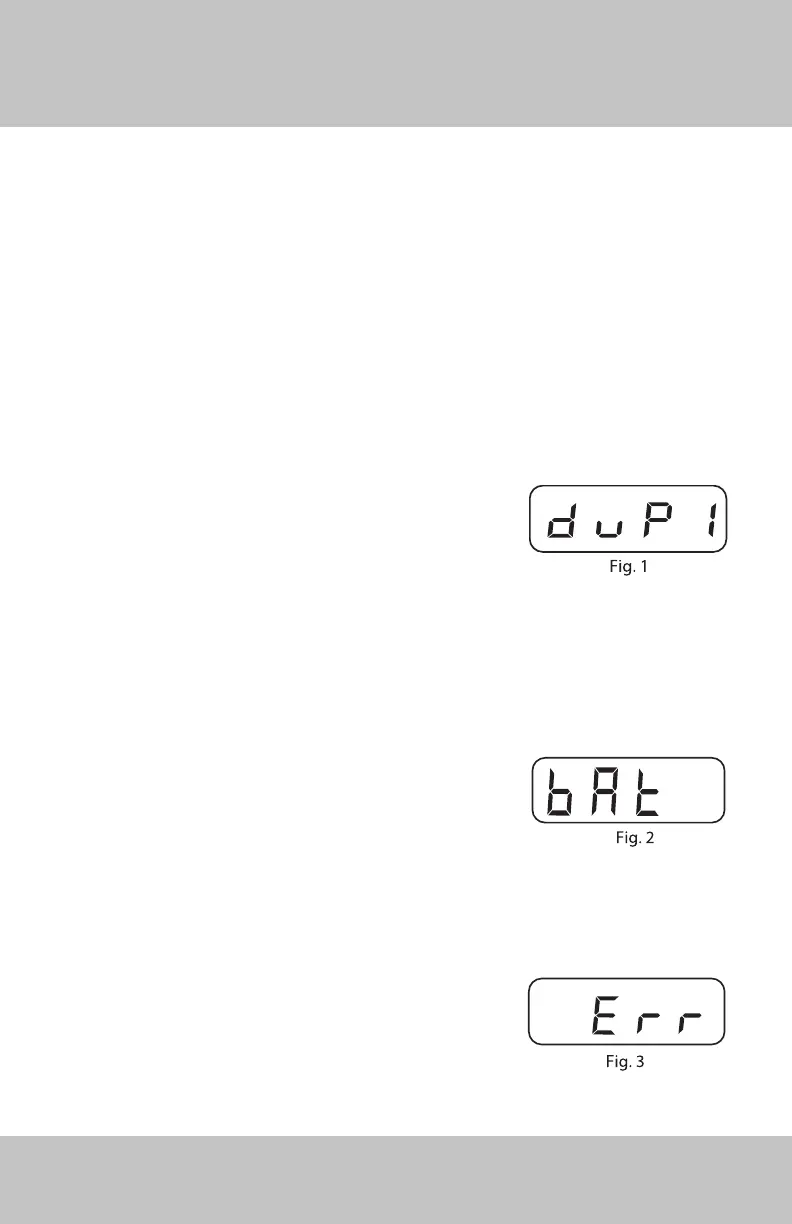
If the chronograph should record 2 shots of
the same velocity one after the other, the “duP”
(duplicate) message will appear (Fig. 1), followed
by a single digit number representing the duplicate
velocity. If subsequent shot velocities are also the
same, the number will increment. If 10 sequential
duplicate shot velocities are recorded, the number
will be reset to 1.
Low Battery Indication
If the battery voltage becomes low (6.8-7.0 volts),
the chronograph will ash the message “bAt” at
intervals to signal that it is time to change the
battery (Fig. 2). If the battery voltage drops below
6.8 volts, the chronograph will ash the message
“CbAt” to let you know it is time to change the
battery, and the unit will no longer register velocities.
Error Indication
In the event a signal is recorded by the rst sensor,
but no signal is recorded by the second sensor, an
error “Err” message will ash momentarily (Fig 3). You
should try adjusting your aim position if this occurs.


 To Next Page