PROCHRONO DLX
USER MANUAL / OPERATING INSTRUCTIONS
12
Bluetooth Connection
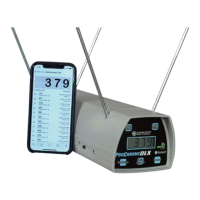
The ProChrono DLX has built-in Bluetooth capability. It can be linked with modern
Smart Phones, tablets and computers. The Bluetooth is always active when the
chronograph is turned ON, and there is a green LED near the ON/OFF switch to
indicate when the ProChrono DLX is paired with a device.
For mobile apps, check to make sure your device has the Bluetooth enabled.
Search your device’s app store for “Competition Electronics Digital Link”. Install the
app, turn on the ProChrono DLX, and open the app. The app will automatically
pair with your chronograph and the green CONNECT led will be illuminated. Read
and follow the on-screen tutorial, then create a shot list to begin recording on
your device.
(*NOTE: do not attempt to pair with the chronograph in your device settings.
Pairing is done ONLY by opening the Digital Link app.)
Check our website at:
www.competitionelectronics.com for up to date information about our apps.
For desktop apps, visit our website for free downloads at:
www.competitionelectronics.com/shooting-products/digital-link-software
Windows and Mac are supported. Check to make sure your computer has
Bluetooth capability. If it does not, you can purchase a separate USB device to
make your computer BT capable.
Download and install the Digital Link desktop app on your computer. Follow
the on-screen instructions for making a connection and using the app. A
demonstration video is available at:
http://www.competitionelectronics.com/digital-link-desktop/overview


 To Next Page