22 Version 1.2
Use a pressure vessel with a capacity corresponding to the compressor’s performance and
the compressed air consumer.
3.5 Connecting to power supply
The compressor is not supplied with a power cable.
The cable size must be chosen to ensure that the maximum voltage drop not exceed 5 %
of the nominal voltage value. Cable length must not exceed 25 m. Ambient temperature in
the facility must not exceed 40°C.
The cable must be sheathed with a re retardant compound.
An isolating switch must be tted within reach of the compressor to facilitate connection
and maintenance.
The compressor must be earthed and protected against short cir-
cuits in each phase, impermissible voltage uctuation and phase
failure.
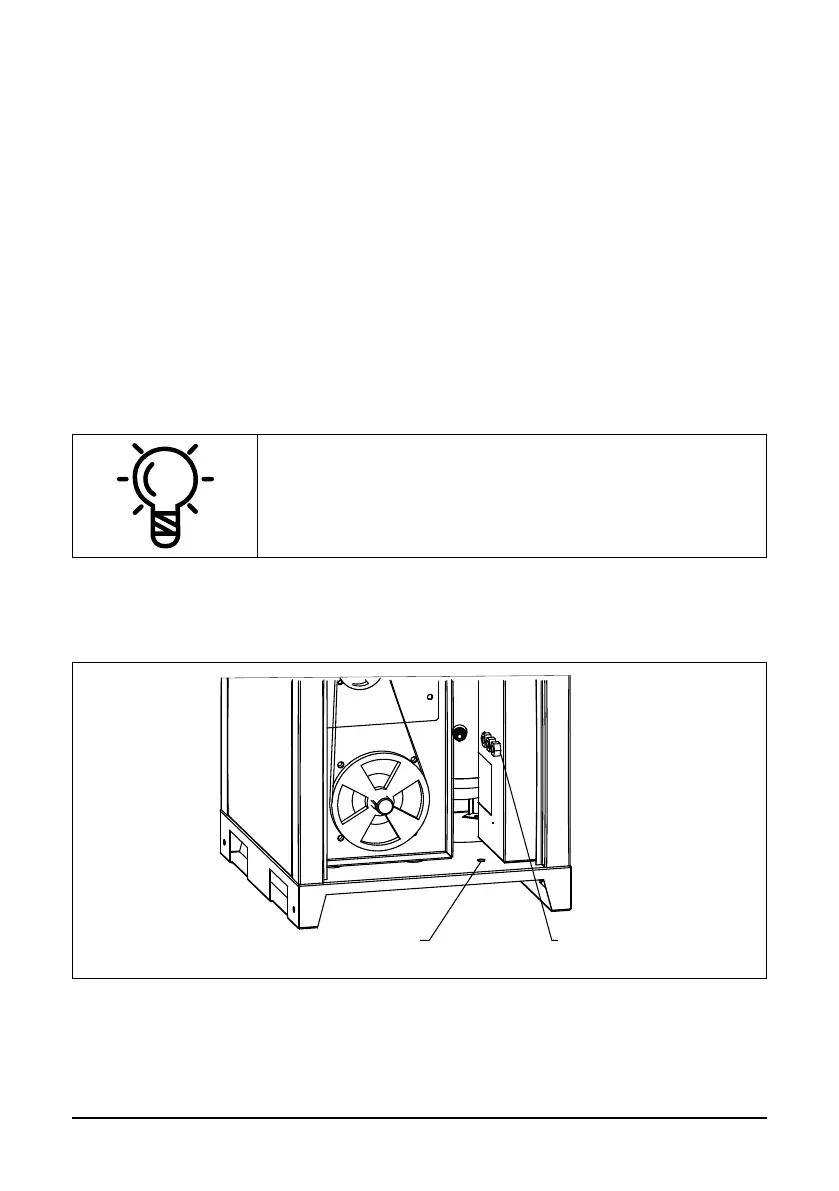
The power cable has to be fed into the compressor.
1 2
Fig. 3.7 Power cable connection
Remove the left side panel, pass the cable under the compressor into the orice (1) and
cable gland (2).



 To Next Page