4
Product Overview
Hardware Overview
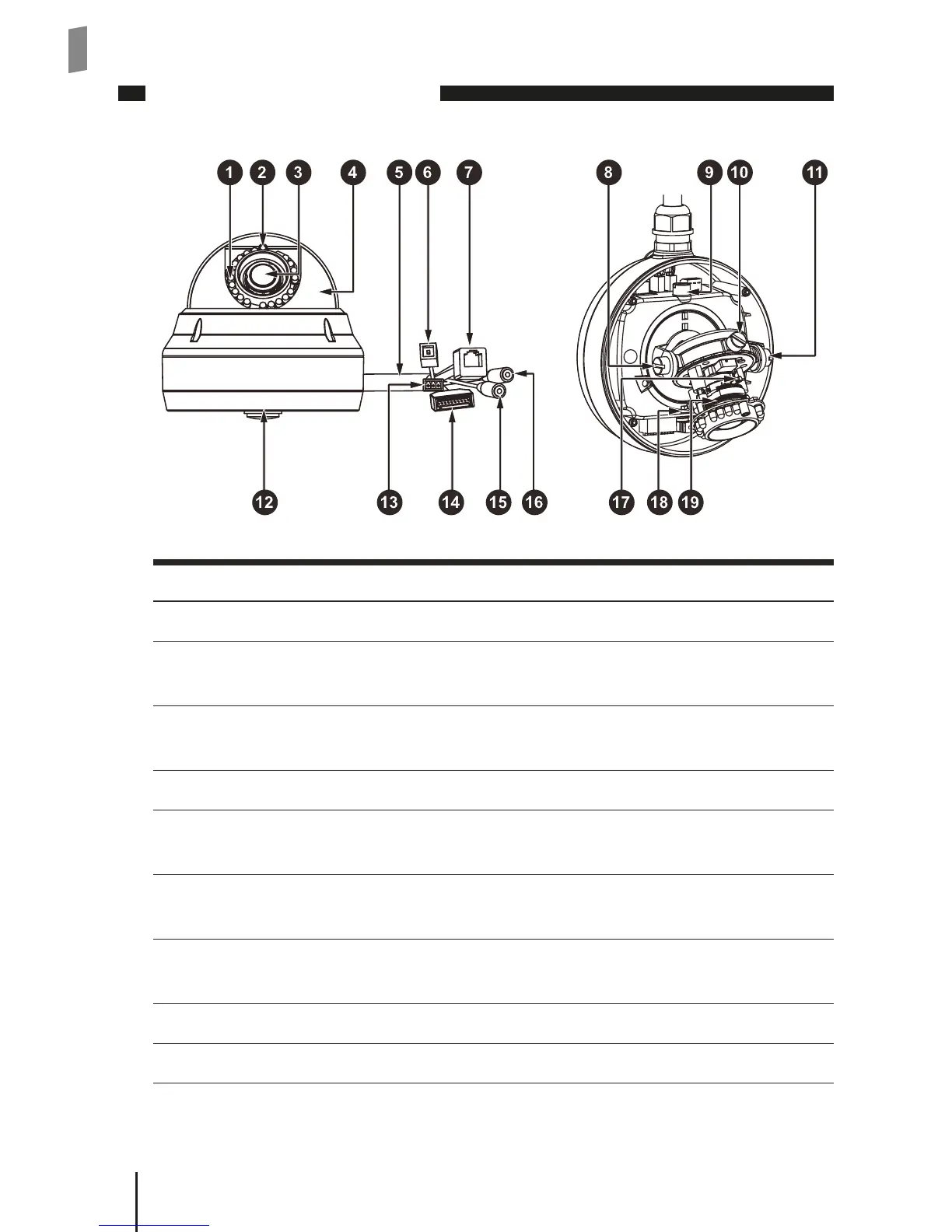
Camera Layout
No. Name Description
1 IR LEDs Provides additional lighting in low light conditions
2 Ambient light sensor Feeds information on environmental lighting
condition to the camera
3 Lens Vari-focal, f 3~9 mm, F1.2~2.1, auto iris, megapixel, IR-
corrected
4 Lens hood Foreliminatingunnecessarylight;directionadjustable
5 All-in-one terminal
cable
Intergrating power, IO, Ethernet, and audio in/out
cable, plus a reset control
6 Reset button Press and hold the reset button for about 8 seconds to
reset the camera back to factory defaults
7 Ethernet port For connection to a PoE or Non-PoE network switch/
router
8 Tilt adjustment screw For holding the tilting position of the camera
9 Pan adjustment screw For holding the panning position of the camera



 To Next Page