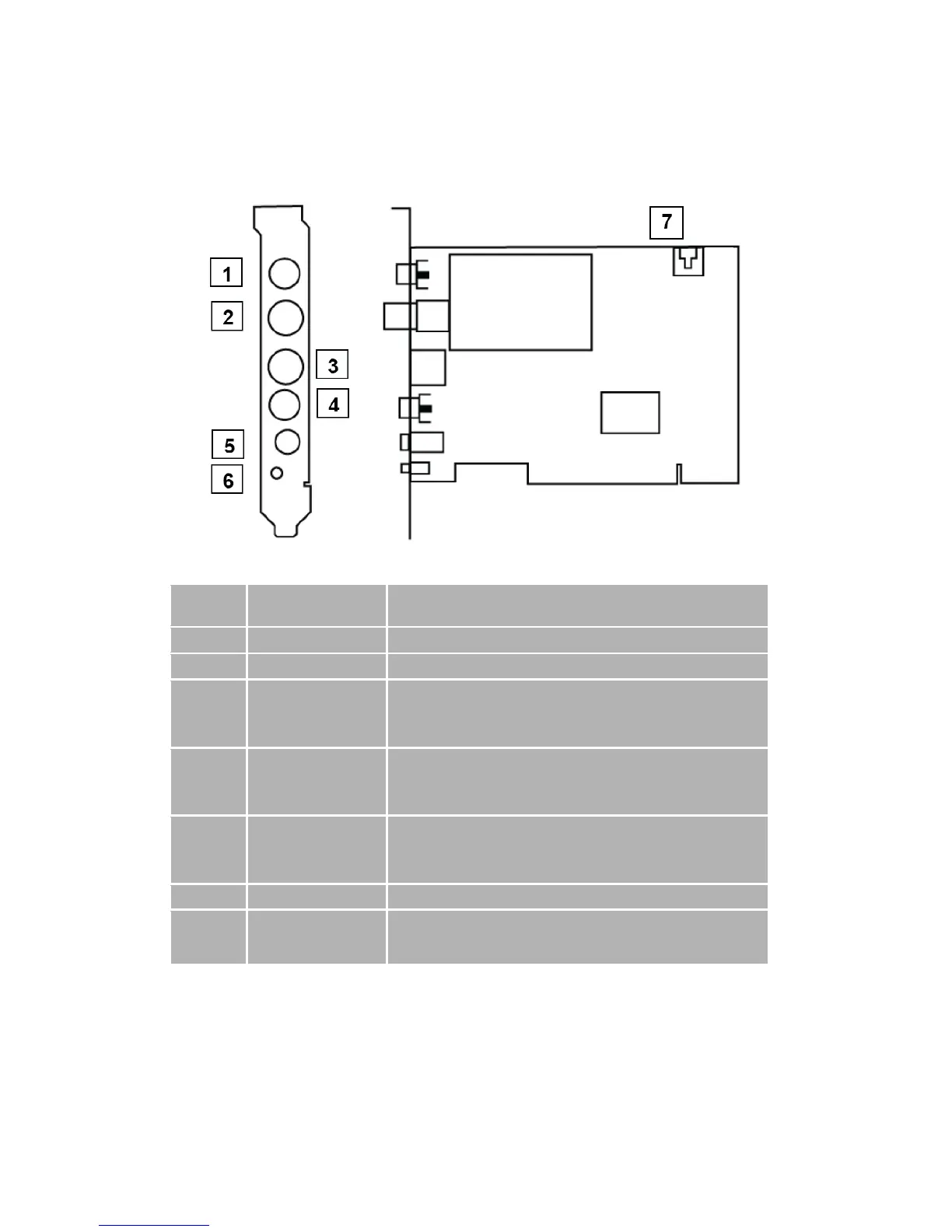
Connect to an FM antenna feed.
Use an S-Video patch cable to connect to a video source,
such as a VCR, DVD or VCD. (Option for S-video patch
cable, not included in the package )
Use a Composite video patch cable to connect to a video
source, such as a VCR, DVD or VCD. (Option for
composite video patch cable, not included in the package )
Use an audio patch cable to connect to an audio source,
such as a VCR, DVD or VCD. (Option for audio patch
cable, not included in the package )
Connect the IR receiver here.
Use an internal audio patch cable to connect to the
AUX-IN port of your sound card.



 To Next Page