
 Need help?
Do you have a question about the CompuSTAR 2WSHLCDR and is the answer not in the manual?
How to enable and disable Valet Mode for vehicle servicing.
Instructions for replacing batteries in 2 Way and 1 Way remotes.
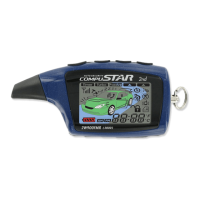
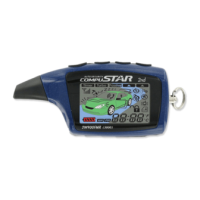
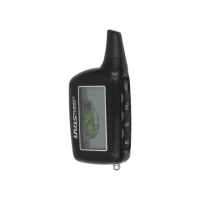
Describes the function of each button on the 2 Way remote.
Details additional functions and duration for 2 Way remote buttons.
Overview of remote settings and how to adjust them.
Lists functions and programming for auxiliary outputs.
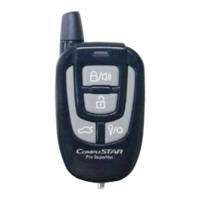
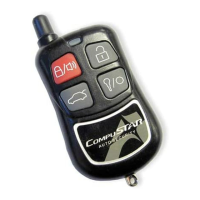
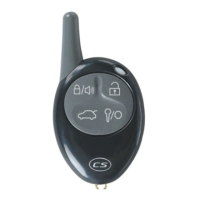
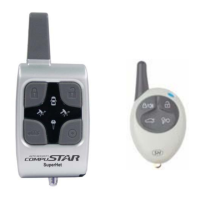
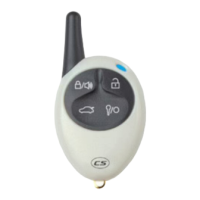
Describes the functions of buttons on the 1 Way remote.
Details additional functions and programming for 1 Way remote buttons.
Explains common icons related to system status and functions.
Explains icons related to remote start and timer functions.
Further explanation of icons for impact, door, trunk, and car call.
Explains advanced icons like Passive Mode, Drive Lock, Turbo Mode, etc.
How to send commands and receive confirmation from the remote.
How the remote receives status updates and confirmations.
How to lock/arm and unlock/disarm the vehicle using the remote.
How the system automatically locks and arms the vehicle.
How to use the remote start function for automatic transmission vehicles.
Steps to safely remote start a manual transmission vehicle.
Reasons why reservation mode might be cancelled.
Information on programmable settings for reservation mode.
How to operate the trunk release function with the remote.
How to control auxiliary outputs for various vehicle functions.
How to mute audible chirps for arming/disarming.
How to set the remote to vibrate mode instead of beeping.
How to enable or disable the shock sensor.
How to enable ignition-controlled door locking.
How to activate the turbo timer function for engine cooling.
How to control a second vehicle with the same remote.
Introduction to the RPS Touch and Remote Paging Sensor features.
How to rearm/lock the vehicle using the RPS Touch.
How to disarm/unlock the vehicle using the RPS Touch.
How to page a 2 Way LCD remote using the RPS Touch.
How to adjust the knock sensitivity of the RPS sensor.
Steps to program and use the RPS sensor for unlocking/disarming.
How to rearm/lock using RPS knocks.
How to disarm/unlock using RPS knocks.
How to page 2 Way LCD remote via RPS knocks.
How to adjust knock sensitivity of RPS sensor.
How to activate and program the Secure Valet Switch.
How to activate and use the Timer Start Mode.
How Cold/Hot Start Mode works with Timer Start.
How to use Anti Jacking Mode to prevent vehicle theft.
Overview of additional optional sensors available.
Steps to program 2 Way 4 Button remotes to the system.
How to exit the programming mode.
How to program more than one remote.
 General
| Remote Start | Yes |
|---|---|
| LCD Remote | Yes |
| Range | Up to 3000 feet |
| Two-Way Communication | Yes |
| Number of Buttons on Remotes | 5 |
| Compatibility | Most vehicles |
| System Type | 2-Way Remote Start System |
| Security Features | Anti-Theft |
| Battery Life | Approximately 1 year with normal use |



 To Next Page