EasyManua.ls Logo

CompuSTAR 1WSHR - User Manual

CompuSTAR 1WSHR
7 pages
Print Icon
To Next Page IconTo Next Page
Loading...
1
1WSHR – PRO USER’S GUIDE
___________________________________________________________________________________________________________________
THANK YOU
Thank you for purchasing a CompuStar alarm and/or remote start system. CompuStar alarms and remote-start systems are the most advanced
systems on the market with amazing features, incomparable ease of use, and breakthrough technologies never before utilized in the automotive
environment. Please take time to read and understand this owner’s manual so that you can enjoy your new CompuStar system.
___________________________________________________________________________________________________________________
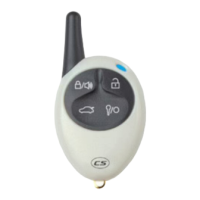
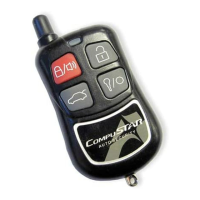
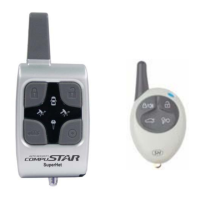
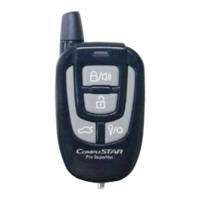
BUTTON FUNCTIONS
If you purchase a Starter or Alarm only system then you will not have all the functions listed below. An Alarm/Starter Combo system will have
all of the functions listed below depending on vehicle.
Button 0.5 sec 2.5 sec 3.5 sec
Locks and Arm Lock then Panic (*8)
Unlocks and Disarm
Aux 1 Trunk Release (*7)
Aux 2 Remote Start On/Off
Siren On/Off
Option Programming Menu #1 – Installer
Only
Valet Mode On/Off (*2) Shock Sensor On/Off
Drive Lock On/Off (*3)
Option Programming Menu #2 – Installer
Only
Passive Arming On/Off
Timer Start On/Off (*4)
Turbo Mode On/Off (*5) Query to activate Secure Aux (*1)
Some of the button functions above require additional programming by the installer. Here is a list of options that you may want to review
before installation. These are features that may not be normally set up at the time of installation. Therefore, there may be an extra charge for
these features and installation. Please consult your installer if you would like any of these features. Some of these features require extra
installation. You can match the function from the above menu with the option of the below menu by finding the corresponding starred numbers.
Example: Valet Mode Function (*2) matches Option 3-10 (*2).
Question and Answer IconNeed help?

Do you have a question about the CompuSTAR 1WSHR and is the answer not in the manual?

CompuSTAR 1WSHR Specifications

General IconGeneral
BrandCompuSTAR
Model1WSHR
CategoryCar Alarm
LanguageEnglish

Summary

Thank You and System Overview

Installer Programming Options

Features requiring installer programming and potential extra charges.

Button Function Explanations

Lock Button Operations

Details on using the Lock button for arming, disarming, and panic.

Unlock Button Operation

Explanation of the Unlock button's function for disarming.

Trunk Button Operations

Instructions for activating Aux 1 and releasing the trunk.

Advanced Button Functions

Key Button Operations

Functions for activating Aux 2 and initiating remote start.

Siren On;Off Function

Method to mute or unmute system siren chirps.

Valet Mode Entry

Explains three methods to activate and deactivate Valet Mode.

Secure Valet Programming

Steps to program and use Secure Valet mode with a custom code.

Shock Sensor Disable

Procedure to temporarily disable the shock sensor.

Drive Lock Feature

How to enable/disable automatic door locking while driving.

Additional Button Functions and Diagnostics

Passive Arming and Timer Start

Functions for passive arming and setting timed remote starts.

Turbo Mode and Query Functions

Details on Turbo Mode activation and system query.

Diagnostic Error Messages

Interpreting parking light flashes for remote start failures.

Triggered Zone Indicators

Understanding siren chirps and light flashes for alarm triggers.

Manual Transmission Operation and Additional Features

Reservation Mode for Manual Transmissions

Procedure to set Reservation Mode for safe remote starting.

Reservation Lock Feature

Description of automatic locking after closing all doors.

Secure Valet Switch (Optional)

Instructions for optional Secure Valet mode configuration.

Auto Relock Function

Automatic re-locking/re-arming if system is accidentally disarmed.

Remote Start Runtime Options

Available durations for the remote start feature.

Dome Light Supervision

Feature providing illumination upon system disarm.

Starter Kill and Anti Grind

Starter disabling and starter protection features.

Advanced Features and Safety Information

Anti-Jacking Feature

Prevents vehicle theft by shutting down the engine.

Dual Stage Shock Sensor

Detects light and heavy impacts for alarm alerts.

Factory Alarm Option

Converts starter-only systems into basic alarm systems.

Vehicle Servicing Precautions

Recommendations for placing the system in Valet Mode during service.

Loaning Vehicle Safety

Advice on using Valet Mode when loaning the vehicle.

Manual Transmission Safety

Extra precautions for manual transmission vehicles.
Limited Lifetime Consumer Warranty

Related product manuals