EasyManua.ls Logo

COMPX eLock 150 Series - User Manual

COMPX eLock 150 Series
8 pages
Print Icon
To Next Page IconTo Next Page
Loading...
1
150 Series — CompX refrigerator eLock Instructions
1. Low battery
indicator (yellow
LED)
2. Red LED
3. Green LED
4. Alpha-numeric
keypad
5. “ENTER” button
6. “CLEAR” button
7. HID Prox or HID
iCLASS reader
location
(if equipped)
8. USB Port for direct
connection to
LockView software
9. AA Battery pack
– 6 (BATTERIES NOT
INCLUDED)
150 Series
CompX refrigerator eLock Instructions
Thank you for purchasing the CompX eLock. The
information contained in these instructions is intended
to serve as a guide so as to allow the eLock to be quickly
and easily put into service.
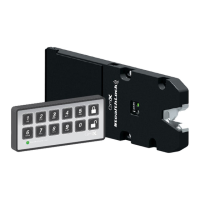
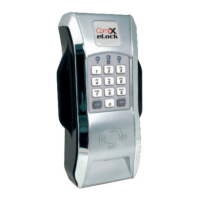
eLock controller
150 series refrigerator eLock
Unit Features:
w Each eLock can hold any combination of up to 250
Supervisors and Users
w Choose a model to use existing HID Prox or HID iCLASS
credentials that can be programmed to operate each eLock
w Spring bolt latching mechanism provides automatic relocking
w Door position switch input (requires additional hardware)
w Membrane keypad provides durable performance and easy
cleaning
What’s in the box?
w1 – eLock
w1 – eLock mounting plate
w1 – strike plate
w1 – strike plate cover
w8 – #8 x 3/8 Phillips flat head sheet metal screw (mounting
plate)
w2 – #8 x 1/2 pin-in Torx pan head sheet metal screw (strike
plate)
w2 – #8 x 1/2 pin-in Torx flat head machine screw (strike
plate cover)
w1 – 7” foam tape (strike plate)
w2 – 5” foam tape (mounting plate)
w1 – battery compartment
w1 – warranty card
w1 – serial code sticker set (keep in a secure location)
w1 – in-box instructions
4
2
9
7
3
6
1
5
8
Question and Answer IconNeed help?

Do you have a question about the COMPX eLock 150 Series and is the answer not in the manual?

COMPX eLock 150 Series Specifications

General IconGeneral
BrandCOMPX
ModeleLock 150 Series
CategoryLocks
LanguageEnglish

Summary

CompX Refrigerator eLock Programming

Getting Started and Initial Programming

Initial setup, credential levels, and first-time programming.

User and Supervisor Management

Procedures for managing user and supervisor credentials.

CompX eLock Operation and Setup

Operation Instructions, Setup Mode, and Factory Reset

Operating the eLock, setup mode entry, and factory reset procedures.

CompX LockView Software Integration

Automatic Method for LockView Enrollment

Enrolling eLocks via USB and LockView using the automatic method.

LockView Software Integration (Manual Method)

Manual Method for LockView Enrollment

Enrolling eLocks via USB and LockView using the manual method.

Vertical Mount Refrigerator Kit Installation

Step 1: Install the Strike Plate

Attaching the strike plate using foam tape or drilling.

Strike Plate Installation Options

Methods for installing the strike plate: foam tape vs. drilling.

Vertical Mount Kit Installation Steps

Steps 2 & 3: Secure Strike and Mount eLock

Securing the strike, attaching the cover, and mounting the eLock body.

eLock Mounting Options

Methods for mounting the eLock body: foam tape vs. drilling.

Vertical Mount Kit Installation Completion

Step 4: Finish Strike Installation (Drilled)

Completing strike installation for drilled method.

Horizontal Mount Refrigerator Kit Installation

Step 1: Install the Strike Plate

Attaching the strike plate for horizontal mount.

Strike Plate Installation Options

Methods for installing strike plate: foam tape vs. drilling.

Horizontal Mount Kit Installation Steps

Steps 2 & 3: Secure Strike and Mount eLock

Securing strike, attaching cover, and mounting eLock housing.

eLock Mounting Options

Methods for mounting eLock housing: foam tape vs. drilling.

Horizontal Mount Kit Installation Completion

Step 4: Finish Strike Installation (Drilled)

Completing strike installation for horizontal drilled mount.

CompX Refrigerator eLock Accessories

LockView Software Features and Components

Overview of LockView software features and required components.
Related product manuals