Need help?
Do you have a question about the COMPX ecoForce and is the answer not in the manual?
Instructions for operating the lock using the default 1-2-3-4-5 combination.
Instructions for operating the lock when a key override is present.
Detailed steps for changing the lock's combination from the default or current setting.
Guide on entering a new user-defined combination, including multi-button presses.
Provides horizontal right and left hand templates for recess mounting the lock.
Offers vertical right and left hand templates for recess mounting the lock.
Details on selecting appropriate mounting brackets based on material thickness.
Template for inverted right hand installation of the recessed mount lock.
Template for inverted left hand installation of the recessed mount lock.
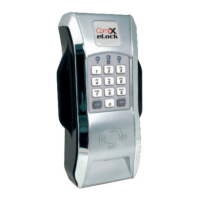
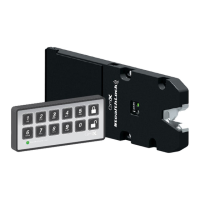
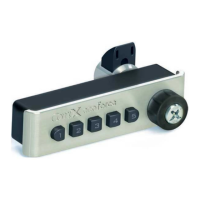
The CompX ecoForce Recessed Mount No-Battery Push Button Cabinet Lock is a keyless, battery-free access control solution designed for cabinets. This instruction sheet provides comprehensive details on its operation, installation, and combination management.
The ecoForce lock operates without batteries, relying on a mechanical push-button mechanism for access. It features a five-button keypad, a clear button, a knob for locking/unlocking, and a programming slide for combination changes. Some models also include a key override for emergency access. The lock's primary function is to secure cabinets, offering a convenient and reliable alternative to traditional keyed locks. The combination can be a single digit or up to five digits long, with the flexibility to press multiple buttons simultaneously as a single step in the combination. Each button can only be used once per combination.
The ecoForce lock is designed for minimal maintenance due to its no-battery, mechanical operation. The primary "maintenance" involves managing the combination. No specific cleaning or lubrication instructions are provided, suggesting a robust design. The requirement for specific mounting brackets based on material thickness ensures proper installation and long-term functionality. The detailed installation templates are critical for preventing errors that could lead to device malfunction or damage to the cabinet. The warning about verifying the 1-inch scale on the templates highlights a crucial step to ensure accurate drilling and proper fit, which directly impacts the longevity and performance of the lock.

 To Next Page
 General