Using Comrex ACCESS over BGAN Page 8
6.6 Equipment needed
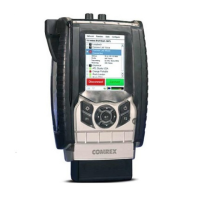
• ACCESS Portable or ACCESS Rackmount Codec.
• BGAN terminal.
• Laptop computer with web browser.
• Multiport Ethernet switch.
• ACCESS Rackmount connected to the public Internet (studio side).
7 BGAN customisation
No BGAN customization is required.
8 Hints and tips
The following are best practice hints and tips to ensure you get the most from ACCESS over
BGAN:
• The BRIC-HQ2 algorithms that come standard with ACCESS provide broadcast quality mono
and stereo transmission when used with BGAN 32 kbps Streaming service.
9 Technical summary
Feature ACCESS rack mount ACCESS portable
Data connections RJ-45, RJ-11 (PSTN), USB,
Serial 9-pin, GPI 9-pin
RJ-45, CardBus slot, USB,
Serial DIN, GPI DIN
Audio input connections Stereo balanced line level
XLR, AES3 XLR
Mono balanced adjustable
mic/line XLR, unbalanced
stereo line level 1/8”(3mm),
unbalanced hands free
mobile 1/8” (3mm)
Audio output connections Stereo balanced XLR, AES3
XLR
Unbalanced stereo
adjustable headphone 1/8”
(3mm), unbalanced stereo
line level 1/8” (3mm),
unbalanced hands free
mobile 1/8” (3mm)
Power connections IEC style, internal 110/220V
auto-switching
DIN style, external 110/220V
auto-switching, rechargeable
LiON battery, 12V DC
connector (optional)
Display options Via web browser to
integrated web server, VGA
adapter on rear panel
Via web browser to
integrated web server,
integrated TFT display


 To Next Page