Using Comrex ACCESS over BGAN Page 7
6.5 Start your broadcast using ACCESS
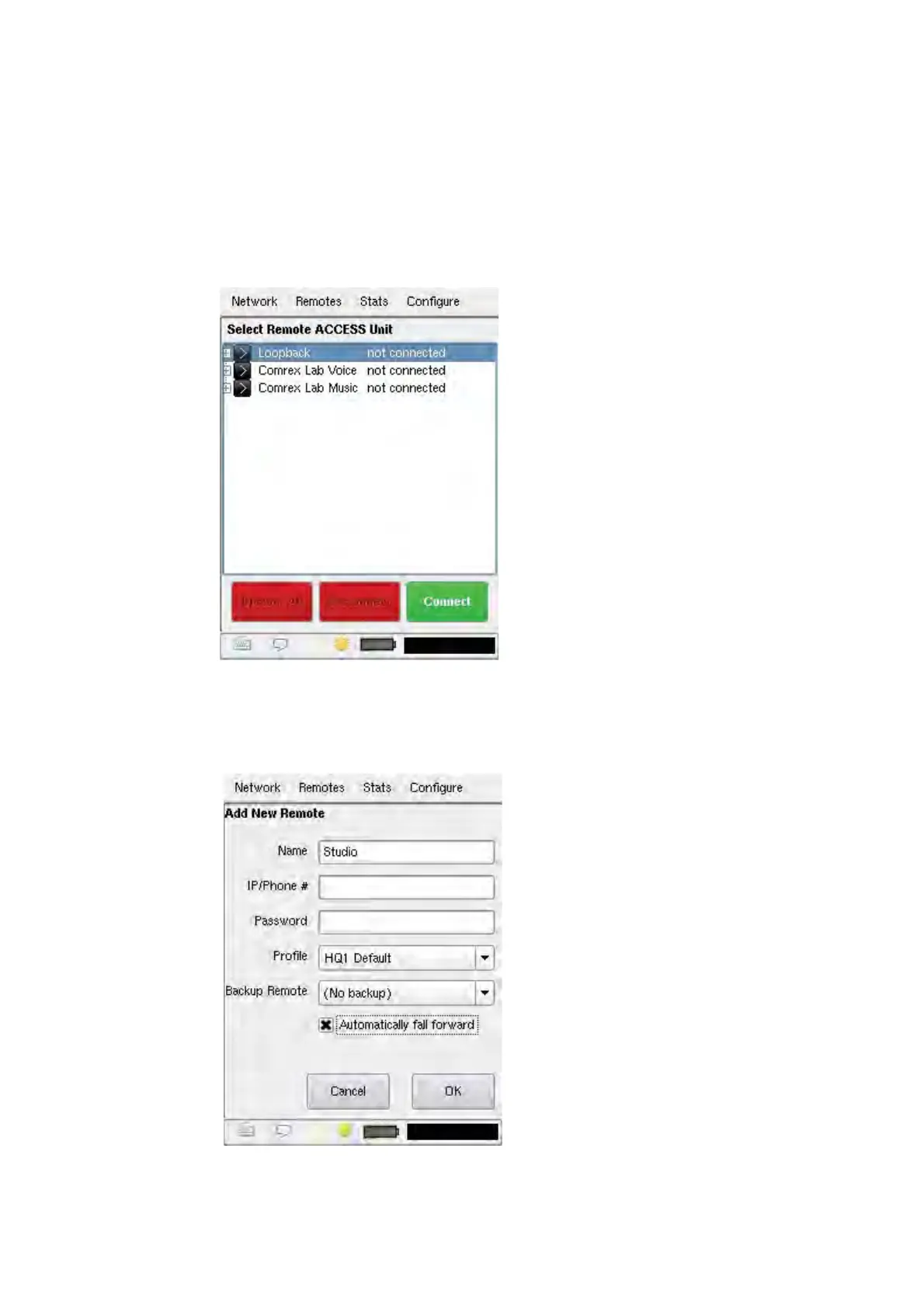
Select the Remotes menu and then Manage Connections from the drop down menu to display the
Select Remote ACCESS Unit menu. This menu allows you to select from a number of pre-
configured connections, and simply press the green Connect button to initiate the transmission of
audio.
If a connection has not been pre-configured for your receiving “Studio” unit, simply select Add New
Remote from the Remotes drop down menu. The screen below displays, allowing you to enter the
information necessary to connect to the Studio unit. Please consult your ACCESS user’s manual
for a more detailed description of these functions.


 To Next Page