Using Comrex ACCESS over BGAN Page 3
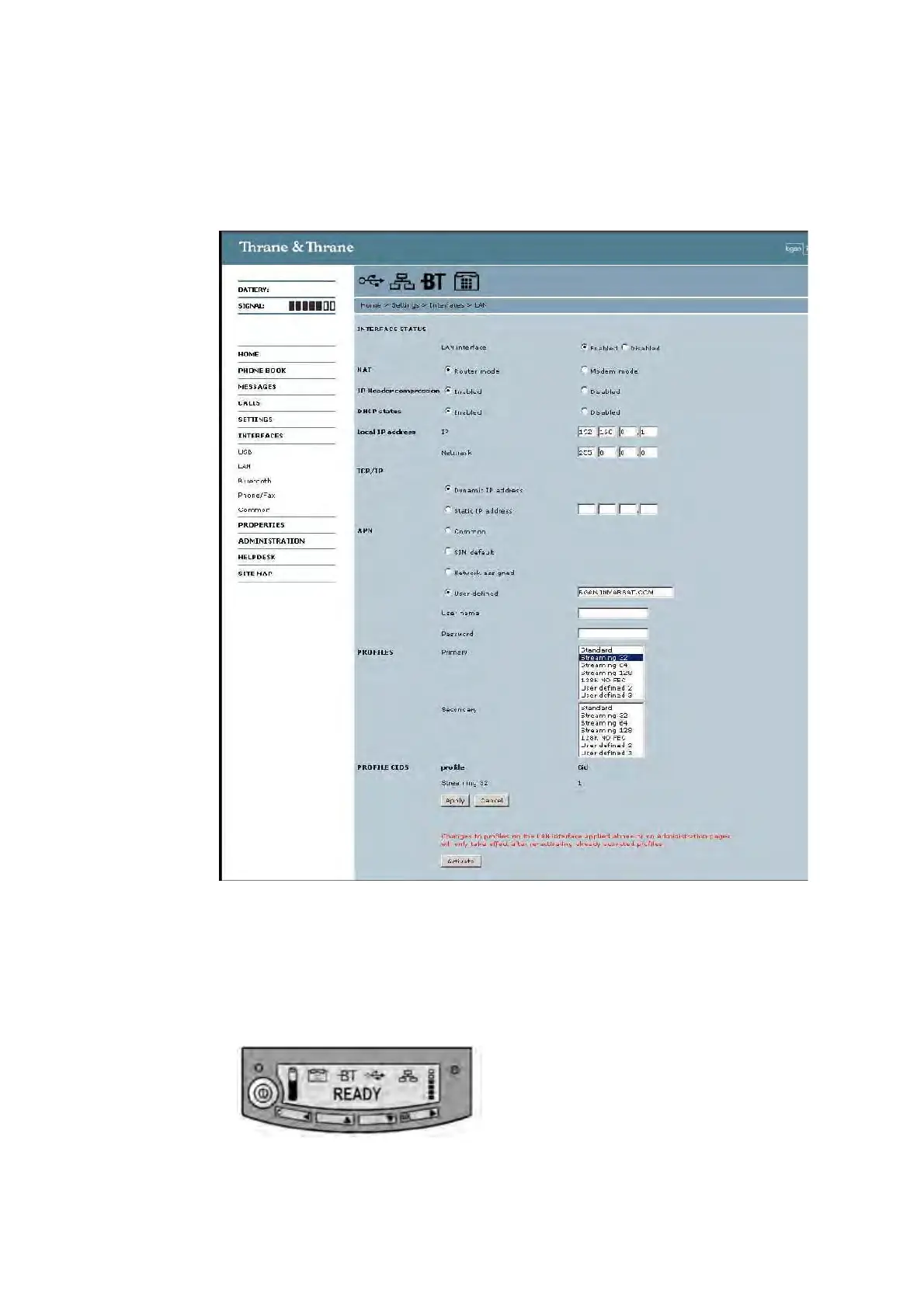
The screenshot below shows the settings required as configured via the EXPLORER’s web server
interface. Please consult your EXPLORER manual for more detailed information.
Connecting to BGAN via the terminal’s LCD interface
For security reasons, a Streaming IP connection needs to be started manually. This is to ensure
that per minute charges do not inadvertently accrue when the EXPLORER terminal is switched on,
and allows you to more carefully monitor usage and connection time. The screenshot below shows
you how to set up using the EXPLORER’s LCD interface.
a. To initiate a connection from the LCD interface, go to the main view of the LCD.


 To Next Page