Using Comrex ACCESS over BGAN Page 5
Note: Although the solution will work on Standard IP, there is no quality guarantee, so Inmarsat
recommends that you utilise the 32kbps Streaming connection.
To do this:
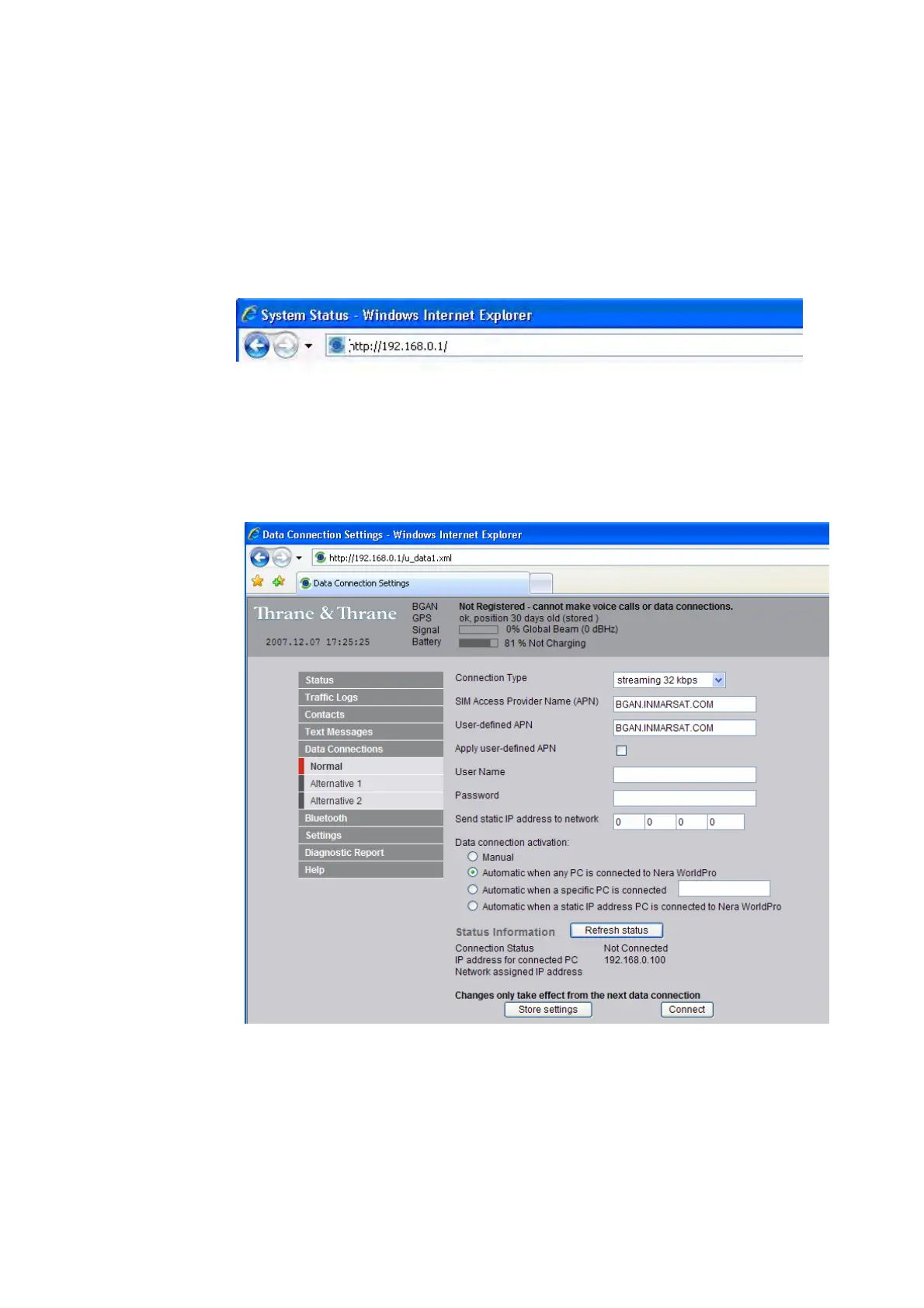
a. Open your internet web browser and type the following IP address in the address bar:
192.168.0.1
b. Now you should see the web server interface. On the left hand navigation select Data
connections.
c. Change the connection type by clicking the dropdown box and selecting Streaming 32 kbps.
d. Make sure Data Connection Activation is set to Automatic when any PC is connected to
the Nera WorldPro.
e. Before you exit the web interface make sure you click Store Settings.
Connecting to BGAN
You can connect to BGAN in two different ways - from the web server interface, or by using the
terminal’s front panel.
To use the front panel:
a. Power on the terminal by pressing and holding the ACTIVATE button for 1.5 seconds.


 To Next Page