18
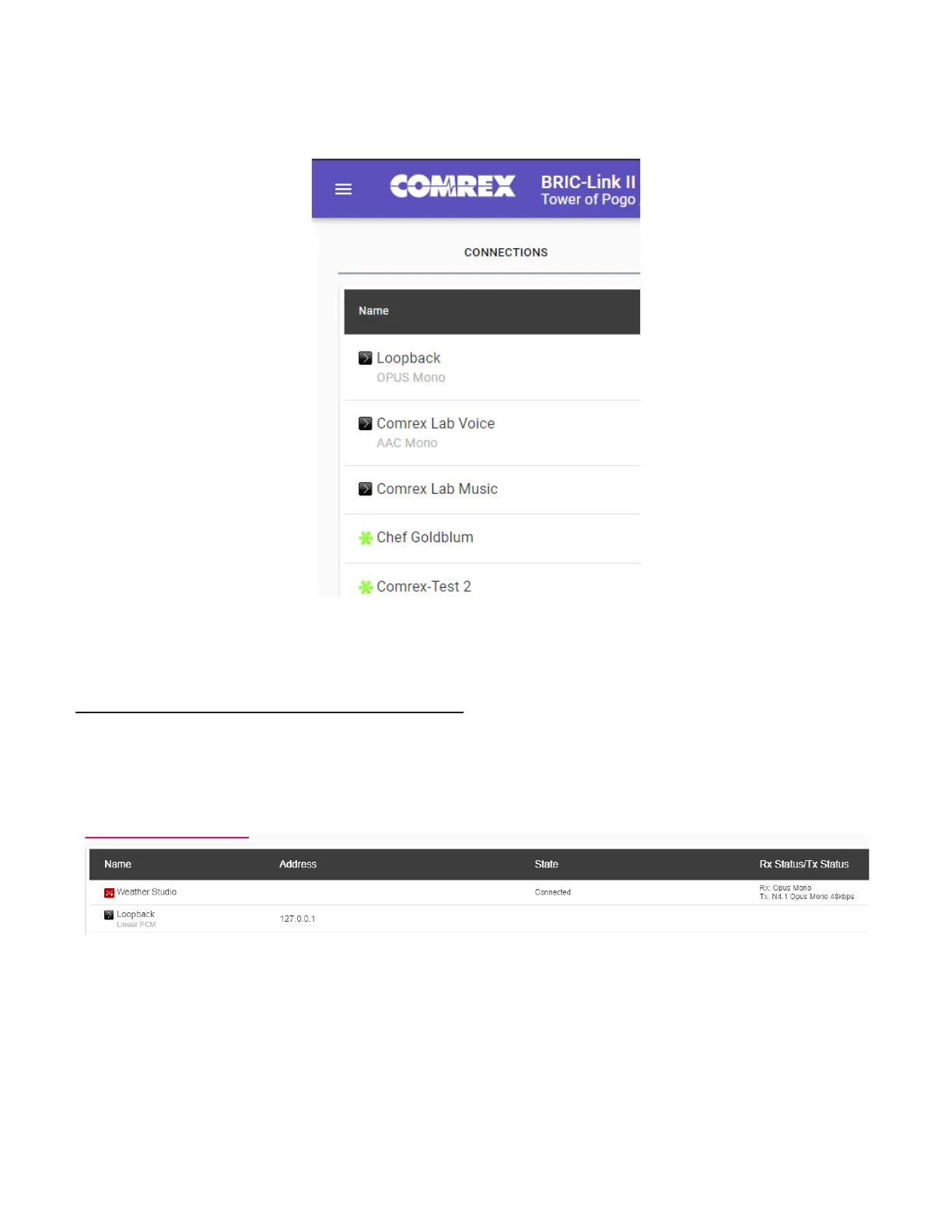
Gear icon are available for Switchboard connecons. Highlight them and select the “Connect” buon on the right
side of the screen to iniate a connecon.
FIGURE 4 SWITCHBOARD CONNECTIONS ICONS
RECEIVING INCOMING CONNECTIONS
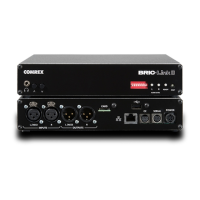
By default, BRIC-Link is set to automacally answer incoming calls, whether or not Switchboard is used to make
them. Incoming calls will appear in your connecons list while they are acve. They can be disconnected locally by
highlighng them and clicking “Disconnect”.
FIGURE 5 ACTIVE SWITCHBOARD CONNECTION


 To Next Page