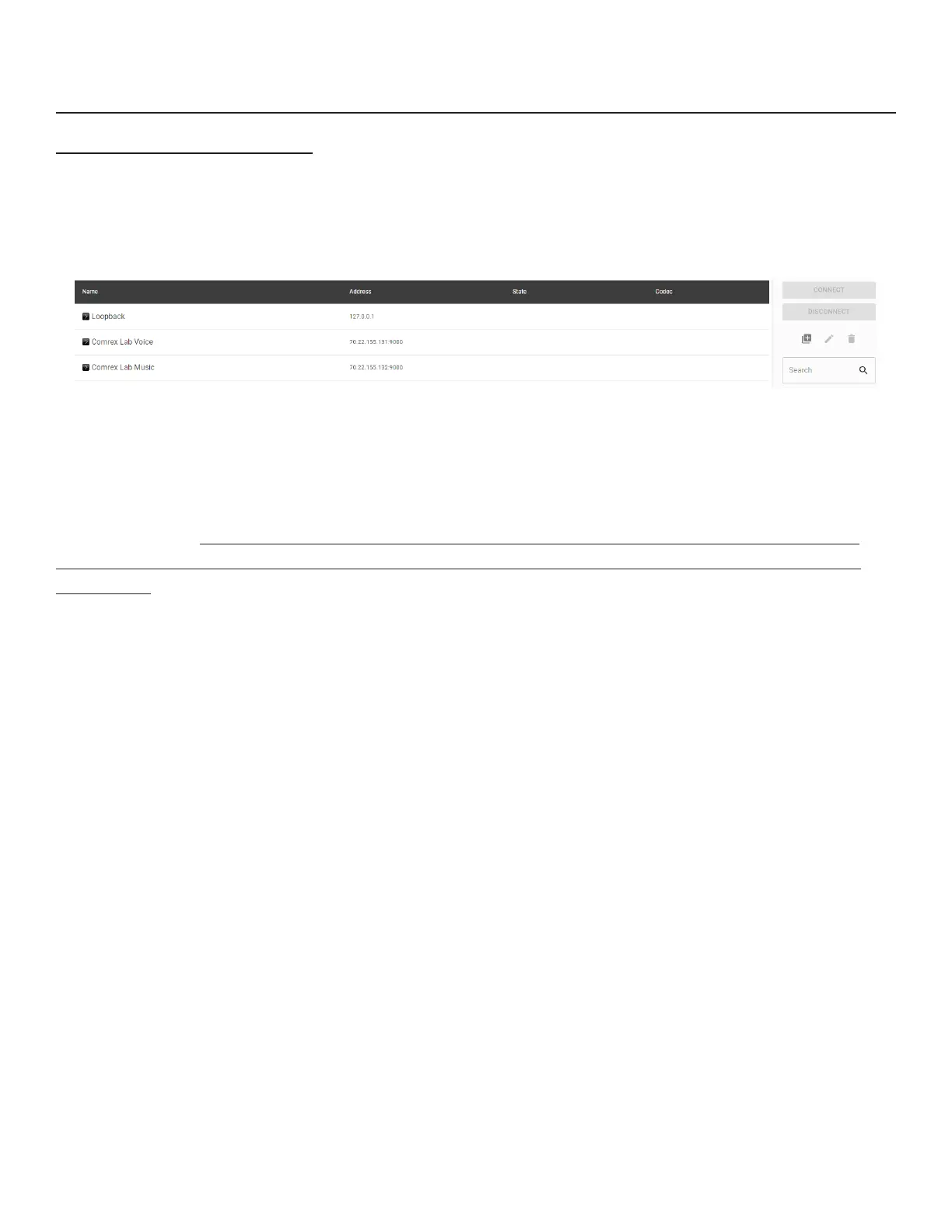
When connecons are added to the list manually, we call them “remote entries,” or “remotes” for short.To create a
new remote connecon, click on the “Plus Sign” (+) on the right of the screen (1 in 31) to
. This will bring up a dialogue box where a new remote’s parameters may be dened (31).
Choose a name for the remote (e.g. WXYZ), followed by the IP address of the remote. If there’s a non-standard port
being used on the receiving codec (e.g. MulRack instances #2-5), you’ll need to apply it here aer the IP address (e.g.
192.168.7.23:9004). This is parcularly true when connecng to an ACCESS MulRack, where each instance beyond
instance #1 at UDP 9000, i.e., instances #2-5, will be congured to a dierent UDP that must be directed to in a new
remote entry.
Choose whether this connecon will use the CrossLock protecon layer. For manual connecons, this requires special
conguraon on each end of the link to authorize CrossLock between the codecs. See the secon below about special
notes for CrossLock connecons.
The Switchboard ID eld is only required when using the CrossLock funcon without the Switchboard server. For
most codecs, this is the primary Ethernet MAC address of the far-side codec. If you are at Firmware 4.5 and newer
and connecng to an ACCESS MulRack instance, you may need an addional step. Add the instance number sux
as a “-x” to the end of the unit’s Switchboard ID (MAC Address) to designate the instance ID (e.g. Instance 4 as:
00:01:0c:c0:78:12-4).
The Connecon Password funcon can be used to lter incoming connecons. With this funcon, aempted incoming
connecons will be rejected without the proper case-sensive password. For outgoing connecons, the password is
entered when the remote is created during the Add New Remote process. For incoming connecons, the password is
set on the System Sengs tab. There is no way to retrieve a forgoen password. The only way to address a forgoen
password is to change it.
Remotes require selecon of a codec prole as seen in . The BRIC-Link includes several factory proles to
choose from, each of which enables a full-duplex link. Factory-provided proles oer commonly used encoders and
sengs. Depending on use and environment, custom proles can be made in the Prole Manager tab (Figure 40). See
the secon on Prole conguraon for more on this. Once dened on the Prole Manager tab, the new proles will be
available in the Select Prole window and can be assigned to an outbound remote.
1
49


 To Next Page
 Loading...