EasyManua.ls Logo

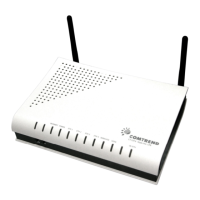
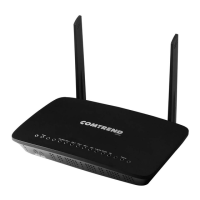
Comtrend Corporation AR-5319 - User Manual

Comtrend Corporation AR-5319
208 pages
Print Icon
To Next Page IconTo Next Page
Loading...
AR-5319
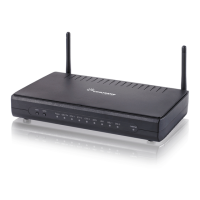
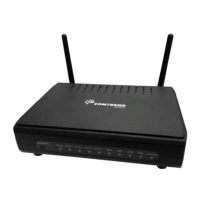
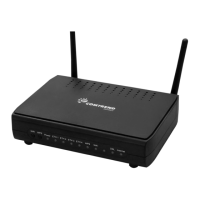
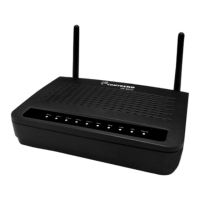
ADSL2+ WLAN Router
User Manual
261056-079
Version A1.1, March 6, 2017

Table of Contents

Question and Answer IconNeed help?

Do you have a question about the Comtrend Corporation AR-5319 and is the answer not in the manual?

Summary

Preface

Important Safety Instructions

FCC & ISED Compliance

User Information

Details on user modifications and FCC/IC rules for digital apparatus.

Radiation Exposure Information

Copyright and Usage Rights

Environmental Protection Guidelines

Chapter 1 Introduction

Chapter 2 Installation

2.1 Hardware Setup

Instructions for connecting the device, including DSL, LAN, and USB ports.

2.2 Front Panel Overview

Explanation of the LED indicators and buttons on the device's front panel.

Chapter 3 Web User Interface

3.1 Default Settings

Summary of the factory default IP address, username, password, and Wi-Fi status.

3.2 IP Configuration

Instructions for configuring IP settings, including DHCP and Static IP modes.

3.3 Login Procedure

Step-by-step guide on how to log in to the device's web user interface.

Chapter 4 Device Information

4.1 WAN Configuration Details

Displaying configured PVC(s) and details about the WAN connection.

4.2 Traffic Statistics

Viewing LAN, WAN, ATM, and xDSL traffic statistics.

4.3 Routing Table Information

Displaying the routes that the AR-5319 has found.

4.4 ARP Information

Displaying the ARP information.

4.5 DHCP Lease Details

Displaying all DHCP Leases.

4.6 NAT Session Tracking

Displays all NAT connection sessions, including UDP/TCP protocols.

4.7 IGMP Protocol Information

Displays the list of IGMP entries broadcasting through the IGMP proxy enabled WAN connection.

4.8 IPv6 Network Status

Information related to IPv6 configuration and status.

4.9 CPU and Memory Usage

Displays system performance graphs showing CPU and memory usage.

4.10 Network Topology Map

Graphical representation of the router's WAN status and LAN devices.

4.11 Wireless Network Status

Configuration and status of the wireless LAN interface.

Chapter 5 Basic Setup

5.1 Layer 2 Interface Configuration

Adding or removing ATM, PTM, and ETH WAN interface connections.

5.2 Network Address Translation (NAT)

Configuration of Network Address Translation (NAT) and related features.

5.3 Local Area Network (LAN) Setup

Configuring LAN interface settings like IP address and subnet mask.

5.4 Wireless Network Basic Settings

Configures basic wireless features like SSID, channel, and security options.

5.5 Parental Control Features

Provides WAN access control functionality.

5.6 Home Networking Options

Features for home networking, including printer and media server support.

Chapter 6 Advanced Setup

6.1 Auto-Detection Setup

Detects WAN service for ETHWAN or xDSL interfaces automatically.

6.2 Security Settings

Security settings, including firewall and IP filtering configuration.

6.3 Quality of Service (QoS)

Manages network traffic priority for different users or data flows.

6.4 Routing Configuration

Configuration of routing functions like default gateway and static routes.

6.5 DNS Server Settings

DNS server configuration options.

6.6 DSL Modulation Modes

Selecting DSL modulation modes for optimal performance.

6.7 Interface Grouping

Supports multiple ports to PVC and bridging groups for independent network operation.

6.8 IP Tunnel Configuration

Configures 6in4 tunneling for IPv6 traffic over IPv4 links.

6.9 Certificate Management

Manages device certificates for authentication and verification.

6.10 Power Management Settings

Controls hardware modules to evaluate and manage power consumption.

6.11 Multicast Protocol Settings

Configures IGMP and MLD protocol settings for multicast traffic.

6.12 Advanced Wireless Settings

Configuration of advanced wireless features.

Chapter 7 Diagnostics

7.1 Individual Connection Tests

Dashboard showing overall connection status and individual connection tests.

7.2 Ethernet Operations, Administration, Management (OAM)

Enables/disables Ethernet OAM protocols for network management.

7.3 System Uptime Status

Shows system, DSL, ETH, and Layer 3 connection uptime status.

7.4 Ping Network Test

Executes ping diagnostic tests to check host connectivity.

7.5 Trace Route Analysis

Executes trace route diagnostic tests to check network paths.

Chapter 8 Management

8.1 System Settings Management

Options for backing up, updating, and restoring router settings.

8.2 System Log Configuration

Configures, enables, and views the system log for events.

8.3 SNMP Agent Configuration

Configures the SNMP agent for network management applications.

8.4 TR-069 Client Setup

Configures the TR-069 client for auto-configuration and provisioning by an ACS.

8.5 Internet Time Synchronization

Synchronizes the router time with Internet timeservers.

8.6 Access Control Management

Configures user account access and passwords for the device.

8.7 Wake-on-LAN Functionality

Wakes up computers connected to the router by sending special 'magic packets'.

8.8 Software Update Procedure

Allows for firmware upgrades from a locally stored file.

8.9 Router Reboot Function

Saves current configuration and reboots the router.

Chapter 9 Logout Procedure

Appendix A - Firewall Configuration

Stateful Packet Inspection Explained

Explanation of firewall architecture that tracks packets on each connection.

Denial of Service (DoS) Attack Types

Description of various DoS attacks the device can withstand.

TCP;IP;Port;Interface Filtering Rules

Rules for filtering traffic at the Network layer (Layer 3).

Outgoing IP Filter Rules

Rules to DROP packets from the LAN interface.

Incoming IP Filter Rules

Rules to Allow or Deny packets from the WAN interface.

MAC Layer Filter Rules

Rules for filtering Layer 2 traffic, effective in Bridge mode.

Appendix B - Pin Assignments

Ethernet LAN Port Pinouts

Pin definitions for Ethernet LAN ports (RJ45).

Ethernet WAN Port Signals

Signal definitions for the Ethernet WAN port.

DSL Port Pin Assignments

Signal definitions for the DSL port.

Appendix C - Hardware and Protocol Specifications

Hardware Interface Specifications

Details on physical ports, buttons, and antennas.

WAN Interface Capabilities

Downstream/upstream speeds and ITU-T standards supported.

LAN Interface Standards

Details on IEEE 802.3, MDI/MDX, and auto-sensing.

Wireless Interface Standards

IEEE 802.11 standards, WEP, WPA2, and channel support.

Management Features

Remote upgrade, Telnet access, web configuration, backup/restore.

Networking Protocols Supported

List of supported networking protocols like PPPoE, IGMP, DHCP, DNS.

Security Functions Overview

PAP, CHAP, filtering, SSH, and three-level login.

Quality of Service (QoS) Features

Packet classification, priority queuing, DSCP marking.

Firewall and Filtering Capabilities

Stateful inspection, stateless filtering, DoS protection, IP/Port filtering.

NAT;NAPT Features

Port triggering, port forwarding, DMZ host, VPN passthrough.

Application Passthrough Support

List of supported applications like PPTP, L2TP, IPSec.

Power Supply and Environment Conditions

Input/output power, operating temperature, and humidity.

Physical Dimensions and Certifications

Router dimensions and CE certification.

Appendix D - SSH Client Guide

Appendix E - Connection Setup

E1 ~ Layer 2 Interfaces Configuration

Setting up Layer 2 interfaces (ATM, PTM, or Ethernet).

E1.1 ATM Interfaces Setup

Procedures to configure an ATM interface, including VPI/VCI and link type.

E1.2 PTM Interfaces Setup

Procedures to configure a PTM interface, including priority and connection mode.

E1.3 ETHERNET Interfaces Setup

Procedures to configure an Ethernet interface.

E2 ~ WAN Connections Setup

Guides through setting up a WAN connection for each interface.

E2.1 PPP over ETHERNET (PPPoE) - IPv4

Configuring PPPoE WAN connection for IPv4.

E2.2 IP over ETHERNET (IPoE) - IPv4

Configuring IP over Ethernet (IPoE) WAN connection for IPv4.

E2.3 Bridging- IPv4

Configuring Bridging WAN connection for IPv4.

E2.4 PPP over ATM (PPPoA) - IPv4

Configuring PPP over ATM (PPPoA) WAN connection for IPv4.

E2.6 PPP over ETHERNET (PPPoE) - IPv6

Configuring PPPoE WAN connection for IPv6.

E2.7 IP over ETHERNET (IPoE) - IPv6

Configuring IP over Ethernet (IPoE) WAN connection for IPv6.

E2.8 PPP over ATM (PPPoA) - IPv6

Configuring PPP over ATM (PPPoA) WAN connection for IPv6.

Appendix F - Printer Server Setup

Summary

Preface

Important Safety Instructions

FCC & ISED Compliance

User Information

Details on user modifications and FCC/IC rules for digital apparatus.

Radiation Exposure Information

Copyright and Usage Rights

Environmental Protection Guidelines

Chapter 1 Introduction

Chapter 2 Installation

2.1 Hardware Setup

Instructions for connecting the device, including DSL, LAN, and USB ports.

2.2 Front Panel Overview

Explanation of the LED indicators and buttons on the device's front panel.

Chapter 3 Web User Interface

3.1 Default Settings

Summary of the factory default IP address, username, password, and Wi-Fi status.

3.2 IP Configuration

Instructions for configuring IP settings, including DHCP and Static IP modes.

3.3 Login Procedure

Step-by-step guide on how to log in to the device's web user interface.

Chapter 4 Device Information

4.1 WAN Configuration Details

Displaying configured PVC(s) and details about the WAN connection.

4.2 Traffic Statistics

Viewing LAN, WAN, ATM, and xDSL traffic statistics.

4.3 Routing Table Information

Displaying the routes that the AR-5319 has found.

4.4 ARP Information

Displaying the ARP information.

4.5 DHCP Lease Details

Displaying all DHCP Leases.

4.6 NAT Session Tracking

Displays all NAT connection sessions, including UDP/TCP protocols.

4.7 IGMP Protocol Information

Displays the list of IGMP entries broadcasting through the IGMP proxy enabled WAN connection.

4.8 IPv6 Network Status

Information related to IPv6 configuration and status.

4.9 CPU and Memory Usage

Displays system performance graphs showing CPU and memory usage.

4.10 Network Topology Map

Graphical representation of the router's WAN status and LAN devices.

4.11 Wireless Network Status

Configuration and status of the wireless LAN interface.

Chapter 5 Basic Setup

5.1 Layer 2 Interface Configuration

Adding or removing ATM, PTM, and ETH WAN interface connections.

5.2 Network Address Translation (NAT)

Configuration of Network Address Translation (NAT) and related features.

5.3 Local Area Network (LAN) Setup

Configuring LAN interface settings like IP address and subnet mask.

5.4 Wireless Network Basic Settings

Configures basic wireless features like SSID, channel, and security options.

5.5 Parental Control Features

Provides WAN access control functionality.

5.6 Home Networking Options

Features for home networking, including printer and media server support.

Chapter 6 Advanced Setup

6.1 Auto-Detection Setup

Detects WAN service for ETHWAN or xDSL interfaces automatically.

6.2 Security Settings

Security settings, including firewall and IP filtering configuration.

6.3 Quality of Service (QoS)

Manages network traffic priority for different users or data flows.

6.4 Routing Configuration

Configuration of routing functions like default gateway and static routes.

6.5 DNS Server Settings

DNS server configuration options.

6.6 DSL Modulation Modes

Selecting DSL modulation modes for optimal performance.

6.7 Interface Grouping

Supports multiple ports to PVC and bridging groups for independent network operation.

6.8 IP Tunnel Configuration

Configures 6in4 tunneling for IPv6 traffic over IPv4 links.

6.9 Certificate Management

Manages device certificates for authentication and verification.

6.10 Power Management Settings

Controls hardware modules to evaluate and manage power consumption.

6.11 Multicast Protocol Settings

Configures IGMP and MLD protocol settings for multicast traffic.

6.12 Advanced Wireless Settings

Configuration of advanced wireless features.

Chapter 7 Diagnostics

7.1 Individual Connection Tests

Dashboard showing overall connection status and individual connection tests.

7.2 Ethernet Operations, Administration, Management (OAM)

Enables/disables Ethernet OAM protocols for network management.

7.3 System Uptime Status

Shows system, DSL, ETH, and Layer 3 connection uptime status.

7.4 Ping Network Test

Executes ping diagnostic tests to check host connectivity.

7.5 Trace Route Analysis

Executes trace route diagnostic tests to check network paths.

Chapter 8 Management

8.1 System Settings Management

Options for backing up, updating, and restoring router settings.

8.2 System Log Configuration

Configures, enables, and views the system log for events.

8.3 SNMP Agent Configuration

Configures the SNMP agent for network management applications.

8.4 TR-069 Client Setup

Configures the TR-069 client for auto-configuration and provisioning by an ACS.

8.5 Internet Time Synchronization

Synchronizes the router time with Internet timeservers.

8.6 Access Control Management

Configures user account access and passwords for the device.

8.7 Wake-on-LAN Functionality

Wakes up computers connected to the router by sending special 'magic packets'.

8.8 Software Update Procedure

Allows for firmware upgrades from a locally stored file.

8.9 Router Reboot Function

Saves current configuration and reboots the router.

Chapter 9 Logout Procedure

Appendix A - Firewall Configuration

Stateful Packet Inspection Explained

Explanation of firewall architecture that tracks packets on each connection.

Denial of Service (DoS) Attack Types

Description of various DoS attacks the device can withstand.

TCP;IP;Port;Interface Filtering Rules

Rules for filtering traffic at the Network layer (Layer 3).

Outgoing IP Filter Rules

Rules to DROP packets from the LAN interface.

Incoming IP Filter Rules

Rules to Allow or Deny packets from the WAN interface.

MAC Layer Filter Rules

Rules for filtering Layer 2 traffic, effective in Bridge mode.

Appendix B - Pin Assignments

Ethernet LAN Port Pinouts

Pin definitions for Ethernet LAN ports (RJ45).

Ethernet WAN Port Signals

Signal definitions for the Ethernet WAN port.

DSL Port Pin Assignments

Signal definitions for the DSL port.

Appendix C - Hardware and Protocol Specifications

Hardware Interface Specifications

Details on physical ports, buttons, and antennas.

WAN Interface Capabilities

Downstream/upstream speeds and ITU-T standards supported.

LAN Interface Standards

Details on IEEE 802.3, MDI/MDX, and auto-sensing.

Wireless Interface Standards

IEEE 802.11 standards, WEP, WPA2, and channel support.

Management Features

Remote upgrade, Telnet access, web configuration, backup/restore.

Networking Protocols Supported

List of supported networking protocols like PPPoE, IGMP, DHCP, DNS.

Security Functions Overview

PAP, CHAP, filtering, SSH, and three-level login.

Quality of Service (QoS) Features

Packet classification, priority queuing, DSCP marking.

Firewall and Filtering Capabilities

Stateful inspection, stateless filtering, DoS protection, IP/Port filtering.

NAT;NAPT Features

Port triggering, port forwarding, DMZ host, VPN passthrough.

Application Passthrough Support

List of supported applications like PPTP, L2TP, IPSec.

Power Supply and Environment Conditions

Input/output power, operating temperature, and humidity.

Physical Dimensions and Certifications

Router dimensions and CE certification.

Appendix D - SSH Client Guide

Appendix E - Connection Setup

E1 ~ Layer 2 Interfaces Configuration

Setting up Layer 2 interfaces (ATM, PTM, or Ethernet).

E1.1 ATM Interfaces Setup

Procedures to configure an ATM interface, including VPI/VCI and link type.

E1.2 PTM Interfaces Setup

Procedures to configure a PTM interface, including priority and connection mode.

E1.3 ETHERNET Interfaces Setup

Procedures to configure an Ethernet interface.

E2 ~ WAN Connections Setup

Guides through setting up a WAN connection for each interface.

E2.1 PPP over ETHERNET (PPPoE) - IPv4

Configuring PPPoE WAN connection for IPv4.

E2.2 IP over ETHERNET (IPoE) - IPv4

Configuring IP over Ethernet (IPoE) WAN connection for IPv4.

E2.3 Bridging- IPv4

Configuring Bridging WAN connection for IPv4.

E2.4 PPP over ATM (PPPoA) - IPv4

Configuring PPP over ATM (PPPoA) WAN connection for IPv4.

E2.6 PPP over ETHERNET (PPPoE) - IPv6

Configuring PPPoE WAN connection for IPv6.

E2.7 IP over ETHERNET (IPoE) - IPv6

Configuring IP over Ethernet (IPoE) WAN connection for IPv6.

E2.8 PPP over ATM (PPPoA) - IPv6

Configuring PPP over ATM (PPPoA) WAN connection for IPv6.

Appendix F - Printer Server Setup

Comtrend Corporation AR-5319 Specifications

General IconGeneral
BrandComtrend Corporation
ModelAR-5319
CategoryNetwork Router
LanguageEnglish

Related product manuals