EasyManua.ls Logo

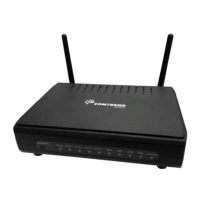
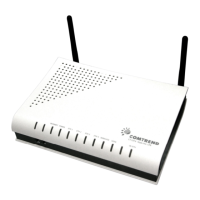
Comtrend Corporation CT-5374 - User Manual

Comtrend Corporation CT-5374
50 pages
Print Icon
To Next Page IconTo Next Page
Loading...
CT-5374
Multi-DSL WLAN Router
User Manual
Version A2.1, April 30, 2010
261099-005
Question and Answer IconNeed help?

Do you have a question about the Comtrend Corporation CT-5374 and is the answer not in the manual?

Summary

Preface

Important Safety Instructions

Basic guidelines for unpacking, installation, use, and maintenance of electronic devices.

FCC Compliance

Chapter 1 Introduction

1.1 Product Features

Lists integrated features like 802.11n AP, VDSL2 support, QoS, NAT, DHCP server.

Chapter 2 Installation

2.1 Hardware Setup

Details the back panel connections, ports, and power-on procedure for the router.

2.2 LED Indicators

Explains the status lights on the front panel of the device for monitoring and troubleshooting.

Chapter 3 Web User Interface

3.1 Default Settings

Lists factory default IP address, username, and password for initial access.

3.2 IP Configuration

Details DHCP and Static IP configuration steps for connecting a PC to the network.

3.3 Login Procedure

Step-by-step instructions on how to log into the router's web user interface using credentials.

Chapter 4 Device Information

Device Information Summary

Displays hardware, software, IP settings, and current connection status.

4.1 WAN Configuration

Allows display and configuration of PVCs for Wide Area Network interfaces.

Chapter 5 Advanced Setup

5.1 Layer 2 Interface Configuration

Configuration for ATM, PTM, and ETH WAN interfaces for layer 2 connectivity.

5.2 WAN Service Setup

Configuration of Wide Area Network (WAN) interfaces and service types.

5.3 LAN Settings

Configuration of Local Area Network (LAN) IP address, subnet mask, and DHCP server.

5.5 Network Address Translation (NAT)

Configuration for NAT, enabling port forwarding and other translation services.

5.6 Security Settings

Manages security features like firewall, IP filtering, and MAC filtering.

5.7 Parental Control

Controls internet access for LAN devices based on time and website restrictions.

5.8 Quality of Service (QoS)

Manages network traffic priority for different applications and data flows.

5.9 Routing Functions

Configures routing functions like Default Gateway, Static Route, and Policy Routing.

5.10 DNS Settings

Configuration of Domain Name System (DNS) server settings for name resolution.

Chapter 6 Wireless

6.1 Wireless Basic Settings

Configuration of basic wireless parameters such as SSID, channel, and security.

6.2 Wireless Security

Configuration of wireless security protocols like WPA/WPA2 and MAC filtering.

Chapter 8 Management

8.1 Settings Management

Includes backup, restore, and update functions for device configuration settings.

Summary

Preface

Important Safety Instructions

Basic guidelines for unpacking, installation, use, and maintenance of electronic devices.

FCC Compliance

Chapter 1 Introduction

1.1 Product Features

Lists integrated features like 802.11n AP, VDSL2 support, QoS, NAT, DHCP server.

Chapter 2 Installation

2.1 Hardware Setup

Details the back panel connections, ports, and power-on procedure for the router.

2.2 LED Indicators

Explains the status lights on the front panel of the device for monitoring and troubleshooting.

Chapter 3 Web User Interface

3.1 Default Settings

Lists factory default IP address, username, and password for initial access.

3.2 IP Configuration

Details DHCP and Static IP configuration steps for connecting a PC to the network.

3.3 Login Procedure

Step-by-step instructions on how to log into the router's web user interface using credentials.

Chapter 4 Device Information

Device Information Summary

Displays hardware, software, IP settings, and current connection status.

4.1 WAN Configuration

Allows display and configuration of PVCs for Wide Area Network interfaces.

Chapter 5 Advanced Setup

5.1 Layer 2 Interface Configuration

Configuration for ATM, PTM, and ETH WAN interfaces for layer 2 connectivity.

5.2 WAN Service Setup

Configuration of Wide Area Network (WAN) interfaces and service types.

5.3 LAN Settings

Configuration of Local Area Network (LAN) IP address, subnet mask, and DHCP server.

5.5 Network Address Translation (NAT)

Configuration for NAT, enabling port forwarding and other translation services.

5.6 Security Settings

Manages security features like firewall, IP filtering, and MAC filtering.

5.7 Parental Control

Controls internet access for LAN devices based on time and website restrictions.

5.8 Quality of Service (QoS)

Manages network traffic priority for different applications and data flows.

5.9 Routing Functions

Configures routing functions like Default Gateway, Static Route, and Policy Routing.

5.10 DNS Settings

Configuration of Domain Name System (DNS) server settings for name resolution.

Chapter 6 Wireless

6.1 Wireless Basic Settings

Configuration of basic wireless parameters such as SSID, channel, and security.

6.2 Wireless Security

Configuration of wireless security protocols like WPA/WPA2 and MAC filtering.

Chapter 8 Management

8.1 Settings Management

Includes backup, restore, and update functions for device configuration settings.

Comtrend Corporation CT-5374 Specifications

General IconGeneral
BrandComtrend Corporation
ModelCT-5374
CategoryNetwork Router
LanguageEnglish

Related product manuals